Online Course - Layered Illustration with Felt
Last updated: Feb 24 2026
Overview
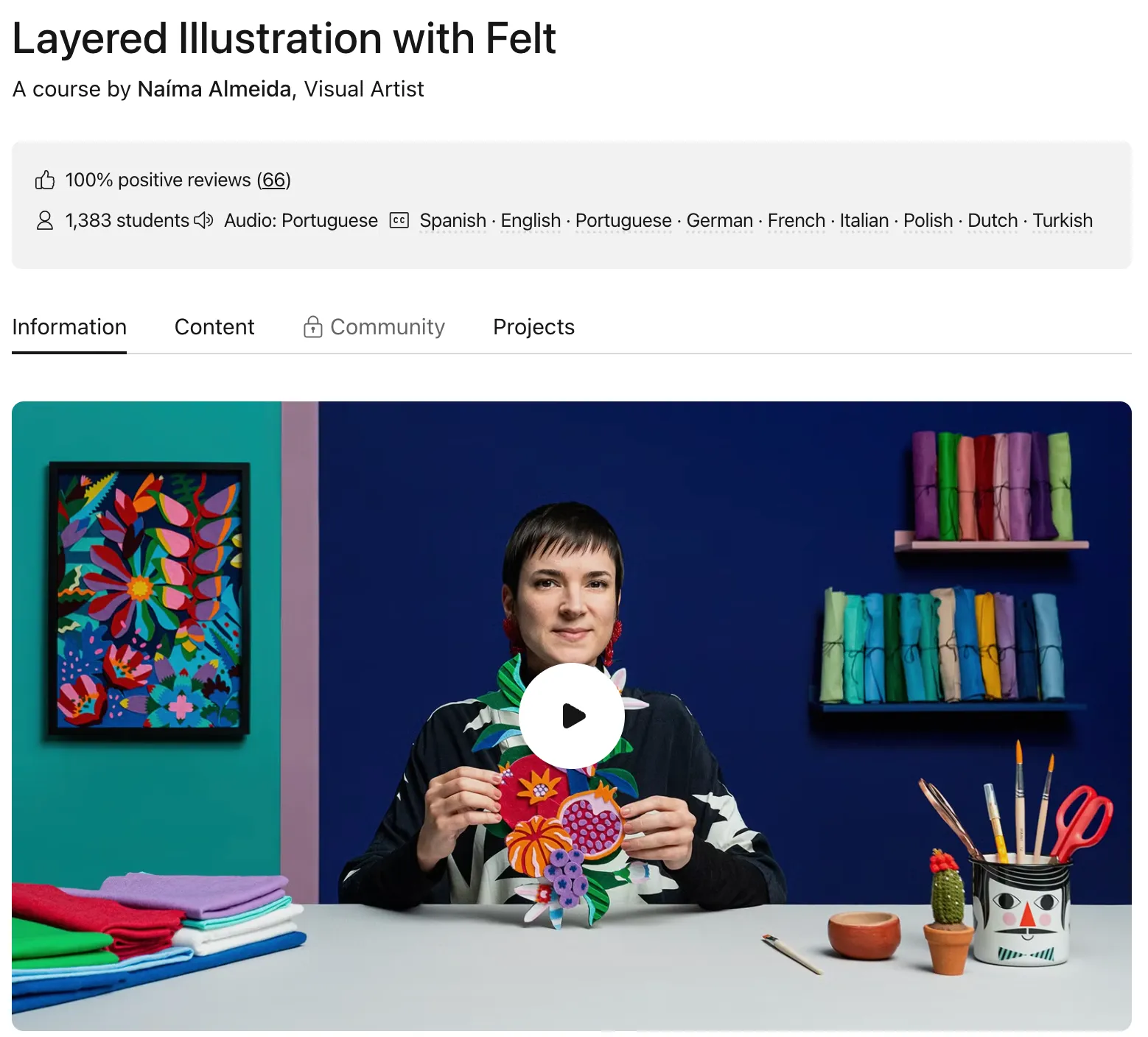
This comprehensive online course by Naíma Almeida teaches you to transform a digital illustration into a handmade three-dimensional piece of art using felt. Combining the geometric simplicity of design with an explosion of color characteristic of Latin American pop art, you'll learn to create a digital design in Adobe Illustrator and how to cut and layer felt elements to achieve a unique sense of depth.
This course is perfect for designers, illustrators, and anyone interested in flat illustration who wants to bring their creations into the physical world. Basic notions of Adobe Illustrator are necessary for this course.
Features
- 14 Comprehensive Lessons: Over 2 hours of detailed instruction
- 12 Additional Resources: Templates, guides, and reference materials
- Beginner-Friendly: Designed for those with basic Adobe Illustrator knowledge
- Hands-On Project: Create a vector illustration and transform it into a 3D felt artwork
- Multilingual Support: Audio in Portuguese with subtitles in 9 languages
- Lifetime Access: Unlimited access to course materials forever
- Community Support: Access to exclusive forums and student projects
What You'll Learn
- Creating references and mood boards for your illustrations
- Illustration and stylization techniques
- Montage and visual composition principles
- Defining effective color palettes
- Organizing layers for optimal workflow
- Preparing templates for printing
- Working with felt materials and tools
- Cutting and mounting techniques
- Collage and finishing methods
Curriculum
Unit 1: Introduction
Presentation Get to know Naíma Almeida, her background, and her artistic influences. Influences Explore the inspirations behind Naíma's unique style combining geometric design with vibrant Latin American pop art.
Unit 2: Creating the Illustration
References and Mood Board Learn how to gather inspiration and create a cohesive visual direction for your project. Illustration and Stylization Develop your illustration skills and learn to stylize your designs effectively. Montage and Visual Composition Master the art of arranging elements for maximum visual impact. Defining the Color Palette Learn to choose and work with color schemes that enhance your design. Organization of Layers Understand how to structure your Illustrator file for efficient workflow. Preparing Templates for Printing Learn the technical aspects of preparing your designs for physical production.
Unit 3: From Illustration to Felt
Materials Discover all the materials and tools you'll need for the course. Cutting Master precision cutting techniques for clean, professional results. Mounting Learn proper mounting methods to ensure durability and visual appeal. Collage Explore collage techniques to add depth and texture to your artwork.
Unit 4: Finalization
Part Completion Learn the final steps to complete your layered illustration. Other Materials Using This Same Technique Discover how to apply these techniques to other materials. Final Project Apply everything you've learned to create your own layered felt illustration.
About the Instructor
Naíma Almeida is a Brazilian visual artist with a background in graphic design. After working in different agencies and offices, she began to dedicate herself to personal projects which allowed her to experiment with unconventional materials as well as combine manual and digital creative processes.
She has produced pieces for big names like Instagram, Carolina Herrera, The Washington Post, and Natura, among others. Her work has received international acclaim with awards from D&AD (London), Clio (New York), Ibero-American Design Biennial (Madrid), and Latin America Design Award (Peru).
Requirements
Software Requirements
- Adobe Illustrator (any recent version)
- Computer capable of running Adobe Illustrator
- Printer for printing templates
Material Requirements
- Felt in various colors
- Glue
- Paintbrushes
- Cutter
- Cutting board
- Scissors
- Ruler
- Sewing pins
- PVC foam board
- Sheets of paper
Installation
Setup Guide
- Download and install Adobe Illustrator
- Gather all required materials
- Set up a dedicated workspace
- Download course files and templates
- Print templates on appropriate paper/cardstock
- Organize felt by color and type
- Prepare cutting tools and surface
- Begin with Unit 1 lessons
Materials List
Essential Tools:
- Sharp craft knife or cutter
- Self-healing cutting mat
- Metal ruler (30cm)
- Fine-tip scissors
- Glue stick or liquid glue
- Paintbrushes (various sizes)
- Sewing pins Materials:
- Assorted colored felt (various thicknesses)
- PVC foam board (for backing)
- Cardstock or thick paper for templates
- Printer (for printing templates) Optional:
- Fabric markers
- Embroidery floss
- Decorative beads or sequins
Project Details
What is this course's project?
Create a vector illustration in Adobe Illustrator and then work on making your handmade piece with felt layering.
You will:
- Design a vector illustration in Adobe Illustrator
- Prepare templates for cutting
- Cut and layer felt elements
- Assemble your three-dimensional artwork
- Apply finishing techniques
Student Work
Thousands of students have successfully completed this course and created stunning layered felt illustrations. Browse the student gallery to see inspiring examples of what you can achieve.
Course Statistics
- Student Rating: 100% positive reviews (66 reviews)
- Students Enrolled: 1,382 students
- Course Duration: 14 lessons (2h 4m)
- Additional Resources: 12 files (3 downloads)
- Skill Level: Beginner
- Languages: Portuguese audio with subtitles in Spanish, English, German, French, Italian, Polish, Dutch, Turkish
- Access: Online and at your own pace with unlimited lifetime access
Pricing Options
$27 SGD | $1.99 SGD | 93% Off | | Regular Purchase | - | $27 SGD | - |
After the 30-day trial period, $37.42 SGD/month (one payment of $449 SGD). Cancel any time.
🚀Direct Download Link
Contact us on 💬WhatsApp for premium access and support.