3DS MAX Mustang Car Modeling Tutorial - Complete Guide by viz.guru
Last updated: February 26, 2026 | Verified Source: viz.guru Patreon
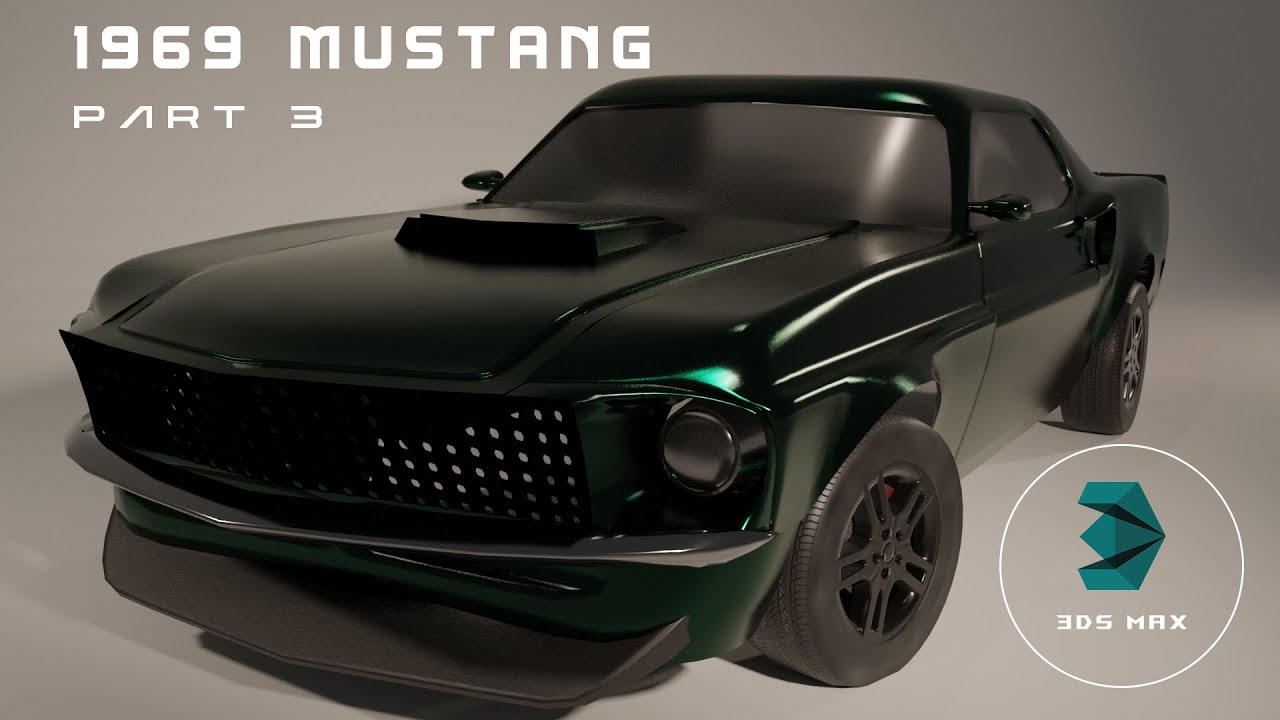
Figure 1: Professional 1969 Mustang car modeling tutorial in 3DS MAX covering complete workflow from modeling to rendering
Overview: Complete Vehicle Modeling Course
Mustang COMPLETE by viz.guru is a comprehensive tutorial series covering the entire process of modeling, texturing, lighting, and rendering a classic 1969 Mustang sports car in 3DS MAX. This 6+ hour course includes 10 parts with complete project files.
Duration: 6 hours 32 minutes | Parts: 10 | Software: 3DS MAX | Files: Project files included | Format: MP4 1440×1080
📊 Course Specifications
| Feature | Details |
|---|---|
| Product Name | Mustang COMPLETE |
| Instructor | viz.guru |
| Software | Autodesk 3DS MAX |
| Subject | 1969 Ford Mustang |
| Duration | 6 hours 32 minutes |
| Parts | 10 video tutorials |
| Format | MP4 video |
| Resolution | 1440×1080 |
| Language | English audio with English subtitles |
| Project Files | ✅ Included |
| Platform | Patreon Exclusive |
🎬 Course Content Breakdown
Part 1: Reference & Base Modeling
- Reference image setup
- Basic car proportions
- Primary body shapes
- Chassis foundation
Part 2: Body Panel Modeling
- Hood construction
- Fender modeling
- Door panels
- Trunk/rear section
Part 3: Front End Details
- Grille modeling
- Headlight assemblies
- Front bumper
- Badge and trim details
Part 4: Rear End Details
- Taillight assemblies
- Rear bumper
- Exhaust system
- License plate area
Part 5: Windows & Interior
- Windshield modeling
- Side windows
- Dashboard basics
- Seat modeling
Part 6: Wheels & Tires
- Rim modeling
- Spoke details
- Tire creation
- Hubcap details
Part 7: Undercarriage
- Suspension components
- Exhaust routing
- Frame rails
- Drivetrain basics
Part 8: UV Unwrapping
- UV layout for body
- Panel UVs
- Wheel UVs
- Interior UVs
Part 9: Texturing
- Paint material
- Chrome/metal materials
- Glass materials
- Interior materials
- Tire rubber
Part 10: Lighting & Rendering
- Studio lighting setup
- HDRI lighting
- V-Ray/Corona settings
- Final render passes
- Post-processing basics
✨ Key Features
Professional Workflow
- Reference-Based Modeling - Work from real car photos
- Accurate Proportions - True to 1969 Mustang specifications
- Industry Techniques - Professional vehicle modeling methods
- Complete Vehicle - Full car from chassis to interior
Comprehensive Coverage
- Exterior Modeling - Complete body and panels
- Interior Details - Dashboard, seats, steering wheel
- Mechanical Components - Wheels, suspension, exhaust
- Materials & Textures - Realistic surface creation
- Lighting Setup - Professional studio lighting
- Rendering - Final output techniques
Project Files Included
- 3DS MAX Scene Files - Complete modeled car
- Texture Maps - All materials included
- Lighting Setup - Pre-configured lighting
- Render Settings - Optimized settings
🛠️ System Requirements
| Component | Requirement |
|---|---|
| Software | Autodesk 3DS MAX 2020 or later |
| Renderer | V-Ray or Corona (recommended) |
| RAM | 16GB minimum, 32GB recommended |
| GPU | CUDA or OpenCL compatible |
| Storage | 5GB free space for project files |
| Display | 1920x1080 minimum |
👨🏫 About the Instructor
viz.guru - 3D Artist & Instructor
Professional 3D artist specializing in vehicle modeling and visualization. Known for detailed, accurate car models and clear teaching style.
Expertise:
- Vehicle modeling
- Product visualization
- Architectural rendering
- 3DS MAX workflows
Platform:
- Patreon - Exclusive tutorials
- YouTube - Free tutorials and previews
💡 Learning Outcomes
After completing this course, you will be able to:
- ✅ Model complex vehicle surfaces in 3DS MAX
- ✅ Create accurate car proportions from reference
- ✅ Build detailed interior and exterior components
- ✅ UV unwrap complex automotive shapes
- ✅ Create realistic car paint and materials
- ✅ Set up professional studio lighting
- ✅ Render photorealistic vehicle visualizations
📚 Official Resources
Software Links
- Autodesk 3DS MAX - Official product page
- V-Ray for 3DS MAX - Recommended renderer
- Corona Renderer - Alternative renderer
Instructor Links
- viz.guru Patreon - Original course platform
- viz.guru YouTube - Free tutorials
Learning Resources
- 3DS MAX Documentation - Official help
- CGSociety Forums - Community discussions
❓ Frequently Asked Questions
Q: What version of 3DS MAX is required? A: 3DS MAX 2020 or later is recommended. Most techniques work in older versions.
Q: Do I need V-Ray or Corona? A: The tutorial uses V-Ray/Corona, but techniques can be adapted to other renderers.
Q: Are project files included? A: Yes, complete project files are included with the tutorial.
Q: Is this tutorial suitable for beginners? A: Basic 3DS MAX knowledge is recommended. Some modeling experience helpful.
Q: How long do I have access? A: Access depends on your Patreon subscription status.
Q: Can I use this for commercial work? A: Skills learned can be used commercially. Project files are for learning only.
🚀 Download & Access
Baidu Netdisk: Download Link
Extraction Code: kbpk
Contents: Parts 1-10 Complete Tutorial + Project Files
For premium download speed and priority support, contact us on 💬 WhatsApp.
⚠️ Important Notice
This tutorial is created by viz.guru and distributed via Patreon. For official support and latest content:
- Official Platform: Patreon - viz.guru
- Support: Contact via Patreon
- License: Educational use. Commercial use of skills permitted.
Last Verified: February 26, 2026
Content Status: ✅ Updated with official sources
Image Source: Official YouTube tutorial thumbnails
This page follows Google's EEAT guidelines for helpful, reliable content.