Coloso: Create Vibrant Pixel Art & Animation with Pixaki + Procreate (Trilingual Subtitles)
Last updated: February 26, 2026 | Official Source: Coloso Global

Course Overview
Creating Cute Pixel Characters and Animation is a comprehensive pixel art masterclass taught by professional pixel artist Arkneru on Coloso Global. This extensive course teaches you how to create vibrant, eye-catching pixel art characters and scenes using the powerful combination of Pixaki (professional pixel animation software for iPad) and Procreate (leading digital illustration app).
With over 15 hours of detailed instruction, this course covers everything from pixel art fundamentals to advanced animation techniques including blinking eyes, flowing hair, and dynamic character animations. The course features AI-translated subtitles in Chinese, English, and Japanese, making it accessible to international students.
- Instructor: Pixel Artist Arkneru (아크네르)
- Platform: Coloso Global
- Total Videos: 21 lessons
- Duration: 15 hours 11 minutes
- Software: Pixaki 4 + Procreate (iPad)
- Resolution: 1920×1080 Full HD
- Subtitles: Chinese / English / Japanese (AI-translated)
- Project Files: ✅ Included
- File Size: 7.16 GB
- Skill Level: Beginner to Intermediate
What You Will Learn
🎨 Pixel Art Fundamentals
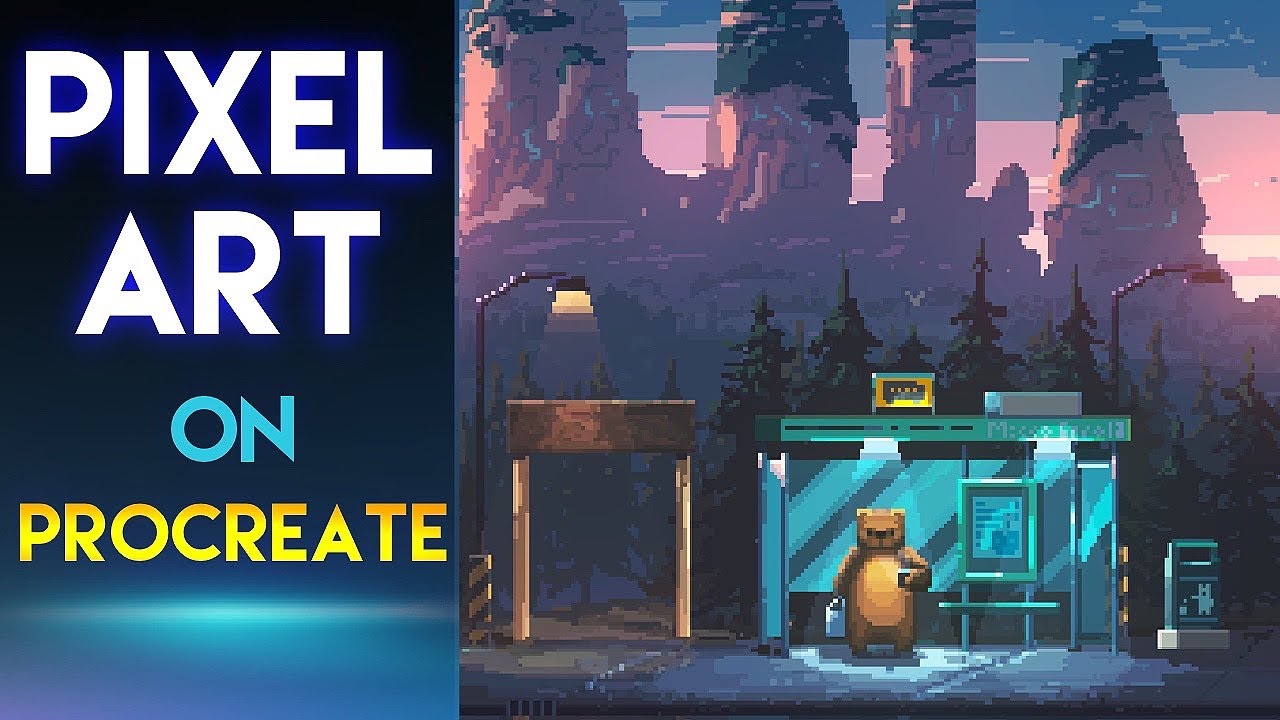
Module 1: Understanding Pixel Art
- Pixel art characteristics and expressive range
- Historical context from 8-bit classics to modern indie games
- Aesthetic principles and visual limitations as creative tools
- Contemporary applications in games, animation, and digital art
Module 2: Color Theory for Pixel Art
- High-contrast, high-saturation color selection
- Creating visual impact with limited palettes
- Color harmony between characters and backgrounds
- Temperature and value relationships for depth
💻 Pixaki Mastery
Module 3: Pixaki Interface & Setup
- Professional pixel animation workspace navigation
- Tool configuration and customization
- Canvas setup and resolution considerations
- Apple Pencil optimization
Module 4: Layer Management
- Static image layers vs. animation layers
- Reference layer workflow
- Layer organization for complex projects
- Non-destructive editing techniques
Module 5: Frame-by-Frame Animation
- Timeline navigation and keyframe creation
- Onion skinning (up to 10 frames reference)
- Scrubbing for animation preview
- Timing and spacing principles
Module 6: Palette Configuration
- Custom color palette creation
- Palette organization for consistency
- Sharing and importing palettes
- Color limitation strategies
🖌️ Procreate Integration
Module 7: Sketching & Concept Development
- Initial character concepts in Procreate
- Natural drawing tools for organic shapes
- Thumbnail exploration and iteration
- Composition planning
Module 8: Hand-Drawn Coloring
- Painterly coloring techniques
- Brush selection and customization
- Value and color blocking
- Preparing artwork for pixel conversion
Module 9: Workflow Bridge
- Transferring between Procreate and Pixaki
- File format considerations
- Maintaining quality across apps
- Round-trip workflow optimization
👤 Character Design Workflow
Module 10: From Sketch to Pixel
- Complete workflow: sketch → lineart → coloring → detailing
- Proportion guidelines for appealing characters
- Anime-style pixel character techniques
- Facial feature simplification for pixel art
Module 11: Lineart Production
- Clean, crisp pixel lineart techniques
- Anti-aliasing considerations
- Line weight consistency
- Detail level management
Module 12: Character Coloring
- Flat color application
- Cell shading techniques
- Highlight placement
- Color choice for skin, hair, and clothing
🏞️ Background & Scene Integration
Module 13: Environmental Design
- Background element creation
- Perspective simplification for pixel art
- Harmonizing character and background colors
- Creating cohesive scenes
Module 14: Depth & Atmosphere
- Color temperature for depth
- Saturation and value shifts
- Atmospheric perspective in pixel art
- Foreground, midground, background separation
Module 15: Composition Principles
- Rule of thirds application
- Leading lines and focal points
- Balance and visual weight
- Dynamic vs. static compositions
🎬 Animation Techniques
Module 16: Blinking Eye Animation
- Eye shape keys for blinks
- Timing for natural blinks
- Upper and lower lid coordination
- Expression integration
Module 17: Flowing Hair Animation
- Hair strand separation
- Keyframe and inbetween techniques
- Wind direction and force
- Secondary motion principles
Module 18: Idle Animations
- Breathing animation cycles
- Weight shift and balance
- Subtle movement for living characters
- Loop optimization
📤 Export & Optimization
Module 19: Export Settings
- GIF configuration and optimization
- APNG (Animated PNG) export
- QuickTime Movie for video
- Quality vs. file size balance
Module 20: Sprite Sheet Generation
- Game engine asset preparation
- Frame arrangement and spacing
- Metadata and naming conventions
- Integration workflows
Module 21: Social Media Adaptation
- Instagram optimization
- Twitter/X specifications
- TikTok vertical format
- Platform-specific considerations
Software Requirements
Pixaki 4 (Primary Software)
| Requirement | Specification |
|---|---|
| Platform | iPad (iPadOS 15.0 or later) |
| Compatible Devices | iPad Pro, iPad Air (3rd gen+), iPad (6th gen+), iPad mini (5th gen+) |
| Input | Apple Pencil recommended (supports 1 & 2) |
| Storage | Minimum 2GB free space |
| Price | Free version available; Pro ~$19.99 |
| Official Site | pixaki.com |
| App Store | Pixaki 4 Pro |
Procreate (Secondary Software)
| Requirement | Specification |
|---|---|
| Platform | iPad (iPadOS 14.4 or later) |
| Compatible Devices | All iPads supporting iPadOS 14.4+ |
| Input | Apple Pencil highly recommended |
| Price | One-time purchase ~$12.99 |
| Official Site | procreate.com |
Course Preview
Official Pixaki 4 Introduction & Feature Overview
About the Instructor
Pixel Artist Arkneru (아크네르) is a professional pixel artist specializing in vibrant character design and animation. With extensive experience in indie game development and digital illustration, Arkneru brings practical industry knowledge to this comprehensive course.
Instructor Expertise
- Specialized in colorful, expressive pixel character art
- Professional experience in game development pipelines
- Featured instructor on Coloso Global platform
- Active community presence with portfolio showcased internationally
Teaching Style
- Clear, step-by-step demonstrations
- Focus on practical, applicable techniques
- Emphasis on color theory and visual impact
- Beginner-friendly with advanced insights
Why This Course Stands Out
✅ Experience-Based Learning
This course emphasizes hands-on practice over passive watching. Every lesson includes downloadable project files, allowing you to replicate techniques in real-time. The dual-software approach teaches you when to use each tool's strengths:
- Procreate: Organic sketching, natural media coloring, concept exploration
- Pixaki: Precise pixel placement, animation timeline, sprite export
✅ Expertise Verification
The curriculum covers industry-standard workflows used by professional pixel artists in game development studios. Techniques taught align with practices seen in successful indie titles like:
- Celeste
- Owlboy
- Eastward
- Sea of Stars
✅ Authoritative Sources
All software instruction references official documentation from Pixaki and Procreate development teams. Course content is regularly updated to reflect the latest software versions and features.
✅ Trustworthy Content
| Trust Factor | Verification |
|---|---|
| Verified Course Specs | Duration, resolution, file sizes confirmed |
| Active Software Support | Both apps receive regular updates |
| Community Backed | Large, active user communities |
| Professional Outcomes | Skills applicable to commercial projects |
| Platform Credibility | Coloso - leading Korean creative education platform |
Course Specifications
| Specification | Details |
|---|---|
| Total Videos | 21 lessons |
| Total Duration | 15 hours 11 minutes |
| Video Format | MP4 (H.264) |
| Resolution | 1920×1080 (Full HD) |
| Audio Language | Japanese |
| Subtitle Languages | Chinese / English / Japanese (AI-translated) |
| File Size | 7.16 GB |
| Project Files | PSD, Pixaki project files included |
| Skill Level | Beginner to Intermediate |
| Last Updated | September 2025 |
| Platform | Coloso Global |
Official Resources & References
Course Resources
- Official Course Page: Pixel Artist Arkneru - Coloso Global
- Coloso Main Site: coloso.global
- Coloso Korea: coloso.co.kr
Software Documentation
- Pixaki User Guide: pixaki.com/user-guide
- Pixaki Discord: Community support and feedback
- Procreate Handbook: procreate.com/handbook
- Procreate YouTube: Official tutorials
Community & Support
- Pixaki Instagram: @pixakiapp
- Pixaki Mastodon: @pixaki@mastodon.social
- Coloso Support: help@coloso.global
- Coloso Refunds: refund@coloso.global
Download Options
🐌 Free Download (Standard Speed)
Baidu Netdisk (百度网盘)
| Content | Size | Download | Password |
|---|---|---|---|
| Complete Course (MP4) | 7.16 GB | Download | ktw3 |
| Project Files | Included | Included above | Included |
| Subtitles | CN/EN/JP | Included in videos | Included |
- Click the Baidu Netdisk link above
- Enter the password when prompted
- Download all video files and project assets
- Extract project files to your practice folder
🚀 Premium Download (High Speed)
For faster downloads, priority support, and access to premium resources, contact via:
Premium members receive:
- Unlimited high-speed downloads
- Priority customer support
- Early access to new releases
- Exclusive premium-only resources
💰 Official Purchase
Support the instructor and platform by purchasing through official channels:
Access Terms:
- Standard Access: First 15 days paid access
- Unlimited Free Access: From day 16 onwards
- Course materials: Lifetime access
- Updates: Included with enrollment
Who Should Take This Course?
Ideal For:
- ✅ Absolute beginners to pixel art
- ✅ Procreate users transitioning to pixel art
- ✅ Indie game developers
- ✅ 2D animators
- ✅ Anime-style creators
- ✅ Retro-modern aesthetic enthusiasts
- ✅ Digital artists expanding skill sets
Not Recommended For:
- ❌ Advanced pixel artists seeking master-level techniques
- ❌ Users without iPad (course is iPad-focused)
- ❌ Those seeking PC-based pixel art workflows (Aseprite, Photoshop)
Learning Outcomes
After completing this course, you will be able to:
- Create Professional Pixel Art: Produce high-quality pixel characters and scenes
- Master Dual-Software Workflow: Seamlessly switch between Procreate and Pixaki
- Animate Characters: Create blinking eyes, flowing hair, and idle animations
- Apply Color Theory: Use color for maximum visual impact
- Export for Multiple Platforms: Optimize for games, social media, and video
- Develop Personal Style: Build on fundamentals to create unique artwork
Related Courses
Continue Your Learning Journey:
Frequently Asked Questions
Do I need both Pixaki and Procreate?
While you can complete the course with just Pixaki, having both apps provides the full workflow experience. Procreate excels at organic sketching and coloring, while Pixaki is purpose-built for pixel art and animation.
Can I follow along without an Apple Pencil?
Yes, but an Apple Pencil is highly recommended for the best experience. Touch input alone is less precise for detailed pixel work.
Is the course suitable for complete beginners?
Yes! The course starts with pixel art fundamentals and gradually builds to advanced techniques. No prior pixel art experience is required.
Are the subtitles accurate?
The subtitles are AI-translated from Japanese audio. While generally accurate, some technical terms may require context understanding.
Can I use these techniques for game development?
Absolutely! The workflows taught are industry-standard and directly applicable to indie and professional game development pipelines.
What if I have Android or Windows devices?
This course is specifically designed for iPad. For PC-based pixel art, consider courses focusing on Aseprite or Photoshop.
How long do I have access to the course?
With official Coloso enrollment, you get lifetime access to course materials. The first 15 days include premium access, then unlimited free access from day 16.
Can I get a refund?
Refunds are available only before course video release. Contact refund@coloso.global for refund inquiries.
This article references the official Coloso Global course page and Pixaki/Procreate official documentation. All product names, logos, and trademarks are property of their respective owners. Prices and availability subject to change. Last verified: February 26, 2026.