Last updated: Oct 24 2025
RD-Films CINEMATIC LUT PACK for DJI Mavic 3 Series Drones
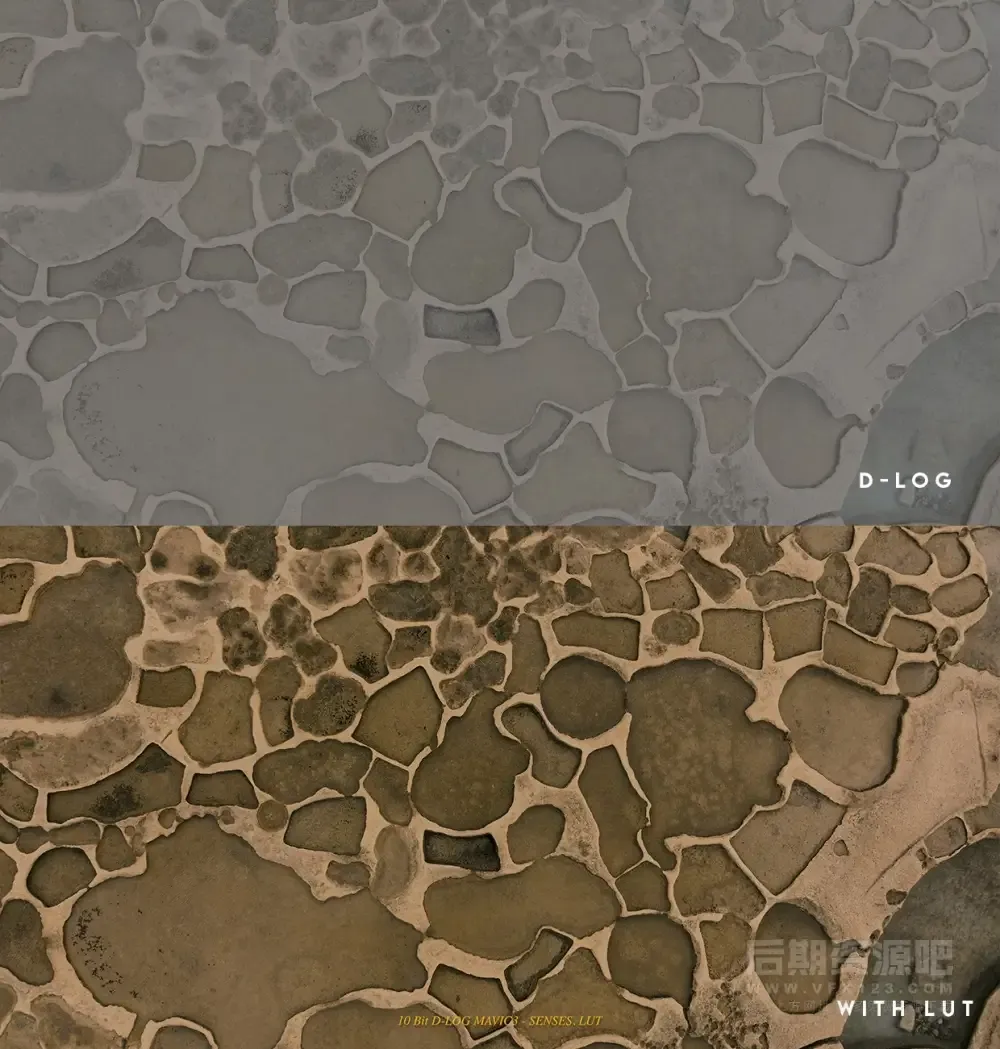
This is a cinematic LUT pack specifically designed for DJI Mavic 3 series drones, which will maximize the quality of your aerial footage and create professional-grade cinematic quality in minutes. These LUTs are optimized for Mavic 3's camera and 10 bit D-LOG color profile to bring you the best results and optimal dynamic range. These presets are excellent for learning and reference, perfect for collection and future use!
- System Compatibility: Windows and Mac systems
- Supported Software: Compatible with Sony Vegas, Premiere Pro CC, After Effects CC, FCPX, DaVinci Resolve, etc.
- File Format: .CUBE format
- File Size: Approximately 3MB
- Delivery Format: .zip file
- Download Method: Baidu Netdisk/NiuCow Fast Transfer (VIP member exclusive high-speed direct access)
CINEMATIC LUTS – 19 LUTs.
CREATIVE LUTS – 27 LUTs.
D-LOG TO STANDARD – 4 LUTs.
Drone Camera Shooting Settings: D-LOG, H265, 5K 30fps, Exposure Comp 0, Neutral WB.
In order to get a correct exposure and a cinematic motion blur you need to use ND filters preferably ND-PL (with polarization) and also make sure you expose correctly!
Do not overexpose if you shoot on manual settings because you will lose details in your bright areas such as skies or clouds!
Use Histogram to set the exposure correctly and also only shoot in D-LOG video format for the best dynamic range. You can also turn on Overexposure Warning and that will help with getting a correct exposure. If you shoot on Auto set the exposure compensation to 0 zero.
Image Introduction
Installation Instructions
Final Cut Pro X
- Open FCPX software, find the Effects panel - Color - Custom LUT and add it to the video
- In the LUT parameter - Select Custom LUT... select the LUT folder or .cube file you want to load PS: If you select the LUT folder, you can load the entire folder and keep it in the LUT parameter for convenient classification management, but note that it's best not to use Chinese characters or special characters.
Premiere Pro
- First open the following path:
- Mac system:
/Library/Application Support/Adobe/Common/LUTs - Windows system:
C:\Program Files\Adobe\Common\LUTs
- Mac system:
- Copy the LUTs (e.g. "Log to Rec709") to the above folder
- For easy categorization, you can create a new folder in the above path
DaVinci Resolve
- First open the following path:
- Mac system:
Macintosh HD/Library/Application Support/Blackmagic Design/DaVinci Resolve/LUT - Windows system:
C:\ProgramData\Blackmagic Design\DaVinci Resolve\Support\LUT
- Mac system:
- Copy the LUTs (e.g. "Log to Rec709") to the above folder
🚀Direct Download Link
Contact us on 💬WhatsApp for premium access and support.