Last updated: Oct 24 2025
Impulz Hollywood LUT Bundle - Professional Digital Film Simulation LUT
This is a professional digital film simulation LUT produced by Impulz for Hollywood-style color grading, specially developed for cinematographers and colorists. Highly acclaimed in the industry. Very worth learning and referencing, save for later use!
🌟 Key Features
- Hollywood Style: Authentic Hollywood film aesthetics
- Professional Quality: Developed specifically for cinematographers and colorists
- Industry Acclaimed: Highly praised in the professional industry
- Digital Film Simulation: Realistic film look for digital footage
- Cinematic Color Grading: Professional color grading tools
- Wide Compatibility: Works with major editing and grading software
📋 Technical Specifications
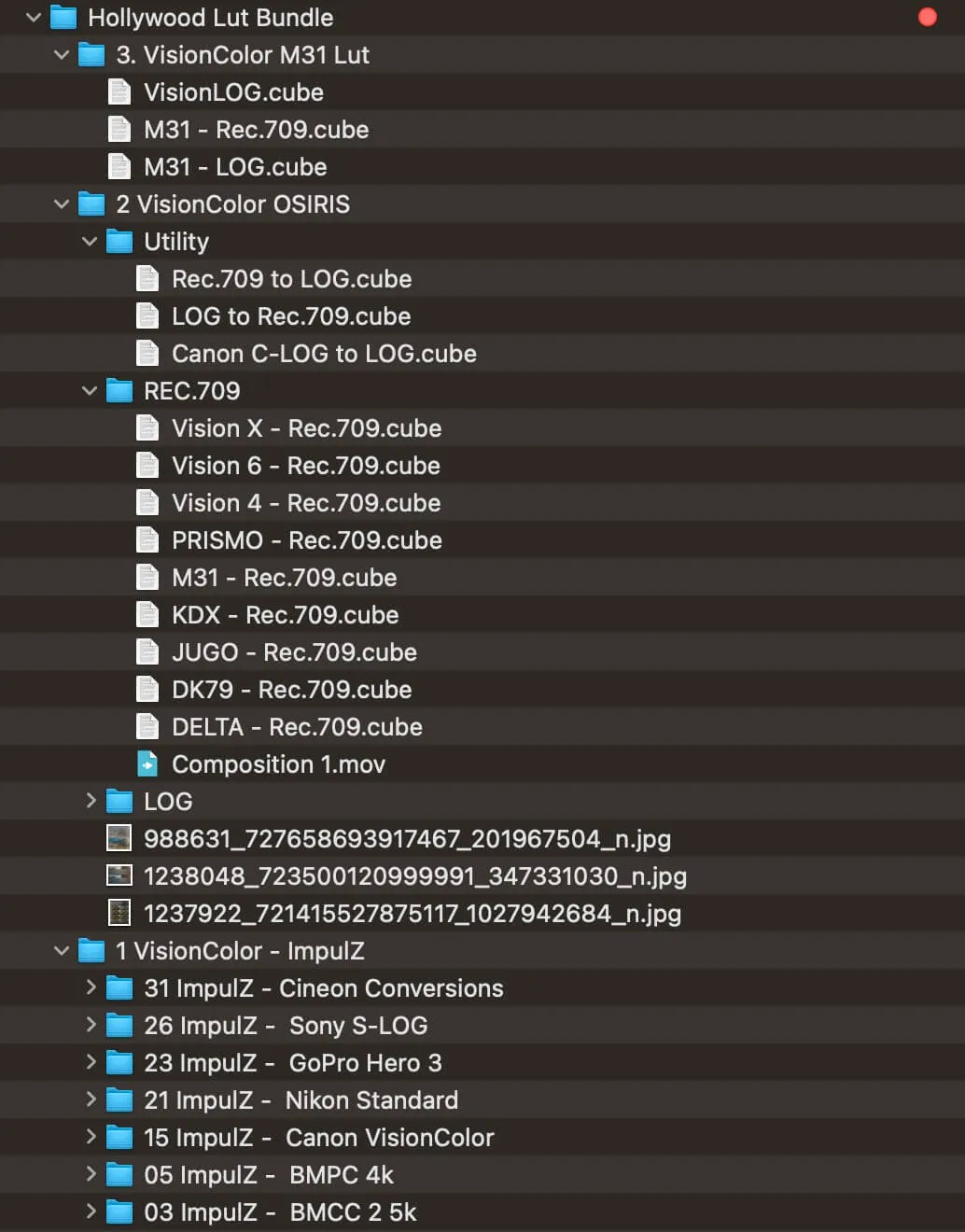
Windows and Mac | | File Format | .CUBE format | | Software Compatibility | Sony Vegas, Premiere Pro CC, After Effects CC, FCPX, DaVinci Resolve | | File Size | Approximately 64MB | | Delivery Format | .zip file |
🛠️ Software Compatibility
✅ Compatible | | Premiere Pro CC | ✅ Compatible | | After Effects CC | ✅ Compatible | | Final Cut Pro X | ✅ Compatible | | DaVinci Resolve | ✅ Compatible |
Installation Guide
How to Install in Different Software
Final Cut Pro X
- Open FCPX software, find the Effects panel - Color - Custom LUT and add to the video
- In the LUT parameter item - Select Custom LUT... select the LUTS folder or .cube file
- If you select the LUTS folder, you can load the entire folder and keep it in the LUT parameter item for easy classification management
- Note: Try to avoid using Chinese characters and special characters
Premiere Pro
- Open the following path:
- Mac System:
/Library/Application Support/Adobe/Common/LUTs - Windows System:
C:\Program Files\Adobe\Common\LUTs
- Mac System:
- Copy your "Log to Rec709" LUTs to the above folder
- For easy classification, you can create a new folder in the above path
DaVinci Resolve
- Open the following path:
- Mac System:
Macintosh HD/Library/Application Support/Blackmagic Design/DaVinci Resolve/LUT - Windows System:
C:\ProgramData\Blackmagic Design\DaVinci Resolve\Support\LUT
- Mac System:
- Copy your "Log to Rec709" LUTs to the above folder
📸 Product Showcase
🚀 Direct Download Link
Get Premium Download Speed Without any Limitations!
Contact us on 💬WhatsApp for premium access and support.