Gamut FORIS LUTs - Wild Landscapes Adventure Color Grading
Last updated: Oct 24, 2025
📁 Resource Information
- Developer: Gamut
- System Support: Windows and Mac
- Software Compatibility: Sony Vegas, Premiere Pro CC, After Effects CC, FCPX, DaVinci Resolve
- File Format: .CUBE
- File Size: ~6MB
- Download: Baidu Netdisk
📋 Overview
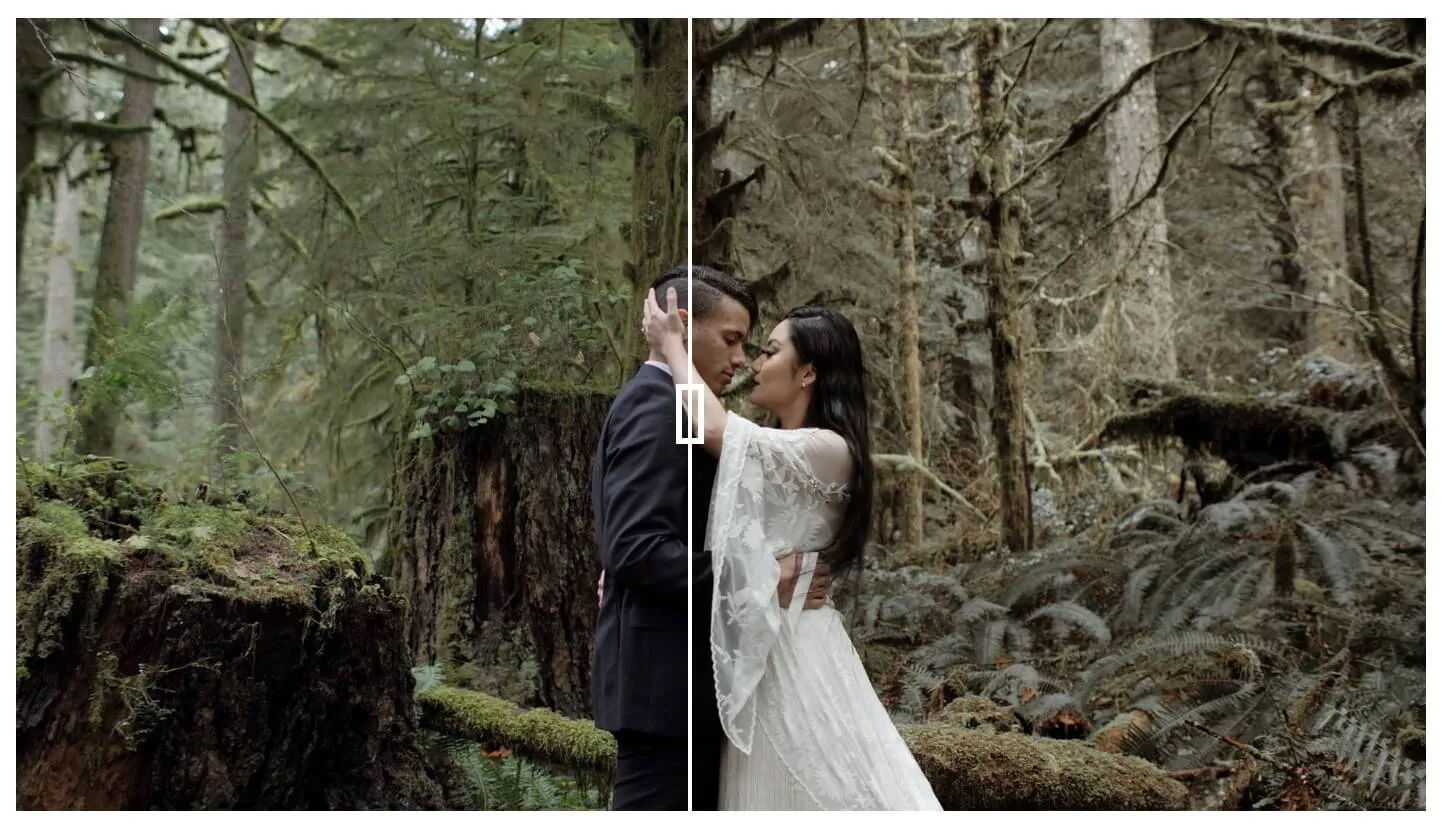
Gamut FORIS LUTs is a cinematic color grading pack inspired by wild, remote landscapes. Designed for adventure, elopement, and wedding films, this LUT pack features stylized greens and moody hues that bring a bold, untamed look to your footage. Perfect for capturing the spirit of the outdoors.
🖼️ Visual Examples
Foris 01
Our most styled look, Foris 01 has deeply desaturated greens that adds warm to your mid-tones, while allowing your highlights to still feel cool and balanced. You'll find earthy, brown shadows and more neutral skin tones.
Foris 02
If you want a more saturated look, then Foris 02 will give you richer greens and more saturated skin-tones. This LUT brings together a warm highlight palette, making your films shine at sunset and during Alpenglow. This look adds warmth to skin tones while gently tugging at the highlights.
Foris 03
Foris 03 has a subtle green split toning going on in the highlights that contrasts very nicely with the muted warm skin-tones. A crowd favorite, this LUT has a palette that equally pulls at cool and warm tones, and it offers a uniqueness to your films that still feels balanced and eye-catching.
Foris 04
This LUT eases up on highlights and contrast, giving you a more dynamic starting place to continue building your own look. Using this base, you can get all the power of the Foris color system, while adding on to it at your own discretion. This look will work in more environments that don't require a strong contrast curve.
Foris 05
Similar to a more saturated version of Foris 04, this LUT contains warm cues that lean more towards pink and blush—while still managing consistent contrast and true black. By gently pushing the greens, this LUT will allow imagery with greenery and landscapes to still feel powerful and dynamic, while keeping your subject as the hero.
Foris 06
This final look pulls most desaturation down—but powers up your mid-tones and white highlights. You'll find stronger contrast, with higher levels of saturation added into skin-tones. By bringing depth to your mid-tones, it allows your whites to stand out amidst other desaturation, making a complex color palette look easy and organic. We recommend sampling this LUT with various levels of intensity.
🔧 Installation Guide
Final Cut Pro X
- Open FCPX software
- Find the [Effects] panel - [Color] - [Custom LUT] and add it to the footage
- In the [LUT] parameter - [Select Custom LUT...], select the LUTS folder or .cube file to load
- If you select the LUTS folder, the entire folder will be loaded and retained in the [LUT] parameter for easy classification management, but avoid using Chinese characters and special characters
Premiere Pro
- Open the following path:
- Mac:
/Library/Application Support/Adobe/Common/LUTs - Windows:
C:\Program Files\Adobe\Common\LUTs
- Mac:
- Copy LUTs such as "Log to Rec709" to the folder above
- For easy classification, you can create new folders under the path above
DaVinci Resolve
- Open the following path:
- Mac:
Macintosh HD/Library/Application Support/Blackmagic Design/DaVinci Resolve/LUT - Windows:
C:\ProgramData\Blackmagic Design\DaVinci Resolve\Support\LUT
- Mac:
- Copy LUTs such as "Log to Rec709" to the folder above
🚀 Direct Download Link
Contact us on 💬WhatsApp for premium access and support.