SONY SLOG 3 LUTS – SKINTONE EDITION by Alexandru Don
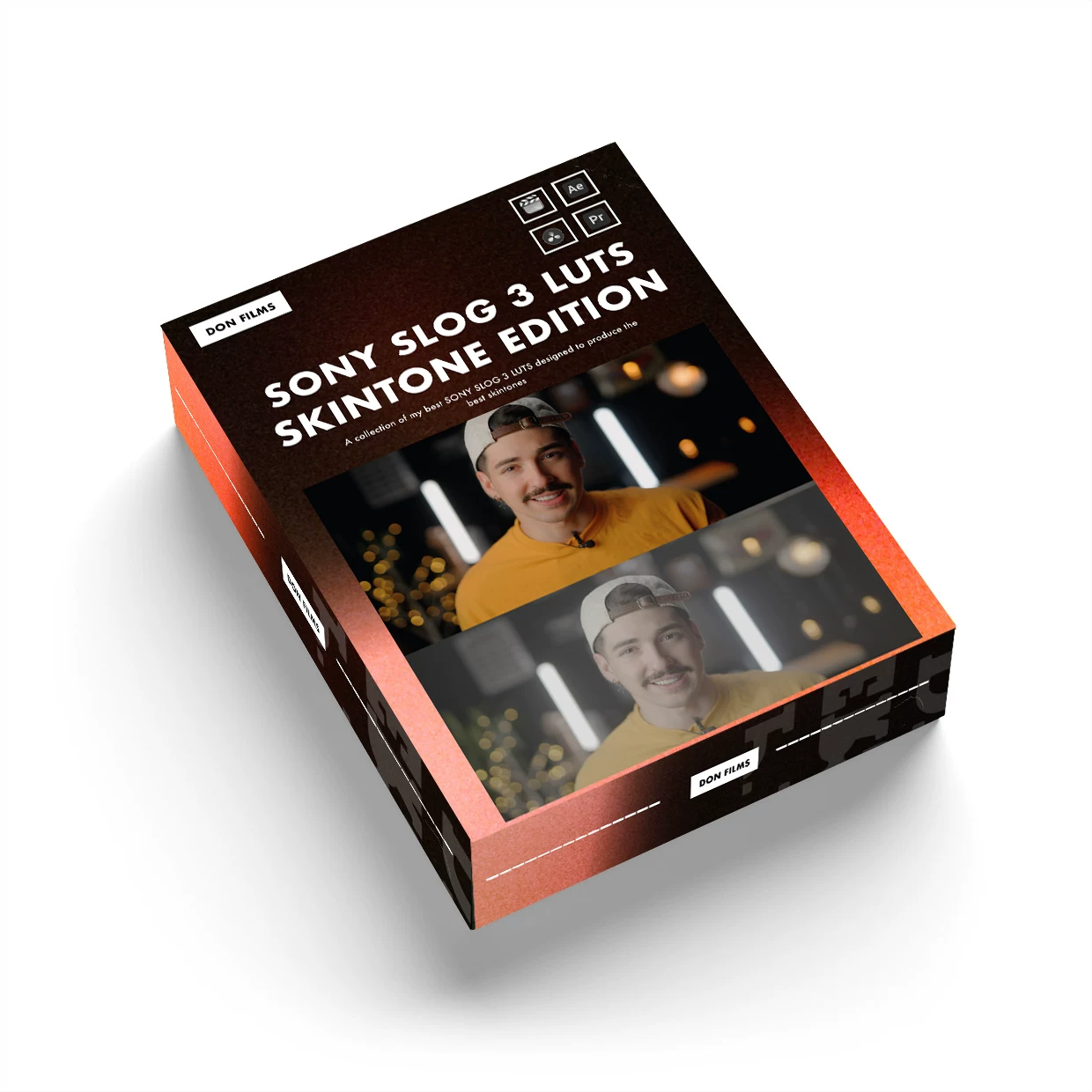 SONY SLOG 3 LUTS – SKINTONE EDITION delivers cinematic commercial color grading for professional video production
Last updated: February 26, 2026
Creator: Alexandru Don
Official Source: alexandru-don.sellfy.store
📋 Quick Overview
- 21 Professional LUTs + 1 Bonus Monitoring LUT (22 total)
- Two Exposure Categories: Overexposed & Normal/Underexposed S-Log3
- File Format: .CUBE (universal LUT format)
- File Size: 5.8MB
- Price: $49.99 USD (official store)
- Compatible Software: DaVinci Resolve, Premiere Pro, After Effects, Final Cut Pro X, Photoshop, and more
The SONY SLOG 3 LUTS – SKINTONE EDITION is a professional color grading preset pack developed by filmmaker Alexandru Don over months of real-world project use. This collection addresses the common challenges of working with Sony S-Log3 footage, particularly in achieving natural, cinematic skin tones while preserving the camera's full dynamic range.
🎯 What Makes These LUTs Different?
Professional Development Process
Unlike generic LUT packs, these presets were developed through extensive hands-on testing on actual commercial projects. Alexandru Don identified two critical exposure scenarios that S-Log3 shooters face daily:
- Overexposed S-Log3 Footage – When you need to recover highlights while maintaining skin tone accuracy
- Normal to Underexposed S-Log3 Footage – When shooting in challenging lighting conditions requires shadow recovery
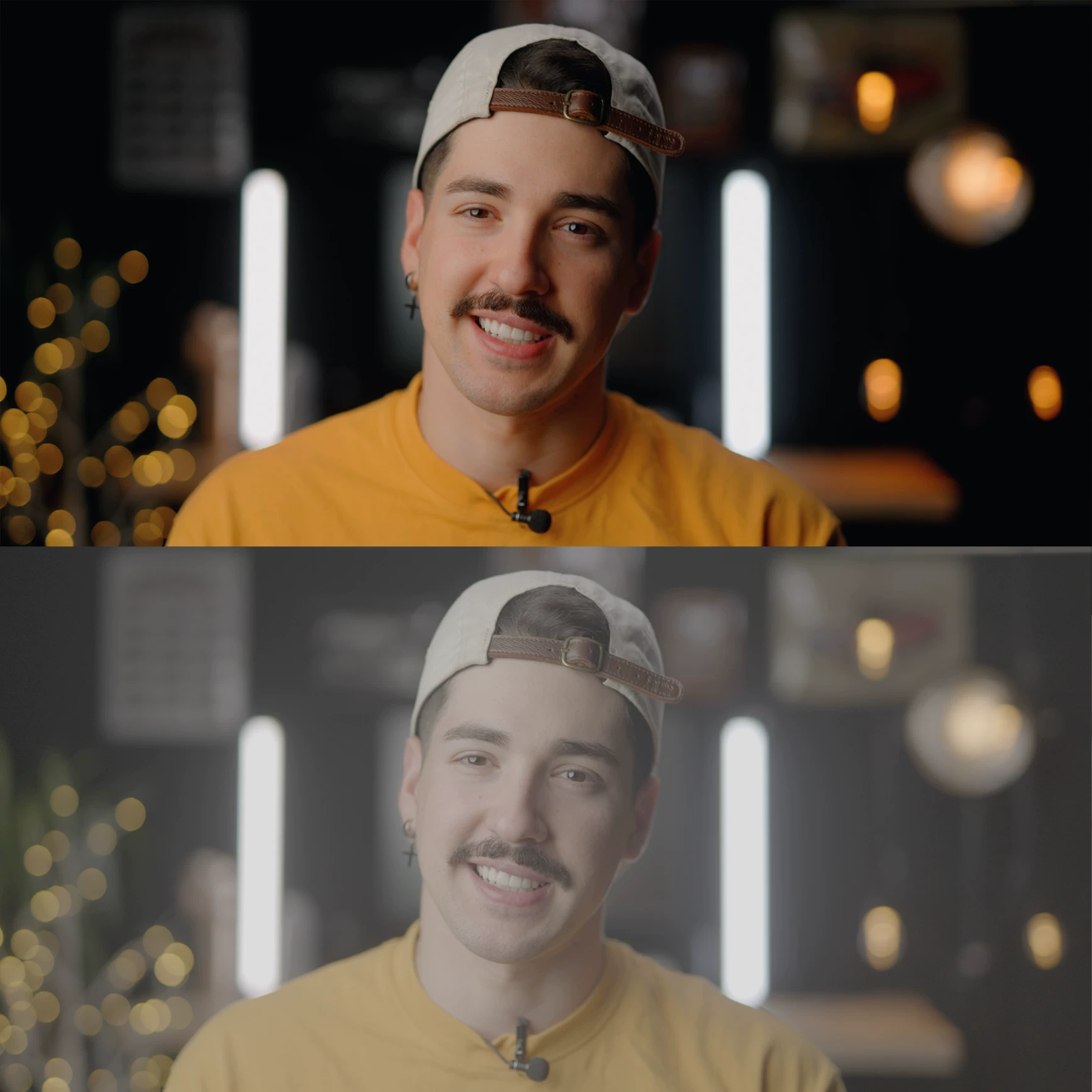
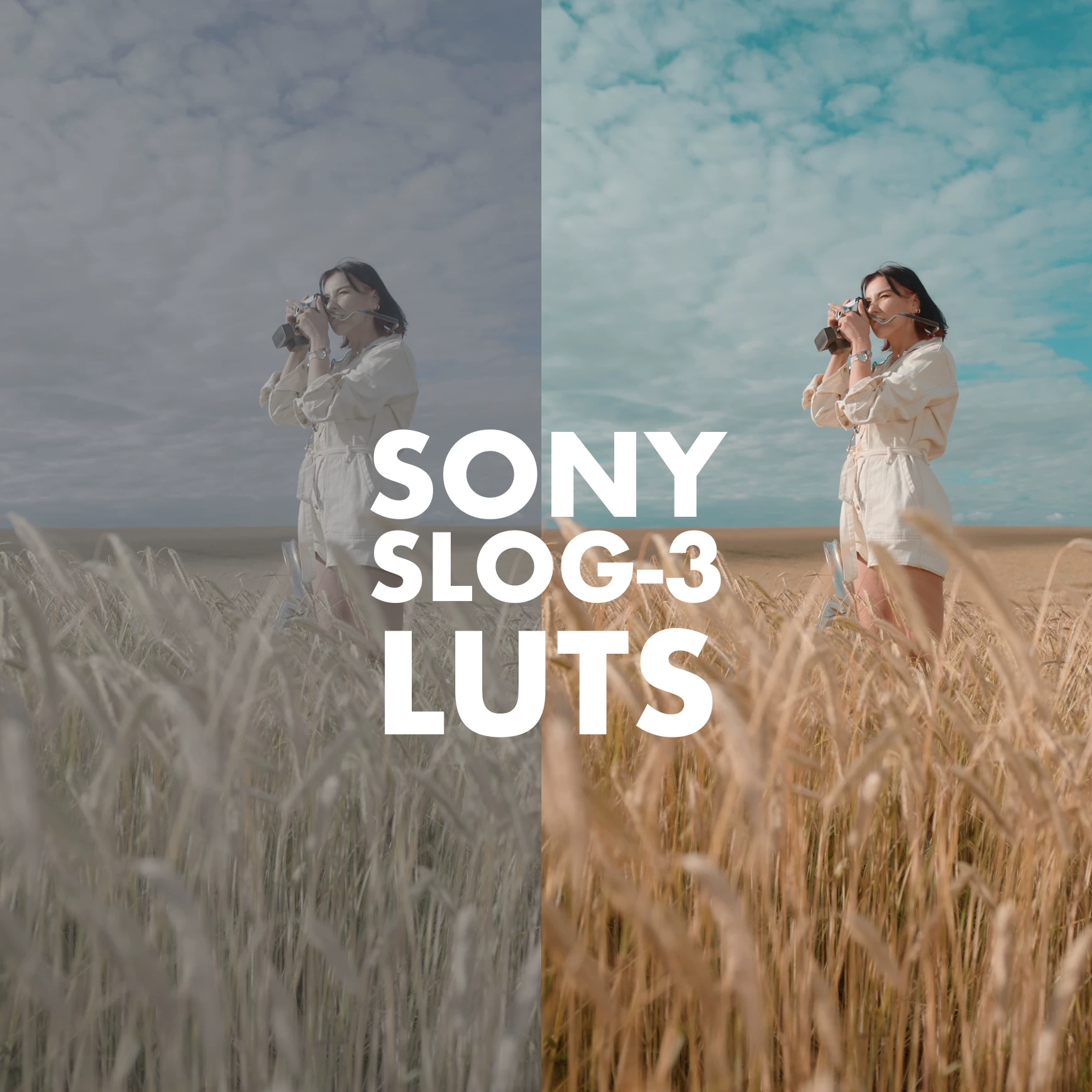 Before and after comparison showing natural skin tone reproduction with preserved dynamic range
Cinematic Commercial Look
The LUTs deliver a polished cinematic commercial appearance while maintaining the high dynamic range that S-Log3 is known for. This means:
- Natural, accurate skin tones that don't look oversaturated or artificial
- Preserved highlight and shadow detail
- Professional color science suitable for client work
- Significant time savings in post-production color grading
📦 What's Included
LUT Breakdown
| Category | Count | Use Case |
|---|---|---|
| Overexposed S-Log3 LUTs | 9 LUTs | Footage shot 1-2 stops overexposed for maximum dynamic range |
| Normal to Underexposed S-Log3 LUTs | 12 LUTs | Properly exposed or slightly underexposed footage |
| Bonus Monitoring LUT | 1 LUT | For external monitors to judge exposure and preview final look |
| Total | 22 LUTs | Complete S-Log3 workflow solution |
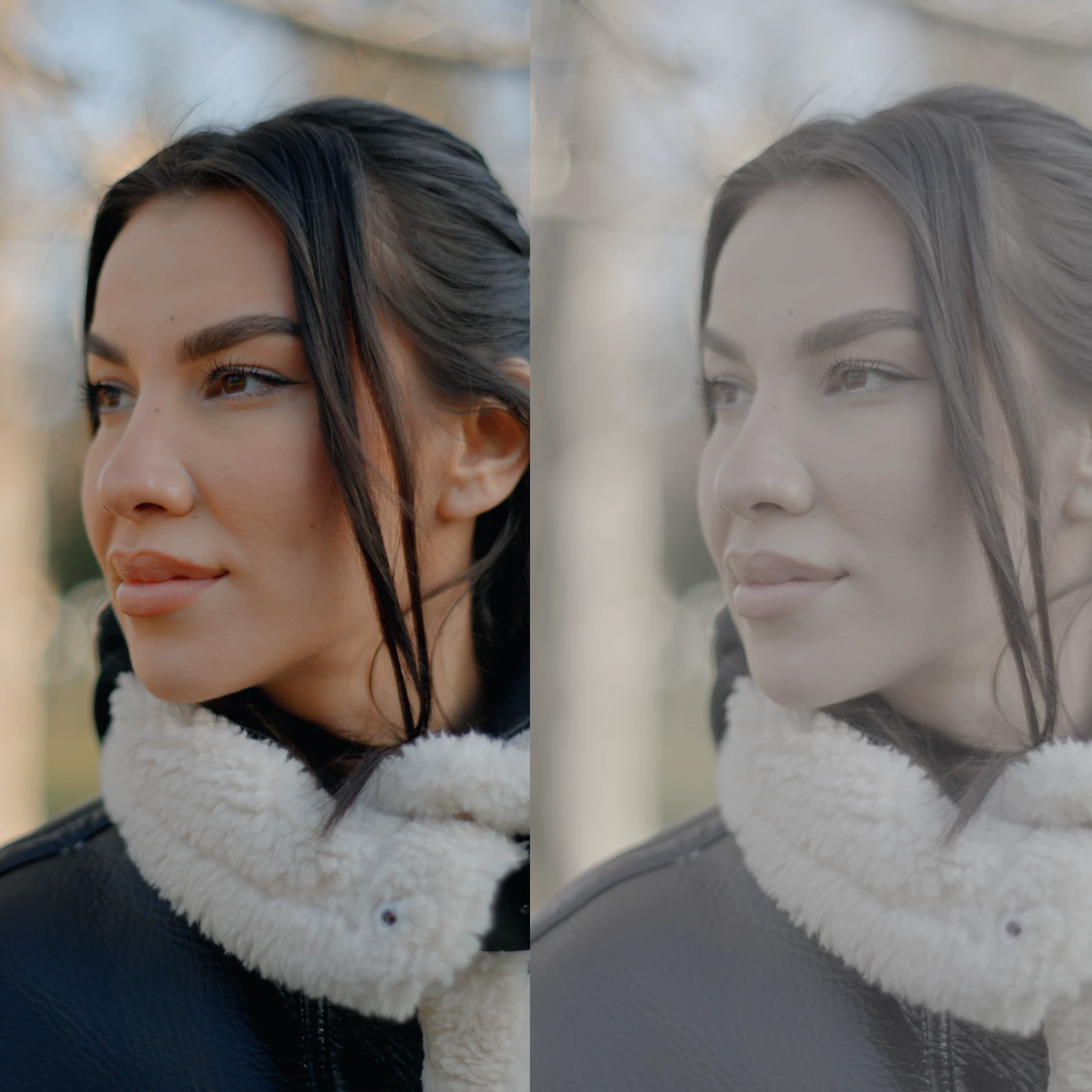 LUT selection interface showing organized exposure categories
Bonus: Monitoring LUT
The included Monitoring LUT is designed for use on external monitors (such as Atomos Ninja V or similar recorders). This allows you to:
- Judge exposure accurately on set
- Preview the final cinematic look while recording
- See the camera's full dynamic range in real-time
- Make informed lighting and exposure decisions during production
🛠️ Technical Specifications
| Specification | Details |
|---|---|
| Product Name | SONY SLOG 3 LUTS – SKINTONE EDITION |
| Creator | Alexandru Don (Professional Filmmaker) |
| Total LUT Count | 21 + 1 Bonus Monitoring LUT |
| File Format | .CUBE (3D LUT format) |
| File Size | 5.8MB (compressed .zip) |
| Delivery Format | Digital download (.zip file) |
| Included Documentation | PDF guide for importing LUTs into editing software |
| System Requirements | Windows or macOS |
| Official Price | $49.99 USD |
Software Compatibility
The .CUBE format is the industry standard for 3D LUTs, ensuring compatibility with virtually all professional video editing and color grading software:
| Software | Compatibility |
|---|---|
| DaVinci Resolve | ✅ Fully Compatible |
| Adobe Premiere Pro CC | ✅ Fully Compatible |
| Adobe After Effects CC | ✅ Fully Compatible |
| Final Cut Pro X | ✅ Fully Compatible |
| Adobe Photoshop | ✅ Fully Compatible |
| Adobe Lightroom Classic | ✅ Fully Compatible |
| Avid Media Composer | ✅ Fully Compatible |
| Sony Vegas Pro | ✅ Fully Compatible |
| Edius | ✅ Fully Compatible |
| The Foundry Nuke | ✅ Fully Compatible |
| Capture One | ✅ Fully Compatible |
| Affinity Photo | ✅ Fully Compatible |
| LumaFusion | ✅ Fully Compatible |
| 3DLUT Mobile | ✅ Fully Compatible |
| 剪映 (CapCut/Jianying) | ✅ Fully Compatible |
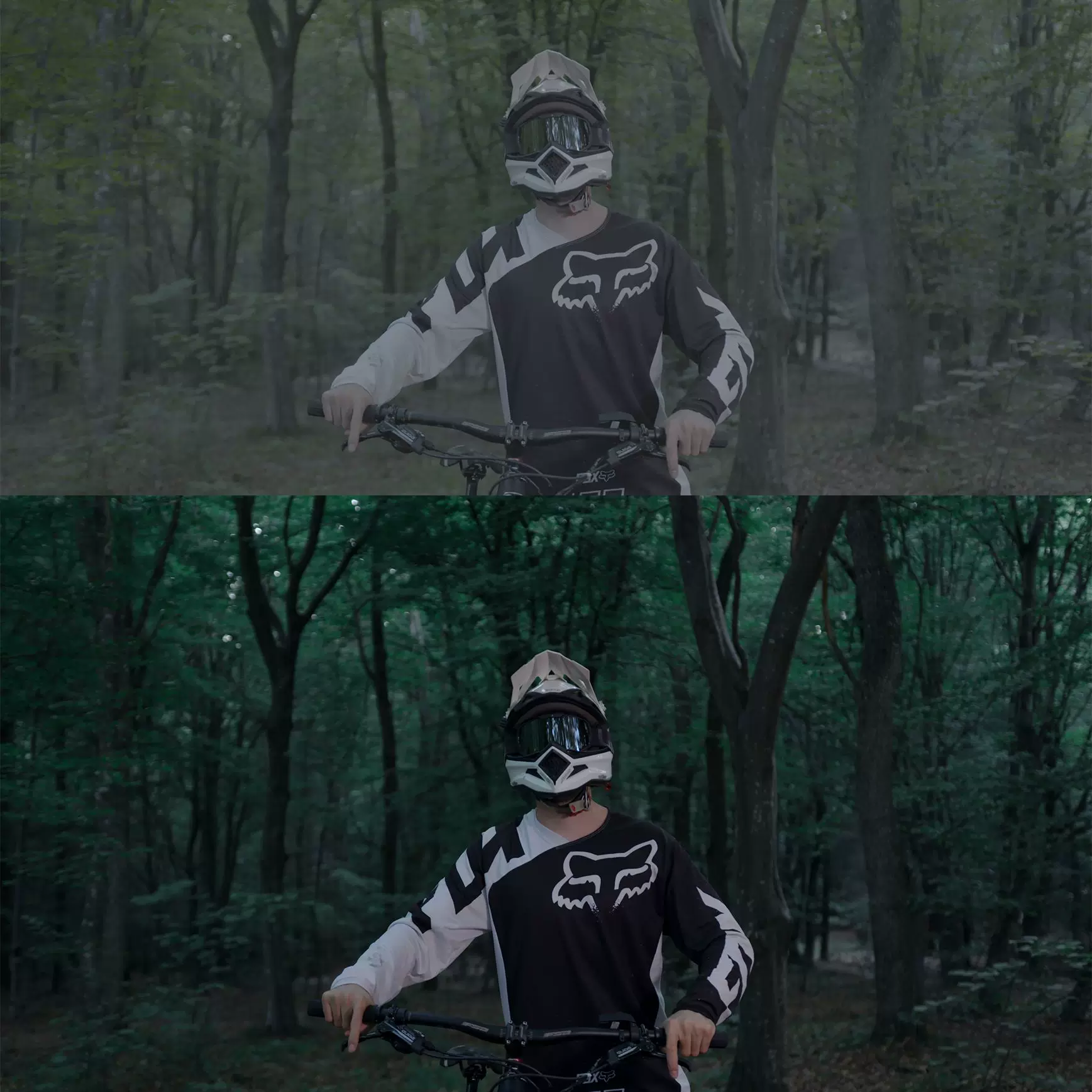 LUTs work seamlessly across all major editing platforms
📖 How to Use These LUTs
Step 1: Import LUTs into Your Software
Detailed PDF instructions are included in the download package. Here's a quick reference for common software:
DaVinci Resolve
- Navigate to:
Macintosh HD/Library/Application Support/Blackmagic Design/DaVinci Resolve/LUT(Mac) orC:\ProgramData\Blackmagic Design\DaVinci Resolve\Support\LUT(Windows) - Copy the .CUBE files to this folder
- Restart DaVinci Resolve
- Access LUTs from the Color page → LUT browser
Adobe Premiere Pro / After Effects
- Navigate to:
/Library/Application Support/Adobe/Common/LUTs(Mac) orC:\Program Files\Adobe\Common\LUTs(Windows) - Copy the .CUBE files to this folder
- Apply via Lumetri Color panel → Input LUT
Final Cut Pro X
- Add Custom LUT effect from Effects browser
- In the Inspector, click "Select Custom LUT..."
- Navigate to the .CUBE file location
 Applying LUTs in professional editing software is straightforward
Step 2: Apply to S-Log3 Footage
-
Select the appropriate LUT category based on your exposure:
- Use Overexposed LUTs if you shot 1-2 stops over
- Use Normal/Underexposed LUTs for properly exposed or underexposed footage
-
Apply the LUT to your S-Log3 clip
-
Fine-tune as needed:
- If the effect is too strong: Reduce opacity/intensity
- If the effect is too subtle: Add shadows or adjust contrast
Step 3: Customize for Your Look
- Exposure First: Adjust exposure before applying the LUT if your clip is significantly over/under exposed
- Layer Adjustments: Use adjustment layers for non-destructive editing
- Combine with Other Tools: These LUTs work well as a base for further color grading
- Test Multiple LUTs: Different LUTs may work better for different scenes or lighting conditions
🎬 Who Should Use These LUTs?
Ideal For:
- Wedding Videographers – Natural skin tones are critical for wedding films
- Commercial Video Producers – Deliver polished, client-ready footage faster
- Documentary Filmmakers – Consistent look across varying shooting conditions
- Content Creators – Professional quality without extensive color grading knowledge
- Colorists – Starting point for faster turnaround on S-Log3 projects
- Sony Camera Users – Specifically optimized for Sony S-Log3 gamma curve
Camera Compatibility
These LUTs are optimized for any Sony camera that shoots S-Log3, including:
- Sony FX6, FX3, FX30
- Sony A7S III, A7 IV, A7R V
- Sony A1, A1 II
- Sony ZV-E1, ZV-E10
- Sony FX9, FX6 Mark II
- And any other Sony camera with S-Log3 recording
⚠️ Important Considerations
The LUTs are built on correct exposure principles from Sony's official S-Log3 whitepaper. For best results:
- Ensure proper exposure before applying LUT
- The LUT matches Sony's camera view assist and exposure tools
- Incorrect exposure may result in suboptimal color reproduction
Limitations to Understand
-
Not a Magic Fix: These LUTs work best on properly exposed S-Log3 footage. Severely underexposed or overexposed clips may require additional correction.
-
Camera Variations: While optimized for S-Log3, different Sony cameras have slight color variations. You may need to fine-tune for specific camera models.
-
Creative Choice: The "cinematic" look is subjective. These LUTs provide a commercial starting point, but your specific project may require additional grading.
📚 Additional Resources
Official Sources
- Creator's Official Store: alexandru-don.sellfy.store
- Creator's Instagram: @alexandru.don
- Creator's YouTube: Alexandru Don
Learn More About S-Log3
🚀 Get the SONY SLOG 3 LUTS – SKINTONE EDITION
Official Purchase (Recommended)
Support the creator and get the authentic product with updates:
- Price: $49.99 USD
- Link: alexandru-don.sellfy.store
- Benefits: Latest version, creator support, future updates
Premium Access Support
Contact us on 💬WhatsApp for premium access and support.
:::
❓ Frequently Asked Questions
Q: Are these LUTs compatible with non-Sony cameras?
A: These LUTs are specifically designed for Sony S-Log3 gamma curve. While they can be applied to other footage, results may vary. For non-Sony cameras, consider LUTs designed for your specific camera's log profile.
Q: Can I use these LUTs for commercial projects?
A: Yes, once purchased from the official store, you can use these LUTs in commercial client work. Always check the license terms at purchase.
Q: Do I need special software to open .CUBE files?
A: No, .CUBE is a universal LUT format supported by all major video editing software listed above.
Q: What's the difference between this and other S-Log3 LUT packs?
A: The SKINTONE EDITION specifically focuses on natural skin tone reproduction and addresses exposure variations commonly encountered in real-world S-Log3 shooting scenarios.
Q: Can I get a free trial or demo?
A: Check the creator's official store or social media channels for any available demos or promotional offers.
Disclaimer: This page is for informational and educational purposes. SONY SLOG 3 LUTS – SKINTONE EDITION is created by Alexandru Don. We recommend purchasing from the official source to support the creator and ensure you receive the authentic product with any future updates.