Last updated: Oct 24 2025
50 Wedding Photography Color Grading Presets Pack - Multi-format Compatible for Mobile and Desktop
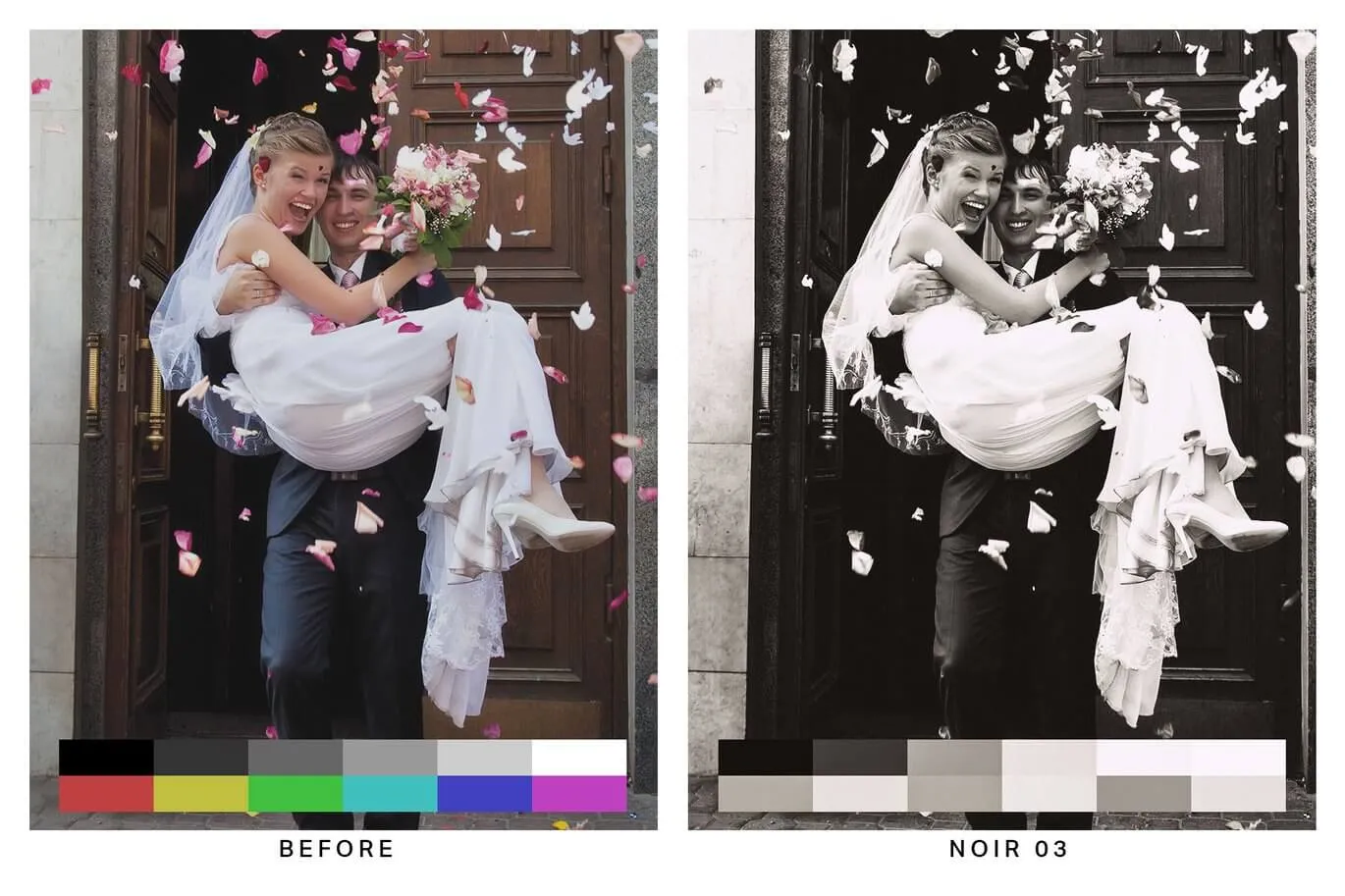
This is a wedding photography color grading preset pack that made it to the list of top wedding photographers worldwide. Multi-format (3dl, cube, look, mga, OBS) compatible for mobile and desktop, including beach, creative stylized, morning park, cinematic lighting and black and white styles. Very worth learning and referencing, save for later use!
🌟 Key Features
- Beach Style: Perfect for outdoor beach wedding photography
- Creative Stylized: Artistic and unique wedding looks
- Morning Park: Ideal for morning park wedding sessions
- Cinematic Lighting: Professional cinematic wedding aesthetics
- Black and White: Classic monochrome wedding presets
- Multi-format Compatible: Works with 3dl, cube, look, mga, OBS formats
- Mobile and Desktop Support: Compatible with both mobile and desktop applications
- Top Photographer Approved: Made it to the list of top wedding photographers worldwide
📋 Technical Specifications
Windows and Mac | | File Formats | 3dl, cube, look, mga, OBS | | Software Compatibility | Sony Vegas, Premiere Pro CC, After Effects CC, FCPX, DaVinci Resolve | | File Size | Approximately 156MB | | Delivery Format | .zip file |
🛠️ Software Compatibility
✅ Compatible | | Premiere Pro CC | ✅ Compatible | | After Effects CC | ✅ Compatible | | Final Cut Pro X | ✅ Compatible | | DaVinci Resolve | ✅ Compatible |
How to Install in Different Software
Final Cut Pro X
- Open FCPX software, find the Effects panel - Color - Custom LUT and add to the video
- In the LUT parameter item - Select Custom LUT... select the LUTS folder or .cube file
- If you select the LUTS folder, you can load the entire folder and keep it in the LUT parameter item for easy classification management
- Note: Try to avoid using Chinese characters and special characters
Premiere Pro
- Open the following path:
- Mac System:
/Library/Application Support/Adobe/Common/LUTs - Windows System:
C:\Program Files\Adobe\Common\LUTs
- Mac System:
- Copy your "Log to Rec709" LUTs to the above folder
- For easy classification, you can create a new folder in the above path
DaVinci Resolve
- Open the following path:
- Mac System:
Macintosh HD/Library/Application Support/Blackmagic Design/DaVinci Resolve/LUT - Windows System:
C:\ProgramData\Blackmagic Design\DaVinci Resolve\Support\LUT
- Mac System:
- Copy your "Log to Rec709" LUTs to the above folder
📸 Product Showcase
🚀 Direct Download Link
Contact us on 💬WhatsApp for premium access and support.