Gamut Immersion 2.0 LUTs - Travel Cinematography Color Grading
Last updated: Oct 24, 2025
📁 Resource Information
- Developer: Gamut, Sam Newton
- System Support: Windows and Mac
- Software Compatibility: Sony Vegas, Premiere Pro CC, After Effects CC, FCPX, DaVinci Resolve
- File Format: .CUBE
- File Size: ~13MB
- Download: Baidu Netdisk
📋 Overview
Gamut Immersion 2.0 is a top-tier travel cinematography color grading LUT pack by Sam Newton. This set includes 7 carefully crafted LUTs that present bold, vibrant colors while preserving natural skin tones. It's ideal for travel films and your most ambitious stories.
What's Included:
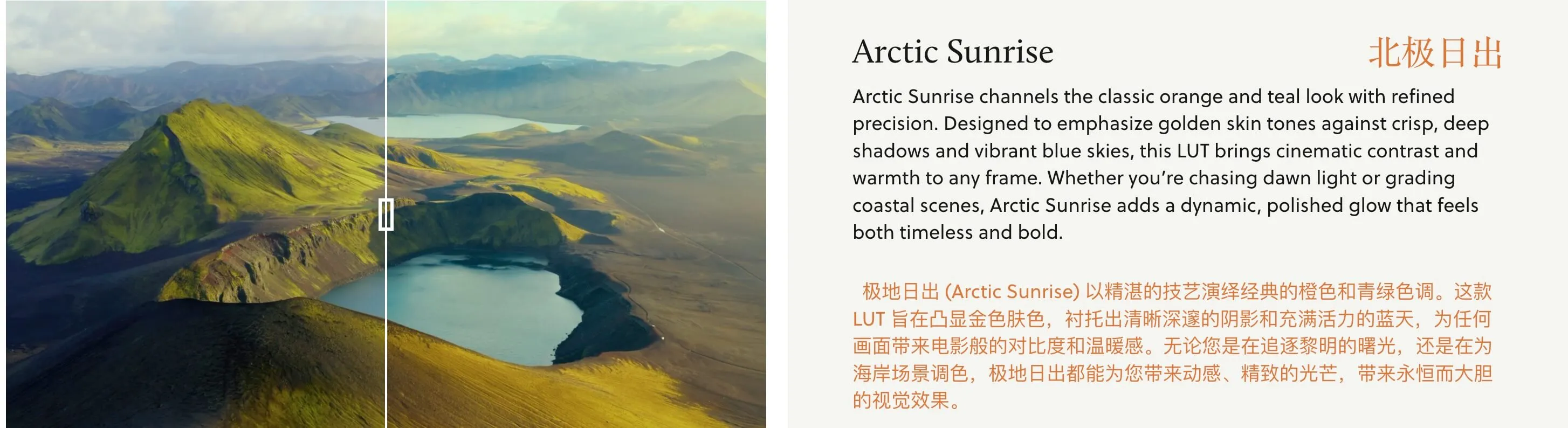
- Arctic Sunrise
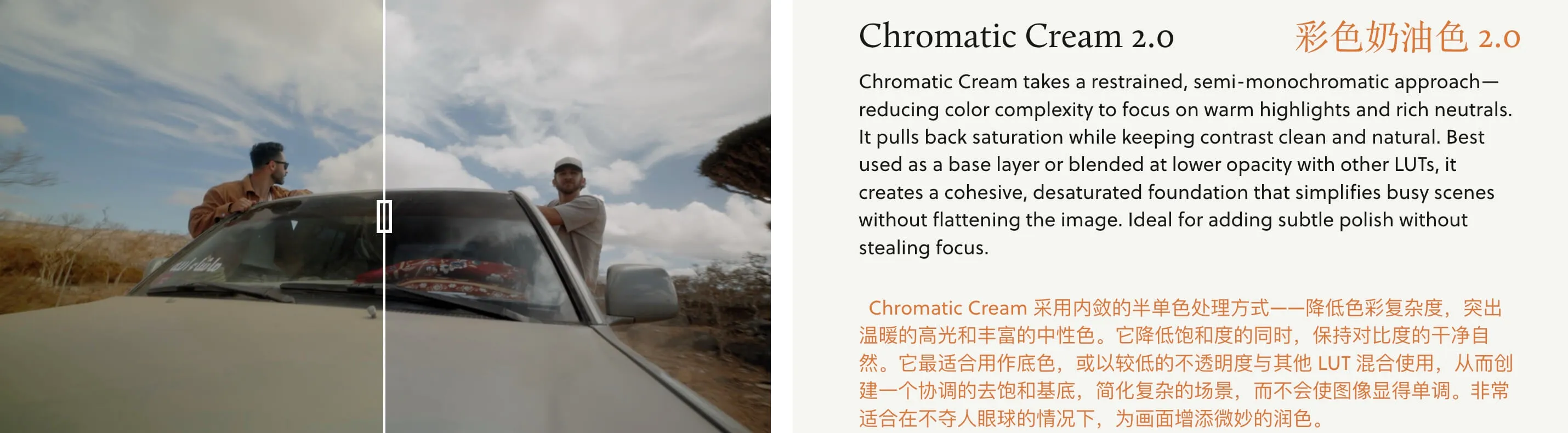
- Chromatic Cream 2.0
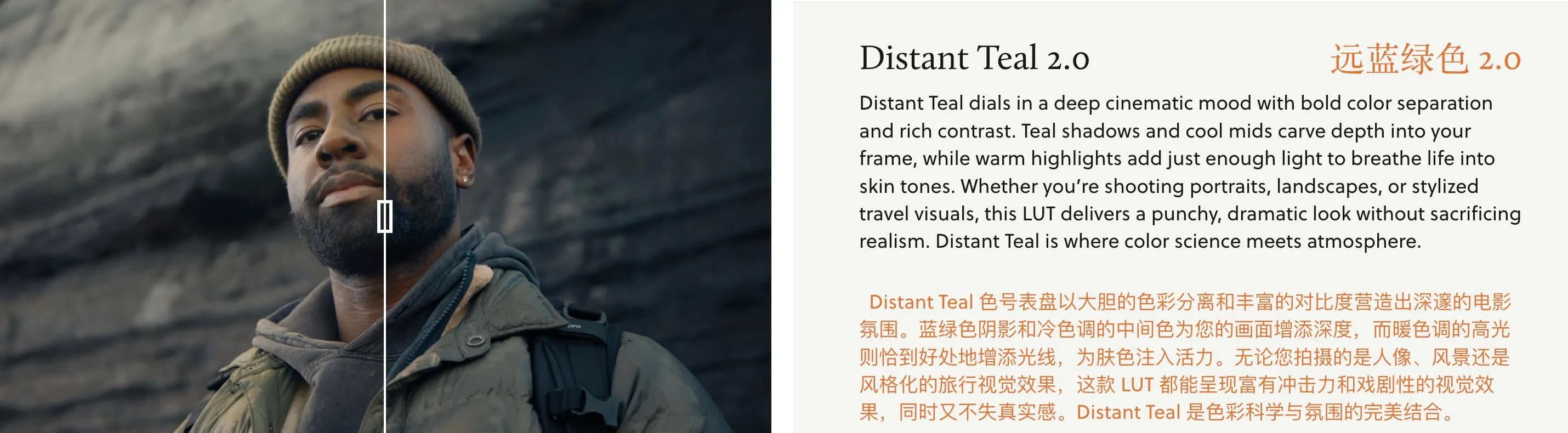
- Distant Teal 2.0
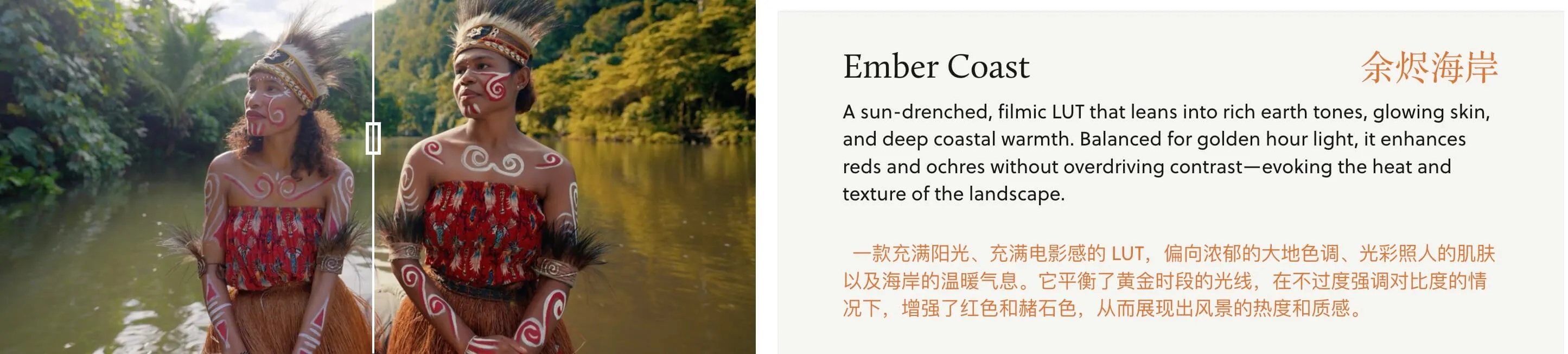
- Ember Coast
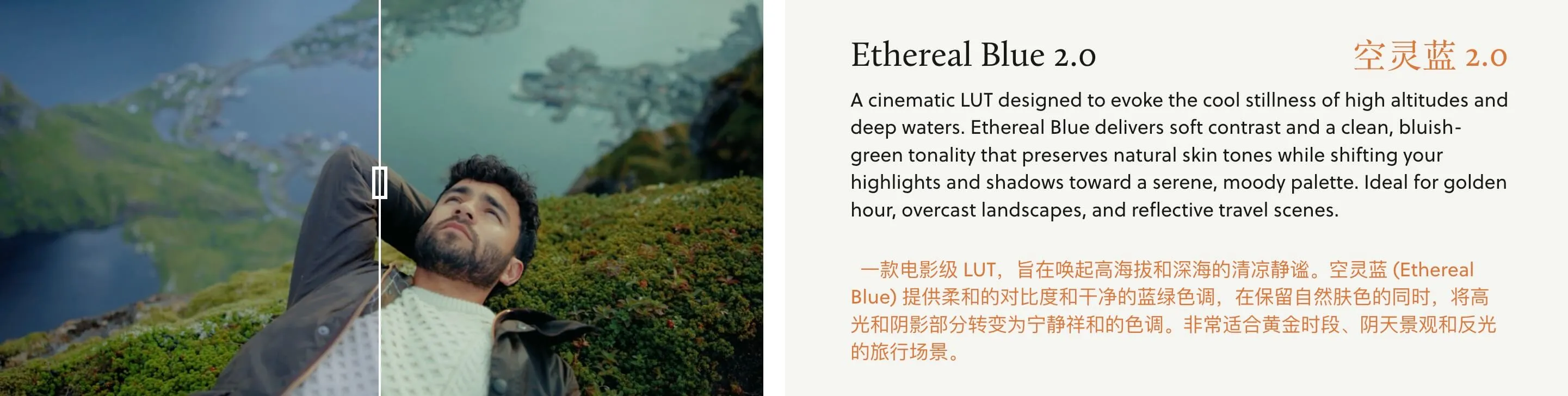
- Ethereal Blue 2.0
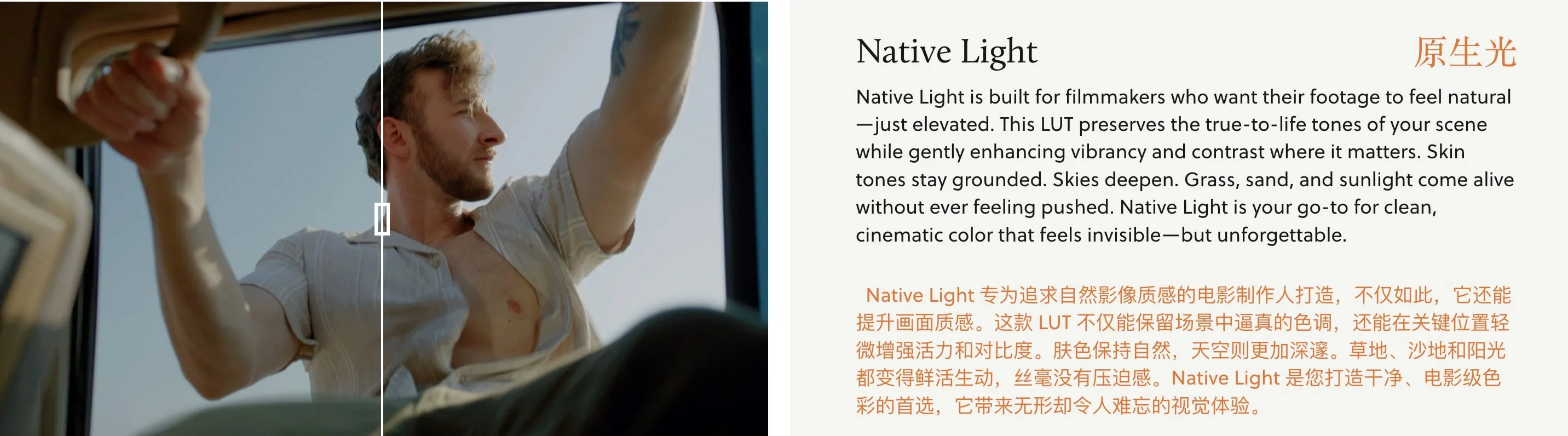
- Native Light
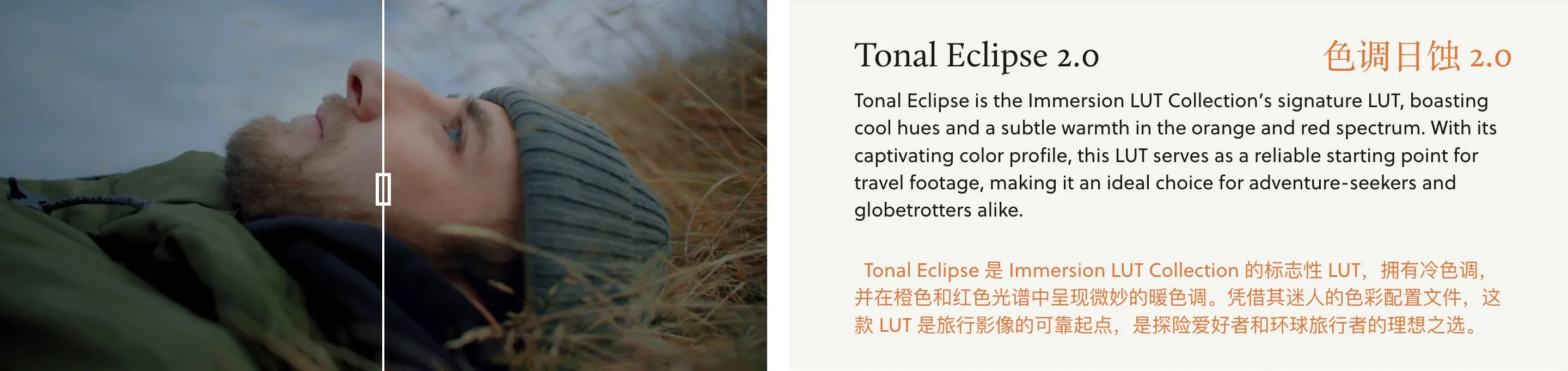
- Tonal Eclipse 2.0
🖼️ Visual Examples
🔧 Installation Guide
- Final Cut Pro X
- Premiere Pro
- DaVinci Resolve
- Open FCPX software
- Find the [Effects] panel - [Color] - [Custom LUT] and add it to the footage
- In the [LUT] parameter - [Select Custom LUT...], select the LUTS folder or .cube file to load
- If you select the LUTS folder, the entire folder will be loaded and retained in the [LUT] parameter for easy classification management, but avoid using Chinese characters and special characters
- Open the following path:
- Mac:
/Library/Application Support/Adobe/Common/LUTs - Windows:
C:\Program Files\Adobe\Common\LUTs
- Mac:
- Copy LUTs such as "Log to Rec709" to the folder above
- For easy classification, you can create new folders under the path above
- Open the following path:
- Mac:
Macintosh HD/Library/Application Support/Blackmagic Design/DaVinci Resolve/LUT - Windows:
C:\ProgramData\Blackmagic Design\DaVinci Resolve\Support\LUT
- Mac:
- Copy LUTs such as "Log to Rec709" to the folder above
🚀 Direct Download Link
Get Premium Download Speed Without any Limitations!
Contact us on 💬WhatsApp for premium access and support.