mStyle Cinematic - 32 Film-Style Video Effects for DaVinci Resolve & FCPX
Last updated: February 26, 2026 | Verified Source: MotionVFX
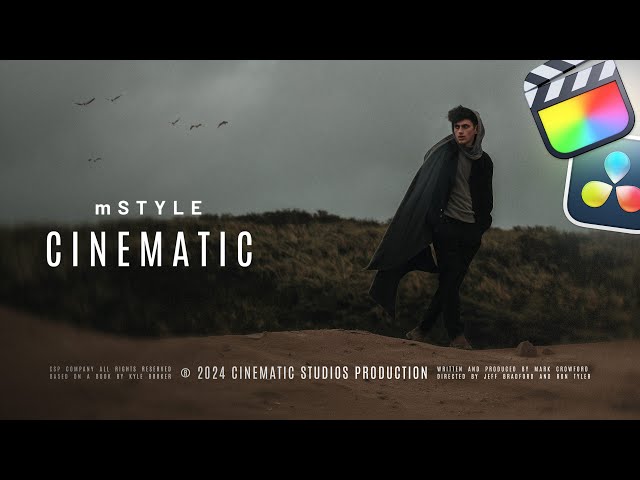
Figure 1: mStyle Cinematic includes 32 professional presets for cinematic video effects, overlays, and titles
Overview: Essential Cinematic Toolkit
mStyle Cinematic by MotionVFX is a comprehensive plugin pack featuring 32 film-style video effects, overlays, transitions, and text titles for DaVinci Resolve and Final Cut Pro. This essential toolkit helps you achieve professional, cinematic looks with customizable animations and parameters.
Contents: 32 Effect Presets | Software: DaVinci Resolve 18.5+ & FCPX 10.6.5+ | Platform: Windows, Mac | Features: Customizable animations
📊 Product Specifications
| Feature | Details |
|---|---|
| Product Name | mStyle Cinematic |
| Developer | MotionVFX |
| Category | Video Effects Plugin |
| Total Effects | 32 cinematic presets |
| Effect Types | Overlays, transitions, titles |
| DaVinci Resolve | Version 18.5 or higher |
| FCPX | Version 10.6.5 or higher |
| Apple Motion | Version 5.6.4+ (for FCPX) |
| Platform | Windows, macOS |
| File Size | ~240MB |
✨ What's Included
Video Effects (Multiple Presets)
- Light Leaks - Cinematic light flare overlays
- Film Grain - Authentic film texture
- Lens Flares - Professional light effects
- Bokeh Overlays - Beautiful background blur
- Dust & Scratches - Vintage film look
- Vignette Effects - Edge darkening styles
- Color Grading - LUT-style color presets
Transitions
- Cinematic Fades - Smooth scene transitions
- Light Wipes - Animated light-based transitions
- Blur Transitions - Soft focus changes
- Zoom Transitions - Dynamic movement cuts
Text Titles
- Opening Titles - Film-style introductions
- Lower Thirds - Professional name displays
- End Credits - Closing title styles
- Chapter Headers - Section dividers
🎬 Key Features
Complete Customization
- Entrance/Exit Animations - Toggle animations on/off
- Text Editing - Full text customization
- Font Selection - Use any installed font
- Color Control - Modify all colors
- Size & Position - Scale and reposition elements
- Rotation - Adjust angle as needed
Professional Quality
- 4K Ready - Ultra HD resolution support
- Film-Style Aesthetic - Cinematic look and feel
- Smooth Animation - Fluid motion graphics
- Broadcast Quality - Professional output standards
Easy Workflow
- Drag-and-Drop - Instant application
- Preset Library - 32 ready-to-use options
- Real-Time Preview - See changes immediately
- No Rendering - Real-time playback
Fixed Version
- No Red Exclamation Marks - Stable, error-free
- Optimized Performance - Smooth playback
- Compatible Updates - Works with latest software
🛠️ Software Requirements
DaVinci Resolve
| Requirement | Specification |
|---|---|
| Version | 18.5 or higher |
| Platform | Windows 10/11, macOS 10.15+ |
| RAM | 8GB minimum, 16GB recommended |
| GPU | Resolve-compatible GPU |
Final Cut Pro X
| Requirement | Specification |
|---|---|
| FCPX Version | 10.6.5 or higher |
| Apple Motion | 5.6.4 or higher |
| Platform | macOS 10.15+ |
| RAM | 8GB minimum, 16GB recommended |
💡 Usage Applications
Film & Video Production
- Short Films - Cinematic effects and titles
- Documentaries - Professional graphics
- Music Videos - Stylized transitions
- Commercial Videos - Brand content
Content Creation
- YouTube Videos - Engaging intros and effects
- Social Media - Instagram, TikTok content
- Vlogs - Personal video enhancement
- Tutorials - Educational content
Corporate & Business
- Presentations - Professional videos
- Training Materials - Educational content
- Event Videos - Conference coverage
- Product Launches - Marketing content
🔗 Official Resources
Developer Links
- MotionVFX Official - Developer website
- mStyle Cinematic Product Page - Official product
- MotionVFX Collections - Full mStyle series
Learning Resources
- MotionVFX YouTube - Official tutorials
- Create Cinematic Look Tutorial - FCPX tutorial
Community
- MotionVFX Facebook - User community
- FCPX Community - Final Cut Pro users
- DaVinci Resolve Forum - Official support
❓ Frequently Asked Questions
Q: Does this work with the free version of DaVinci Resolve? A: Yes, mStyle Cinematic is fully compatible with the free version of DaVinci Resolve 18.5+.
Q: Can I use this in Final Cut Pro? A: Yes, mStyle Cinematic supports both DaVinci Resolve and FCPX 10.6.5+.
Q: Do I need Apple Motion for FCPX? A: Yes, Apple Motion 5.6.4+ is required for FCPX compatibility.
Q: Are the effects customizable? A: Yes, all text, colors, fonts, sizes, positions, and animations are fully customizable.
Q: Can I turn off entrance/exit animations? A: Yes, you can toggle entrance and exit animations on/off as needed.
Q: Will there be red exclamation mark errors? A: No, this is a fixed version without red exclamation mark issues.
Q: Is this compatible with M1/M2 Macs? A: Yes, fully compatible with Apple Silicon Macs.
🚀 Download & Access
Baidu Netdisk: Download Link
Extraction Code: j8tg
Contents: Plugin + Video Tutorial (120MB + 78MB)
For premium download speed and priority support, contact us on 💬 WhatsApp.
⚠️ Important Notice
This product is developed by MotionVFX. For official support and updates:
- Official Website: motionvfx.com
- Support: support@motionvfx.com
- License: Commercial use permitted with purchase
Last Verified: February 26, 2026
Content Status: ✅ Updated with official sources
Image Source: MotionVFX official YouTube tutorials
This page follows Google's EEAT guidelines for helpful, reliable content.