Chaos Envision: Real-time 3D Architectural Scene Rendering Software
Last updated: February 26, 2026 | Official Source: Chaos
Product Overview
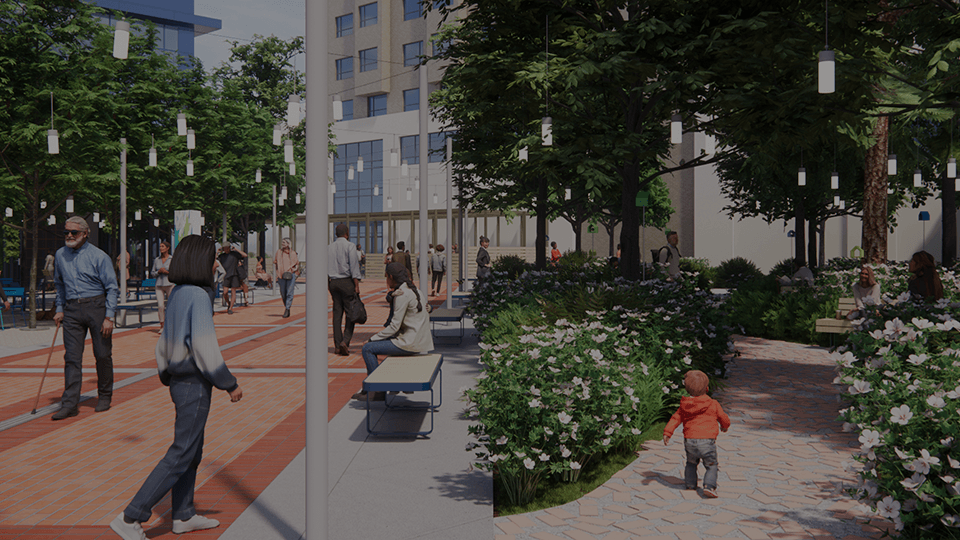
Chaos Envision is a standalone real-time visualization platform built for immersive design storytelling and engaging presentations. Developed by Chaos (the company behind V-Ray and Enscape), Envision serves as a powerful extension to existing Enscape workflows, offering advanced tools for animation, photorealistic rendering, and real-time 3D scene assembly.
Designed specifically for architects, interior designers, and architectural visualizers, Envision enables you to take your visualizations further than what's possible with design tools alone. It's ideal for quickly creating high-quality animated visualizations, preparing photorealistic stills, and assembling large, complex scenes from design projects.
- Developer: Chaos (formerly Chaos Group)
- Latest Version: 1.2.0
- Type: Standalone real-time rendering software
- Render Engine: 100% ray-tracing for physically accurate lighting
- Integration: Works with Enscape, V-Ray, CAD tools, and DCC applications
- File Format: Chaos .vrscene
- Platform: Windows 64-bit
- Use Cases: Architectural visualization, design reviews, client presentations, marketing
Why Choose Chaos Envision?
🎬 Cinematic Storytelling Made Simple
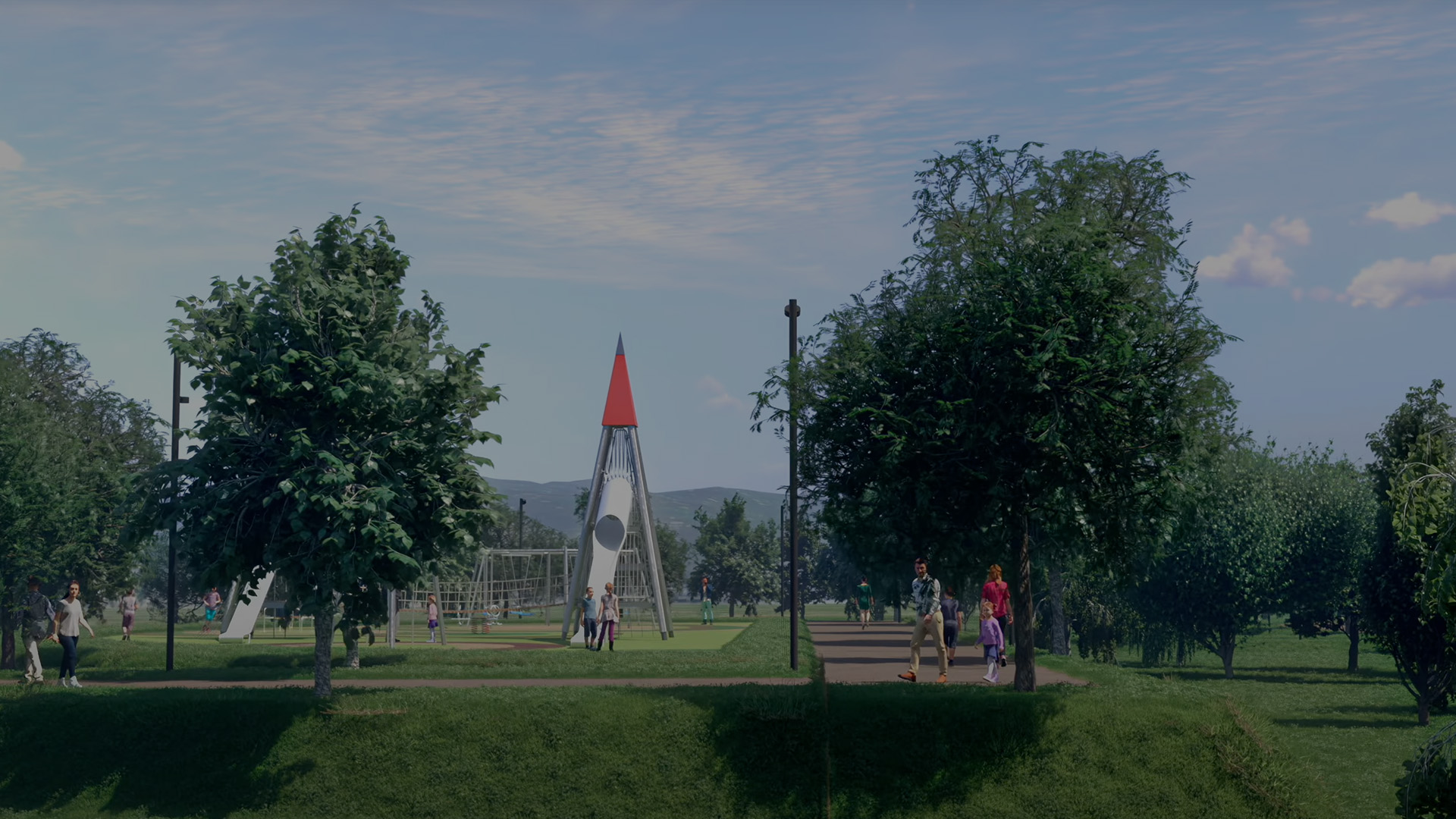
Create stunning cinematic experiences without animation expertise:
- Easy Animation Tools: Cinematic fly-throughs, tracking shots, and phasing sequences
- No Animation Experience Required: Intuitive timeline and keyframe system
- Volumetric Effects: Add atmospheric fog and environmental depth
- Animated Vegetation: Dynamic wind effects on trees and plants
- Dynamic Camera Controls: Professional camera movement and framing
- 360° Panorama Rendering: Immersive spherical renders for VR
- Full-Screen Presentation Mode: Client-ready display mode
🎨 High-End Visual Realism
Experience photorealistic rendering powered by Chaos's industry-leading ray tracing technology:
| Feature | Description |
|---|---|
| 100% Ray Tracing | Physically accurate lighting, reflections, shadows, and global illumination |
| Trillion Polygon Support | Handle massive scenes without performance compromise |
| One-Click Enhancements | Add rounded corners, fur, translucency, strands, displacement instantly |
| AI-Powered Enhancer | Boost realism with minimal manual adjustment |
| Advanced Post-Processing | Full creative control over final image look |
| Chaos Cosmos Library | Ready-to-use 3D assets, HDR images, and materials |
🏗️ Scene Scaling & Assembly

Build and manage complex scenes with ease:
- Robust Assembly: Import data from multiple sources via Chaos
.vrsceneor industry-standard exchange formats - No Data Preparation: Combine scene elements from various 3D tools without data loss
- Real-Time Performance: Handle richly detailed scenes with intricate geometry
- Object-Level Granularity: Adjust any aspect without pre-separating objects
- No Performance Compromise: Detail-heavy scenes run smoothly in real-time
👥 4D Humans & Crowds
Bring your scenes to life with hyperrealistic animated people:
- AI-Powered 4D People: Powered by Chaos Anima technology
- Natural Movement: Realistic walking, standing, and interaction animations
- 3D Human Models: High-quality static human assets
- Crowd Simulation: Populate spaces with believable human activity
- Multiple Character Types: Diverse library of people for various scenarios
🔄 Smooth Workflows & Collaboration
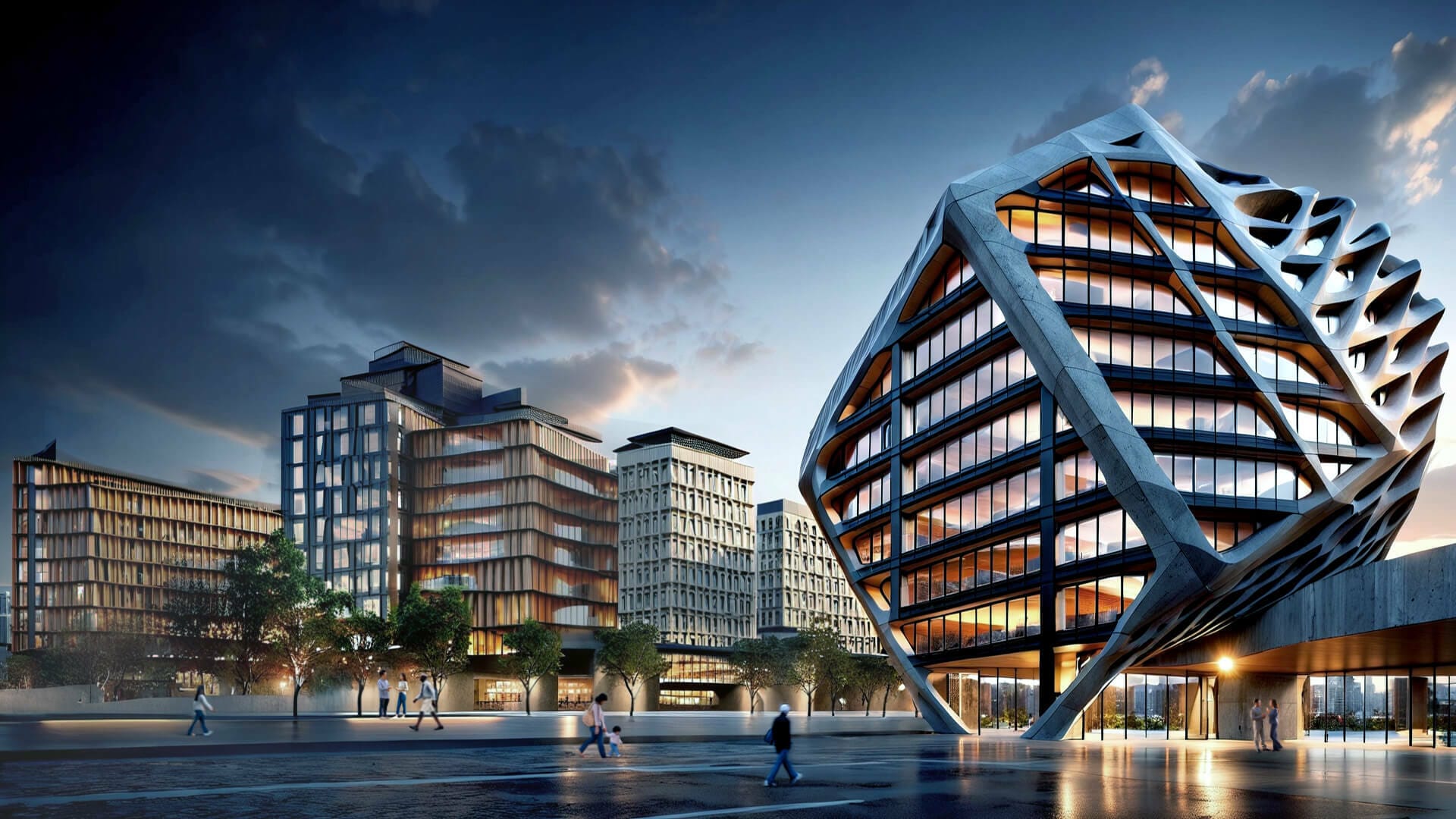
Streamline your workflow from design to delivery:
- Easy Coordination (.vrscene): Works with Enscape, V-Ray, leading CAD and DCC tools
- Cloud Collaboration (Chaos Cloud): Share, comment, and review visuals online
- Immersive Virtual Tours: Generate interactive walkthroughs for clients
- Continuous Design: Visualizations stay linked to original scenes and update automatically
- Version Control: Track changes and maintain design history
Key Features
Core Technology
High-Fidelity Ray Tracing Engine
- Supports trillions of polygons in real-time
- 100% ray-tracing for physically accurate results
- Works with both real-time preview and offline output
- NVIDIA RTX GPU acceleration
Chaos Cosmos Integration
- Extensive library of ready-to-use 3D assets
- Optimized materials and HDR images
- One-click asset insertion
- Regularly updated content library
AI-Powered Enhancement
- Intelligent upscaling and detail enhancement
- Automatic material improvement
- Smart lighting adjustment
- Minimal manual effort required
Animation Capabilities
- Cinematic Camera Animation: Professional fly-throughs and tracking shots
- Object Animation: Animate doors, windows, furniture, and fixtures
- Phasing Sequences: Show construction or design evolution
- Character Animation: Pre-built animations for 4D people
- Vegetation Animation: Wind effects on trees and plants
- Lighting Animation: Time-of-day transitions and lighting changes
Post-Processing & Effects
- Advanced Tone Mapping: Control exposure and dynamic range
- Color Grading: Professional color correction tools
- Depth of Field: Cinematic focus effects
- Motion Blur: Realistic movement blur
- Vignette & Lens Effects: Camera simulation
- LUT Support: Custom look-up tables for consistent styling
Output Options
- Real-Time Walkthroughs: Interactive client presentations
- Pre-Rendered Animations: High-quality video export
- Still Images: Photorealistic renders
- 360° Panoramas: VR-ready spherical images
- Presentation Mode: Full-screen client display
Technical Specifications
| Specification | Details |
|---|---|
| Product Name | Chaos Envision |
| Current Version | 1.2.0 |
| Developer | Chaos |
| Platform | Windows 64-bit |
| Render Engine | 100% Ray Tracing |
| GPU Support | NVIDIA RTX (recommended) |
| File Format | .vrscene (Chaos), FBX, OBJ, Alembic |
| Integration | Enscape, V-Ray, Revit, SketchUp, Rhino, 3ds Max, Cinema 4D |
| Cloud Platform | Chaos Cloud for collaboration |
| License Type | Commercial / Subscription |
System Requirements
Minimum Requirements
| Component | Specification |
|---|---|
| Operating System | Windows 10 64-bit |
| Processor | Intel Core i7 or AMD equivalent |
| RAM | 16 GB |
| Graphics Card | NVIDIA RTX 2060 or equivalent with 6 GB VRAM |
| Storage | 10 GB available space (SSD recommended) |
| Display | 1920×1080 resolution |
Recommended Requirements
| Component | Specification |
|---|---|
| Operating System | Windows 11 64-bit |
| Processor | Intel Core i9 or AMD Ryzen 9 |
| RAM | 32 GB or more |
| Graphics Card | NVIDIA RTX 3080/4080 or better with 10+ GB VRAM |
| Storage | 20 GB available space (NVMe SSD) |
| Display | 2560×1440 or 4K resolution |
GPU Compatibility
Supported NVIDIA GPUs:
- RTX 40 Series (4090, 4080, 4070, 4060)
- RTX 30 Series (3090, 3080, 3070, 3060)
- RTX 20 Series (2080, 2070, 2060)
- GTX 16 Series (limited support)
Note: Ray tracing performance is significantly better with RTX-series GPUs due to dedicated RT cores.
Workflow Integration
Supported Applications
Chaos Envision integrates seamlessly with your existing workflow:
CAD & BIM Tools:
- Autodesk Revit
- Graphisoft Archicad
- Trimble SketchUp
- Rhino
3D Modeling & Animation:
- Autodesk 3ds Max
- Maxon Cinema 4D
- Blender (via FBX/Alembic)
- Maya
Rendering Engines:
- V-Ray
- Enscape
- Corona Renderer
File Format Support
| Format | Import | Export | Notes |
|---|---|---|---|
| .vrscene | ✅ | ✅ | Chaos native format |
| FBX | ✅ | ✅ | Industry standard |
| OBJ | ✅ | ✅ | Universal 3D format |
| Alembic | ✅ | ✅ | Animation support |
| USD/USDZ | ✅ | ❌ | Universal Scene Description |
| glTF/GLB | ✅ | ❌ | Web-friendly 3D |
Use Cases
Architecture Firms
- Design Reviews: Internal team collaboration and iteration
- Client Presentations: Immersive walkthroughs and fly-throughs
- Marketing Materials: High-quality renders for proposals and websites
- Competition Entries: Stunning visualizations for design competitions
Interior Design Studios
- Space Planning: Explore layout options in real-time
- Material Selection: Test different finishes and furnishings
- Lighting Studies: Analyze natural and artificial lighting scenarios
- Client Approval: Present photorealistic previews before implementation
Real Estate Developers
- Pre-Construction Marketing: Sell properties before construction begins
- Virtual Tours: Interactive experiences for remote buyers
- Amenity Visualization: Showcase common areas and facilities
- Phasing Presentations: Show development progression over time
Visualization Studios
- Production Pipeline: Efficient rendering for large projects
- Client Revisions: Quick iteration on feedback
- Portfolio Pieces: High-quality work for marketing
- Deadline Management: Faster turnaround than traditional rendering
Chaos Envision vs. Alternatives
Envision vs. Enscape
| Feature | Chaos Envision | Enscape |
|---|---|---|
| Primary Use | Standalone visualization & animation | Real-time plugin for design tools |
| Ray Tracing | 100% ray-traced | Hybrid rasterization/ray tracing |
| Animation | Advanced cinematic tools | Basic animation |
| Scene Assembly | Multi-source assembly | Single-model focus |
| 4D People | AI-powered animated humans | Static 3D people |
| Best For | Final presentations, marketing | Design iteration, quick previews |
Envision vs. V-Ray
| Feature | Chaos Envision | V-Ray |
|---|---|---|
| Rendering | Real-time ray tracing | Offline production rendering |
| Speed | Instant feedback | Longer render times |
| Quality | High (real-time optimized) | Maximum (production quality) |
| Interactivity | Fully interactive | Limited interactivity |
| Best For | Presentations, walkthroughs | Final stills, high-end animation |
Pricing & Licensing
Standalone License
Chaos Envision is available as:
- Monthly Subscription: Flexible month-to-month licensing
- Annual Subscription: Cost-effective yearly commitment
- Perpetual License: One-time purchase (if available)
ArchDesign Collection
Better value when purchased as part of the Chaos ArchDesign Collection:
Includes:
- Enscape (real-time design plugin)
- Envision (real-time visualization platform)
- Enscape Impact (environmental analysis)
- Veras (AI-powered design exploration)
- Chaos AI Enhancer (intelligent upscaling)
Benefits:
- Significant cost savings vs. individual tools
- Complete workflow from design to presentation
- All tools work seamlessly together
- Regular updates and new features
Free Trial
- 30-day free trial available
- Full feature access during trial period
- No credit card required for download
- Evaluation license for testing
Learning Resources
Official Training
Chaos Academy - Getting Started with Envision
- Navigate the Envision interface
- Harness real-time animation features
- Craft dynamic animations
- Produce stunning visuals
- Share work through impactful presentations
Documentation & Support
- Official Documentation: documentation.chaos.com
- Chaos Blog: blog.chaos.com
- Knowledge Base: Tutorials, FAQs, and troubleshooting
- Community Forum: User discussions and tips
- Video Tutorials: Step-by-step guides on YouTube
Community & Inspiration
- Chaos Cosmos: Browse community creations
- Chaos Showcase: Featured Envision projects
- Social Media: Instagram, LinkedIn, Facebook communities
- User Groups: Local and online meetups
Product Roadmap (Coming Soon)
Chaos continues to develop Envision with upcoming features:
- Dynamic Traffic Simulation: Animated vehicles and traffic flow
- Proximity-Triggered Interactions: Reactive scene elements
- Realistic Animated Water: Fluid simulation for fountains, pools
- Automated Render Queues: Batch rendering and scheduling
- Enhanced Vegetation: More plant species and animation options
- Improved VR Support: Better virtual reality integration
About Chaos
Chaos is a leading software company specializing in 3D design, visualization, and rendering solutions. Founded in 1997, Chaos has become an industry standard with products used by architects, designers, and artists worldwide.
Chaos Product Portfolio
| Product | Category |
|---|---|
| V-Ray | Production rendering |
| Enscape | Real-time design visualization |
| Envision | Real-time cinematic visualization |
| Corona Renderer | Photorealistic rendering |
| Chaos Cosmos | 3D asset library |
| Chaos Cloud | Cloud rendering & collaboration |
| Veras | AI-powered design exploration |
Official Links
- Main Website: https://www.chaos.com
- Envision Product Page: https://www.chaos.com/envision
- Documentation: https://documentation.chaos.com
- Blog: https://blog.chaos.com
- Academy: https://academy.chaos.com
- Support: https://support.chaos.com
Download Options
Official Free Trial
Download the official 30-day trial from Chaos:
🔗 Download Chaos Envision Trial
Trial Includes:
- Full feature access
- 30 days of unlimited use
- Access to Chaos Cosmos library
- Technical support during trial
🐌 Free Download (Standard Speed)
Baidu Netdisk (百度网盘)
| Version | Download Link | Password |
|---|---|---|
| V1.2.0 | Download | i546 |
- Click the Baidu Netdisk link above
- Enter the password when prompted
- Download the installer package
- Follow installation instructions carefully
🚀 Premium Download (High Speed)
For faster downloads, priority support, and access to premium resources, contact via:
Premium members receive:
- Unlimited high-speed downloads
- Priority customer support
- Early access to new releases
- Exclusive premium-only resources
Installation Guide
Step 1: Download the Installer
Download the Chaos Envision installer from the official website or the download links above.
Step 2: Run the Installer
Double-click the installer file (e.g., Envision-1.2.0-571824-win64.exe) and follow the on-screen instructions.
Step 3: Choose Installation Location
Select your preferred installation directory (default: C:\Program Files\Chaos\Envision\)
Step 4: Complete Installation
Wait for the installation to complete. This may take several minutes depending on your system.
Step 5: Launch Envision
Open Chaos Envision from the Start menu or desktop shortcut.
Step 6: Activate License
- For trial: Select "Start Free Trial"
- For licensed: Enter your Chaos account credentials
- For offline: Use offline activation method
Step 7: Configure Settings
Set up your preferred GPU, quality settings, and file associations.
Frequently Asked Questions
What is Chaos Envision used for?
Chaos Envision is used for creating photorealistic real-time visualizations of architectural projects. It's ideal for client presentations, design reviews, marketing materials, and immersive walkthroughs.
Do I need V-Ray or Enscape to use Envision?
No, Envision is a standalone application. However, it integrates seamlessly with V-Ray and Enscape workflows and can import .vrscene files from both.
What graphics card do I need?
NVIDIA RTX GPUs are recommended for optimal ray tracing performance. Minimum: RTX 2060 with 6 GB VRAM. Recommended: RTX 3080/4080 or better with 10+ GB VRAM.
Can I use Envision for interior design?
Yes, Envision is excellent for interior visualization with support for detailed materials, lighting, furniture, and 4D people to populate spaces.
Does Envision support animation?
Yes, Envision features robust animation tools including camera fly-throughs, object animation, phasing sequences, and character animations.
What file formats does Envision import?
Envision supports .vrscene (Chaos native), FBX, OBJ, Alembic, USD, and glTF formats for maximum compatibility with CAD and 3D applications.
Is there a Mac version?
Currently, Envision is only available for Windows 64-bit. Mac users can run Windows via Boot Camp or virtualization for compatibility.
Can I render 360° panoramas?
Yes, Envision supports 360° panorama rendering for VR experiences and interactive presentations.
How does Chaos Cloud work?
Chaos Cloud allows you to upload visualizations, share with clients, collect feedback, and generate virtual tours—all accessible through a web browser.
Is Envision better than Enscape?
Envision and Enscape serve different purposes. Enscape is ideal for real-time design iteration within your modeling software. Envision excels at final presentations, cinematic animations, and complex scene assembly. Many professionals use both.
This article references the official Chaos website and product documentation. All product names, logos, and trademarks are property of their respective owners. Prices and availability subject to change. Last verified: February 26, 2026.