
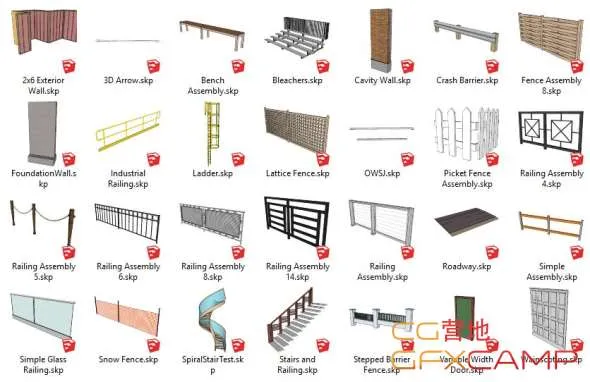
门窗围栏自动生成插件 Profile Builder v3.1.3 For Sketchup 2019/2020/2121 Win破解版
可以在Sketchup中根据你绘制的样条线。快速生成各种风格的门、窗户、围栏、楼梯等常见物体,可以对物体的材质进行调节控制
Lightspeed modeling of smart building materials。We’ve been working long and hard on a new tutorial video series to help you become a PB3 master! This training course contains 18 videos and over 2 hours of in-depth easy-to-follow content covering everything from basic installation all the way to advanced assembly creation techniques! And it’s completely free!
安装步骤(更新到V3.1.3,使用注册机破解):
- 关闭杀毒/Windows Defender,防止注册机误删,如果已经被删除了,关闭了之后重新解压
- 在Sketchup的扩展管理器里拾取安装插件,安装可能会提示错误,没关系,安装好了之后,退出Sketchup
- 在c:\windows\system32\drivers\etc找到hosts文件,复制到桌面用记事本打开,在hosts文件里加上
127.0.0.1 mindsightstudios.com
保存,然后复制过去,替换 - 运行注册机MSight.exe
a. 如果左下角是绿色的,说明hosts文件修改成功的,红色的就需要重新修改hosts
b. 确保MAC address是你自己电脑正确的MAC地址 - 点击Generate完成注册



