
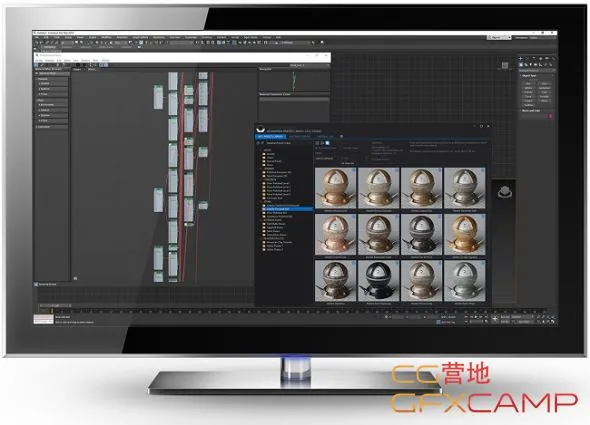
3DS MAX Material Preset Library Plugin SIGERSHADERS XS Material Presets Studio V8.3.0 + V7.6.0 + V6.6.0 + V4.20 + V3.55 for 3ds Max 2016-2027 + Texture Presets
XS Material Presets Studio is a tool for managing materials in 3ds Max, with thousands of texture presets. The Studio version has a complete user library manager, scene presets, and a material preset library supporting the V-Ray, Corona, Fstorm and Redshift renderers.
The Siger Studio’s XSMP for 3ds Max is a continuation of well-known plugins family: V-Ray Material Presets Pro (VMPP), Corona Material Presets Pro (CMPP) and Material Repository Pro (MRP).
Files included in V3.55 (supports 2016-2022):
- XS Material Presets Studio MAX version installer 3.55
- XS Material Presets Studio MAX version installer 3.20
- XS Material Presets Studio MAX version installer 3.10
- XS Material Presets Studio MAX version installer 3.00
- XS Material Presets texture files
- V-Ray renderer version preset library Library 3.55
- V-Ray renderer scene files Scenes 3.00
- Corona renderer version preset library Library 3.55
- Corona renderer scene files Scenes 3.00
- FStorm renderer version preset library Library 3.55
- Fstorm renderer scene files Scenes 3.00
Files included in V4.15 (supports 2016-2023):
- XS Material Presets Studio MAX version installer 4.15
- XS Material Presets Studio MAX version installer 4.20
- XS Material Presets texture files mapsX 4.10
- Corona renderer version preset library Library 4.10
- Corona renderer scene files Scenes 4.00
- Redshift renderer version preset library Library 4.10
- Redshift renderer scene files Scenes 4.00
- VRay renderer version preset library Library 4.10
- Vray renderer scene files Scenes 4.00
Files included in V7.2.5+V6.6.0 (supports 2020-2026):
- XS Material Presets Studio MAX version installer 7.6.0+6.6.0
- XS Material Presets texture files mapsX 6.6.0
- Corona renderer version preset library Library 7.2.5
- Corona renderer scene files Scenes 5.0.0
- Redshift renderer version preset library Library 7.4.0
- Redshift renderer scene files Scenes 5.0.0
- VRay renderer version preset library Library 7.2.5
- Vray renderer scene files Scenes 5.0.0
Files included in V8.3.0 (supports 2020-2027):
- XS Material Presets Studio MAX version installer 8.3.0
- XS Material Presets texture files mapsX 8.2.5
- Corona renderer version preset library Library 8.2.8
- Corona renderer scene files Scenes 5.0.0
- Redshift renderer version preset library Library 8.0.0
- Redshift renderer scene files Scenes 5.0.0
- VRay renderer version preset library Library 8.2.5
- Vray renderer scene files Scenes 5.0.0
Installation steps:
- Close MAX and install XSMPmaxSetup830.exe; during installation, select the MAX installation directory, for example C:\Program Files\Autodesk\3ds Max 2022
- Install the preset library for the corresponding renderer, for example XSMP-Lib-V-Ray-v-825.exe inside the VRay renderer version preset library Library 8.2.5
- Copy the corresponding version from the replacement folder, for example XsmpMax_2022.dll, into C:\Program Files\Autodesk\3ds Max 2022\bin\assemblies and replace it there; note that MAX 2020 and 2021 both use XsmpMax_2020.dll
- Drag XSMP.v1.0-icon.mzp into the 3DS MAX viewport to install XSMP’s icon file
- For the mapsX texture folder path, you only need to pick the specific path in the plugin settings; it can be placed anywhere on your computer
- PS: If you open MAX and get an error when using the plugin, right-click XsmpMax_2022.dll, go to Properties, and tick the option to unblock it for security.



