
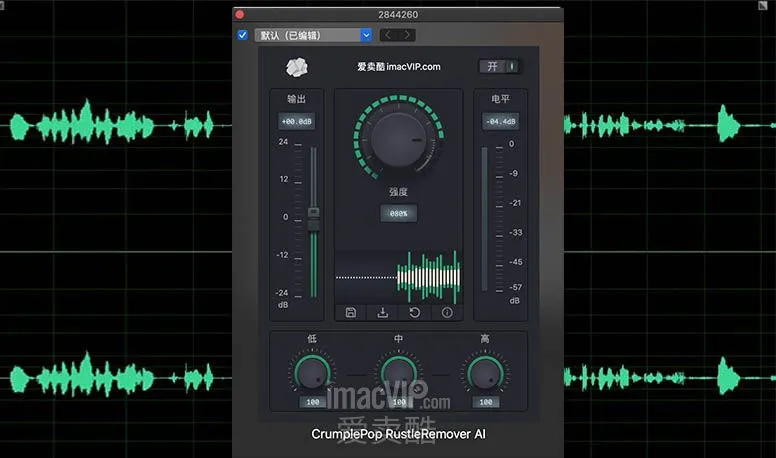
Plugin overview
Automatically remove rustle Rustle noise is a common problem, especially with lavalier microphones. Even a small movement can cause the mic to rub against clothing, producing distracting noise. RustleRemover AI automatically detects and removes this rustle while leaving the voice intact.
The plugin automatically removes microphone rustle from audio. Just apply the plugin and listen to the result. It works in real time, so you can adjust the “Intensity” control during playback to get the result you want.
Intuitive controls RustleRemover has an ON/OFF switch that lets you easily bypass the processed audio and compare it with the original. A real-time waveform display shows the audio in a color matching the UI before processing, and in white after processing. The waveform makes it easy to see how much audio has been fixed and where.
The most important control is the “Intensity” knob, which lets you choose how much processing to apply. In most cases the intensity knob is the only control you need. On clips with particularly noticeable rustle, you can turn the “Intensity” knob to “Extra” mode to remove more noise.
Advanced features RustleRemover AI also has advanced intensity controls that let you precisely adjust how much rustle is removed from low, mid and high frequencies. In addition to an output gain slider and level meter, there are controls for easily saving and loading your own custom presets. Any custom preset you create can be shared, which is very useful if you work in a team or need to move projects between applications (such as Adobe Premiere and Audition).



