
Use PROTIMER to create custom timers for your next workout video, cooking tutorial or TV shopping segment. This collection of more than 50 timers helps you count down or up in a variety of units and styles in Final Cut Pro X. PROTIMER is packed with line, circle and progress clocks.
System requirements: Mac OS X 10.13 (or later) Software requirements: FCPX 10.4 (or later) Plugin language: English File size: 35MB (dmg file) Installation: Double-click for one-click automatic installation Usage help: Screenshots showing where to use it
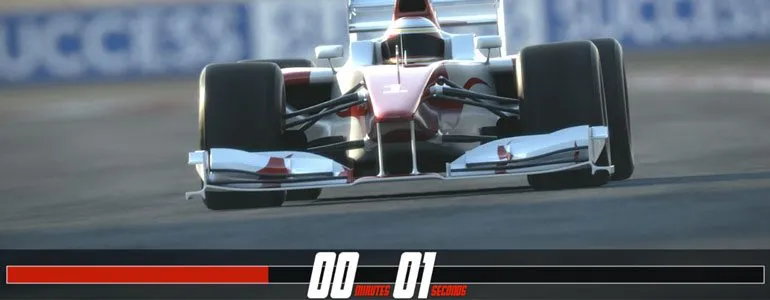 Over 50 timer presets
From fun and energetic to functional, users can create a timer to suit any video style in Final Cut Pro X. With more than 50 timer and clock presets plus customization options, the number of looks and styles you can create is nearly endless!
 5 unique timer styles
With PROTIMER, create linear, radial, rolling and basic timers quickly and easily in Final Cut Pro X. Users can preview all timers in real time by scrolling through the library in the effects browser and hovering over the thumbnails.
 Versatile timers
Create a countdown timer for a TV shopping segment to tell viewers how long they have to call in, or create a progress timer for a workout video so viewers know how much time is left in the exercise. With a variety of units and counting directions, you can use the timers in PROTIMER to create a clock for any video.
 On-screen controls
Is the timer covering your talent? Use the on-screen controls in the Final Cut Pro X viewer window to move the timer to the position you need on screen. Just grab the handle and drag it anywhere you want.
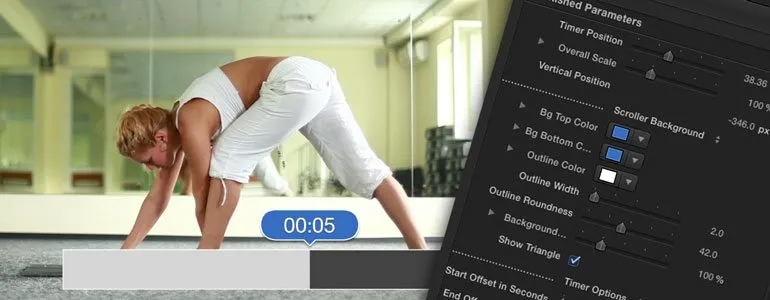 Designed for Final Cut Pro X
With on-screen controls and customization options in the FCPX Inspector, PROTIMER works seamlessly in Final Cut Pro X without opening other software. Just drag and drop one of the timer titles onto your video and stretch it as needed. Then set the start time, counting unit and style options.



