
PROSCRUB video fast-forward, rewind, repeat, remix and speed control comes with a usage tutorial. The plug-in includes 11 style effects for fast-forwarding, rewinding, repeated playback, speed changes, remix-style effects and more, plus a speed curve control that can be adjusted directly on the image. This plug-in lets you create many interesting video effects.
System requirements: Mac OS X 10.10.2 (or later) Software requirements: FCPX 10.2 (or later) Plugin language: English File size: 77.3MB (dmg file) Installation: One-click automatic installation by double-clicking Usage help: Screenshot of usage location + official usage tutorial
 Endless back-and-forth effect
ProScrub’s various effects offer endless possibilities in FCPX. Scrub back and forth between two points to create fast-forward and rewind effects with the “Back & Forth” preset. Use flicker to jump endlessly between frames. With the “Repeat” effect, users can loop any segment of a video clip indefinitely.
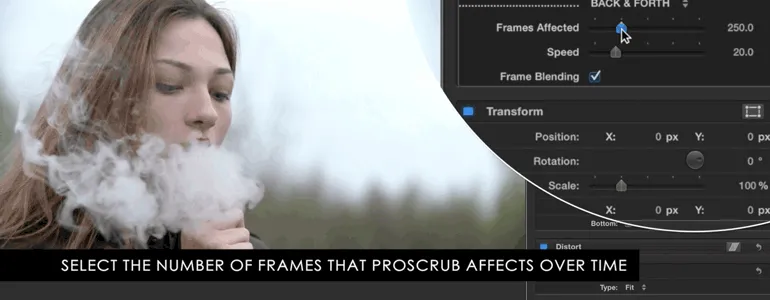 Frame blending option
ProScrub presets include a frame blending option that helps smooth the look of a given effect over the duration of the clip it is applied to. Open the inspector window and toggle the blended look with the “Frame Blending” checkbox. For a more contrasting look, leave the option unchecked.
 Scrubbing made easy
ProScrub is very easy to use in Final Cut Pro X. First, compound your video clip. Next, apply a ProScrub preset to the clip and adjust the “Affected Frames” slider to set how many frames ProScrub should affect. Use the speed slider to increase the speed of the effect over the duration of the clip. ProScrub does the rest.
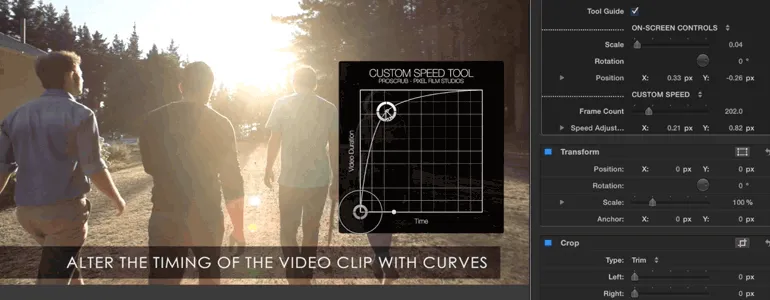 Custom speed tool
ProScrub’s custom speed tool lets FCPX users change a video clip’s timing to match the curvature of a speed graph. Easily use the on-screen controls to manipulate the curvature of the graph and change the speed of any video clip in Final Cut Pro X.



