
ProDenoise quickly and easily softens film noise or grain in your footage so your video looks clearer with just a few clicks. With edge protection and detail recovery, this noise reduction plugin removes noise and grain while preserving the important detail that makes a video look good in FCPX.
System requirements: Mac OS X 10.10.2 (or later); macOS 10.15 or later is not supported Software requirements: FCPX 10.2 (or later); FCPX 10.4.8 or later is not supported Plugin language: Chinese localization File size: 31MB (dmg file) Installation: double-click for one-click automatic installation Usage help: screenshot showing where to use it + official tutorial

Automatic grain and noise detection
Using a neighboring-pixel algorithm, ProDenoise is designed to detect and soften tiny film grain and noise in Final Cut Pro X footage without blurring out important detail.
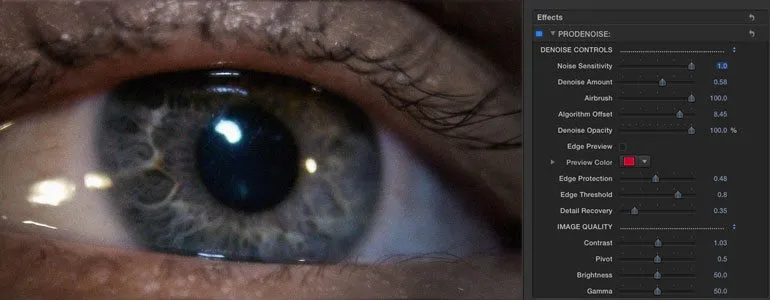
Calibrating the denoiser
Users can calibrate the built-in Final Cut Pro X controls to adjust the strength and area of the ProDenoise effect. With edge protection and detail recovery, this noise reduction plugin removes noise and grain while preserving detail for a great-looking video in FCPX.
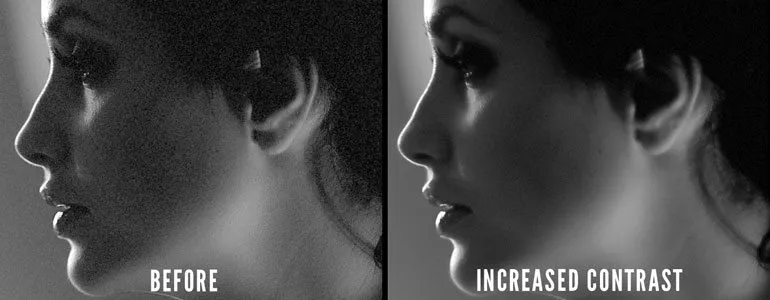
Improve image quality
After denoising with the plugin, users can adjust the image quality slider to further enhance the look of their footage. With contrast, gamma and brightness controls, users can further hide noise by correcting exposure.
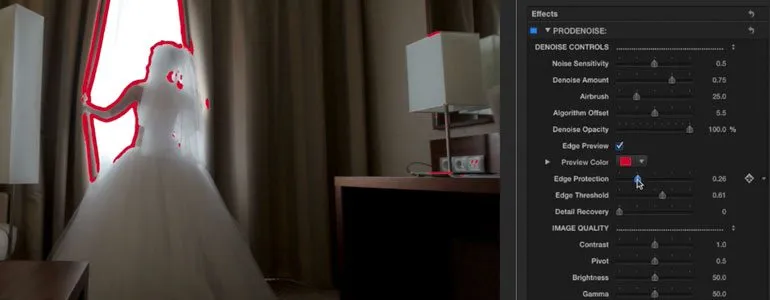
Designed for Final Cut Pro X
Designed for Final Cut Pro X, users can simply drag and drop the ProDenoise plugin onto a movie clip and adjust the look. With just a few clicks, editors can instantly give their films a cleaner, sharper look!



