

Plugin overview
This plug-in includes 30 customizable arrow MG animation indicators, ProArrow, which users can use to point at anything, underline and circle in Final Cut Pro X. Point out and indicate anything on screen intuitively with ProArrow presets. ProArrow offers up to 30 fully customizable pointers, with complete control over color, position, rotation, thickness, spacing, shadow, animation and more with a single click.

Indicating objects in FCPX
With ProArrow, users can point, underline and circle anything inside Final Cut Pro X. Every user can fully customize color, thickness, spacing, shadow, speed and more. ProArrow also lets users rotate each preset in any direction to further customize it with a single click.
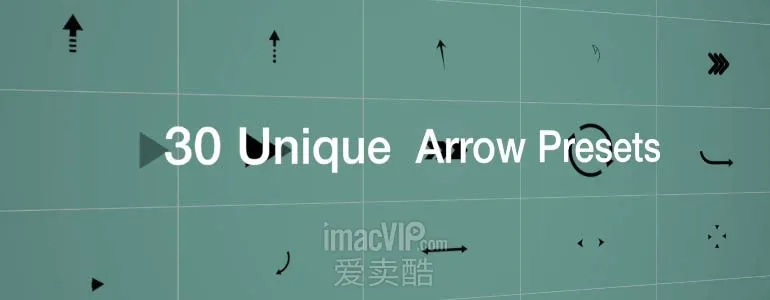
Up to 30 arrow presets
With ProArrow, users get up to 30 fully customizable arrow presets in Final Cut Pro X. Users can choose from a wide range of arrow types and take full control of the look. Every user can easily indicate at the perfect angle or position in Final Cut Pro X.

On-screen controls
ProArrow on-screen controls give users complete control over each arrow’s position, scale and rotation. With ProArrow FCPX, users can easily click, rotate and position each preset in Final Cut Pro X and get the ideal angle or position with ease.

Designed for Final Cut Pro X
ProArrow is professionally designed to work seamlessly in Final Cut Pro X. As a title effect overlay, every ProArrow preset can be dragged onto your media and previewed in real time. With published parameters found in the FCPX inspector, users can make further adjustments with just a few clicks.



