Overview
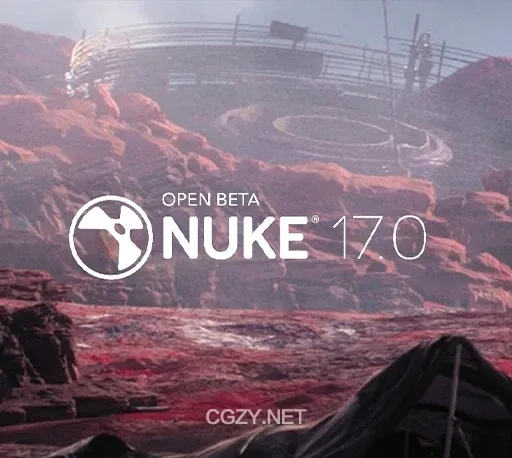
Nuke 17.0 is a professional compositing software for film-grade visual effects production, built for high-end film, TV series and commercial advertising production. As an industry-leading node-based compositing tool, Nuke 17.0 retains a powerful 2D compositing core while fully upgrading its 3D system and performance architecture, enabling artists to stay efficient and creative in larger-scale, more complex production environments.
Highlights of this release include a brand-new 3D workflow with native Gaussian Splats support, a modernized 3D system with MaterialX material support, higher-performance rendering and deep compositing, and fully optimized annotation and collaboration tools. Nuke 17.0 also strengthens its machine learning and pipeline integration capabilities, and supports the latest USD standard and VFX Reference Platform 2025, helping teams achieve greater stability and scalability on large projects.
Whether it’s high-precision 3D render integration, complex shot compositing, or cross-department collaboration and pipeline automation, Nuke 17.0 provides a more powerful, flexible and efficient solution for modern film and TV production.
Nuke, NukeX and Nuke Studio offer cutting-edge toolkits for node-based compositing, editorial and review. The Nuke family’s unparalleled flexibility and collaborative workflows help you get the highest quality results-fast.
17.0v1 installation method: (*No tedious RLM setup required — direct patch replacement)
-
Click Nuke17.0v1-win-x86_64.msi in the software installation package folder and wait for the installation to complete.
-
Copy all the files in Nuke17.0v1 to the NUKE software installation path and replace them all
-
Copy the The Foundry folder to the following hidden path:
C:\ProgramData
Windows installation method:
- Install Nuke, but do not launch it.
- Run FLT7.1v1-win-x86-release-64.exe inside FLT7.1v1
- Stop the Foundry License Server service
- Copy the rlm.foundry.exe file to C:\Program Files\The Foundry\LicensingTools7.1\bin\RLM\ and replace the rlm.foundry.exe inside
- Open xf_foundry.lic with Notepad,
fill in your own computer’s information
Example: [HOST PCname 946956C44A06]
HOST HOST_NAME,MAC_ADDRESS,PORT
HOST (host name [full computer name], MAC address [without the colons or dashes in the middle], port [if you don’t want to fill in a port, just delete this word])
Note 1. There must be [HOST ] in front [HOST plus a space]
2. It must be the physical address under the Ethernet adapter Local Area Connection
A. You can get the host name and MAC address by typing ipconfig/all in the CMD command line
B. How to get the host name and MAC address: for the host name, right-click My Computer / Properties and you will see it; for the physical address, right-click the network connection, Properties / Local Area Connection / click Details and you can view it
Save - Copy xf_foundry.lic to C:\ProgramData\The Foundry\RLM
- Restart RLM Server — by default it is at C:\Program Files\The Foundry\LicensingTools7.1 (Foundry License Utility (run as administrator), RLM services tab, click Start Server)
- Run Nuke
- Select 1.Install License, then 2.Use Server in order, and enter in the address bar: portnumber@ipaddress
The default license port is 5053, so here it is 5053@127.0.0.1; if you specified a particular port, enter: specifiedport@127.0.0.1
Mac installation method:
- Just copy Nuke15.1v5 to Applications — you can see Applications in the left sidebar of the folder
- Just copy foundry_v002.lic to /Users/your username/FoundryLicensing
- Open a folder, and use the top menu Go - Home to go straight to /Users/your username/