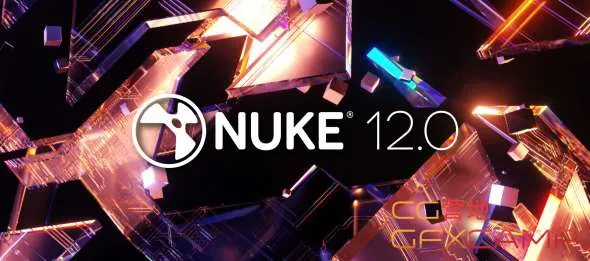
The Foundry Nuke 12.2v5 Win/Mac/Linux XForce Keygen Cracked Version
The powerful compositing features of NukeX, plus Hiero’s multi-track editorial timeline, let you complete media integration, review, editing, and even create and render compositions from the timeline. Nuke Studio gives supervisors & artists more creative control.
The compositing power of NukeX, plus the multi-track editorial timeline of Hiero, allowing you to conform, review, edit, and even create and render compositions from the timeline. Nuke Studio gives supervisors & artists more creative control
Baidu Netdisk download address (12.2v5 version):
Win:
Mac:
Linux:
Standalone keygen download address:
Official software download address:
12.2v5 version:
Win:
Mac:
Linux:
If you need to download another version of the software, simply change the version number in the download address to the one you need. For example, the download addresses for the 12.0v2 version are as follows
12.0v2 version:
Win:
Mac:
Linux:
Installation steps (thanks to the reader @少夕 in the comments for providing these):
- Install Nuke; do not launch it.
- Install FLT7.1v1-win-x86-release-64.exe inside FLT7.1v1
- Stop the Foundry License Server service
- Copy the rlm.foundry.exe file from the Crack folder to C:\Program Files\The Foundry\LicensingTools7.1\bin\RLM\, replacing the rlm.foundry.exe inside
- Open xf_foundry.lic with Notepad,
and fill in your computer’s information
Example: [HOST PCname 946956C44A06]
HOST HOST_NAME,MAC_ADDRESS,PORT
HOST (Host name [full computer name], MAC address [without the colons or dashes in the middle], port [if you don’t want to fill in the port, you can delete this word])
Note 1. There must be [HOST ] in front [HOST plus a space]
2. It must be the physical address under Ethernet adapter Local Area Connection
A. To obtain the host name and MAC address, you can enter ipconfig/all in the CMD command line
B. How to obtain the host name and MAC address: to get the host name, right-click / My Computer / Properties and you will see it; to get the physical address: right-click Network / Properties / Local Area Connection / click Details to view it
Save - Copy xf_foundry.lic to C:\ProgramData\The Foundry\RLM
- Restart the RLM Server, located by default in C:\Program Files\The Foundry\LicensingTools7.1 (Foundry License Utility (as administrator), RLM services tab, click Start Server)
- Run Nuke
- Select 1.Install License, then 2.Use Server in turn; in the address bar enter: port number@ip address
The default license port is 5053, so here it would be 5053@127.0.0.1; if you specified a particular port, then enter: specified port number@127.0.0.1