
Audio noise reduction
Echo removal
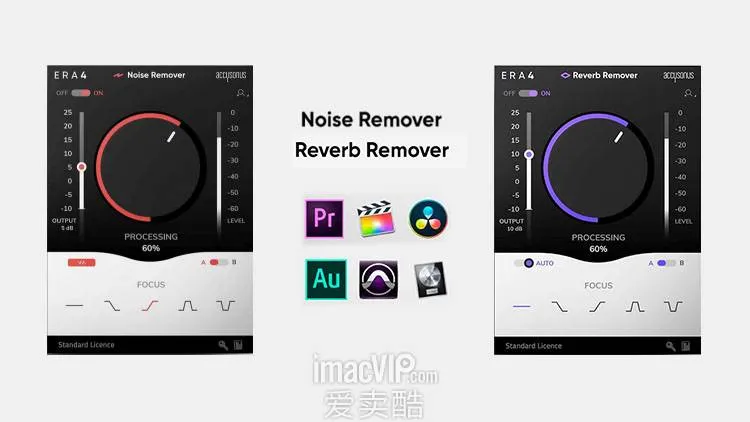
Plugin Introduction: Audio Noise Reduction Noise Remover It is a patented multi-knob noise reduction plugin that lets you clean up noisy recordings faster and more easily than ever. For deeper noise suppression, we added 5 buttons that let you focus on a specific part of the spectrum: (i) full frequency, (ii) high frequency, (iii) low frequency, (iv) high and low frequency, and (v) mid frequency. Whether you are: a podcaster looking for a quick and easy way to improve the audio quality of your podcast, a videographer who often needs to fix audio but does not want to touch a parametric equalizer, a producer recording with budget equipment or in less-than-ideal conditions, or a post-production engineer racing to meet a deadline, the denoiser will help you get high-quality results with ease! The denoiser is designed not only to reduce noise, but also to reduce the effort and time needed to get your audio right!
Echo Removal Reverb Remover Reverb is an unavoidable result of room acoustics. It can make your audio sound distant, echoey or hollow. Get the first single-knob ERA reverb remover to quickly reduce excess reverb and make the sound clear. Just turn the knob to add clarity, clean up dialogue or reinforce a musical performance. For better control of reverb suppression, we added 5 buttons that let you focus on a specific part of the spectrum: (i) full frequency, (ii) high frequency, (iii) low frequency, (iv) high and low frequency, and (v) mid frequency. With a new elegant UI and automatic gain compensation, the new Reverb Remover makes previously impossible tasks very simple. Whether you are: a podcaster looking for a quick and easy way to improve the audio quality of your podcast, a videographer who often needs to fix audio but does not want to touch a parametric equalizer, a producer recording with budget equipment or in less-than-ideal conditions, or a post-production engineer racing to meet a deadline, Reverb Remover will help you get quality results with ease!



