What Is Rosetta 2
First, a simple way to understand Rosetta (instruction translation): it is a software system that converts the x86 instructions of app programs designed for the Intel architecture into instructions that can run on M1 chip Macs.
Why Is It Called Rosetta 2
Because when Apple transitioned from PowerPC to x86 in the early days, it introduced a translation technology named Rosetta; this time, during the transition from x86 to ARM, Apple used the old trick again and simply named it Rosetta 2.
How to install Rosetta 2
- If you have just started using an M1 computer, generally when you first open an app built for Intel-based Macs, the system will automatically prompt you to install Rosetta. Click “Install”, then enter your username and password to allow the installation to continue and it is done.
2. Manually Install Rosetta 2
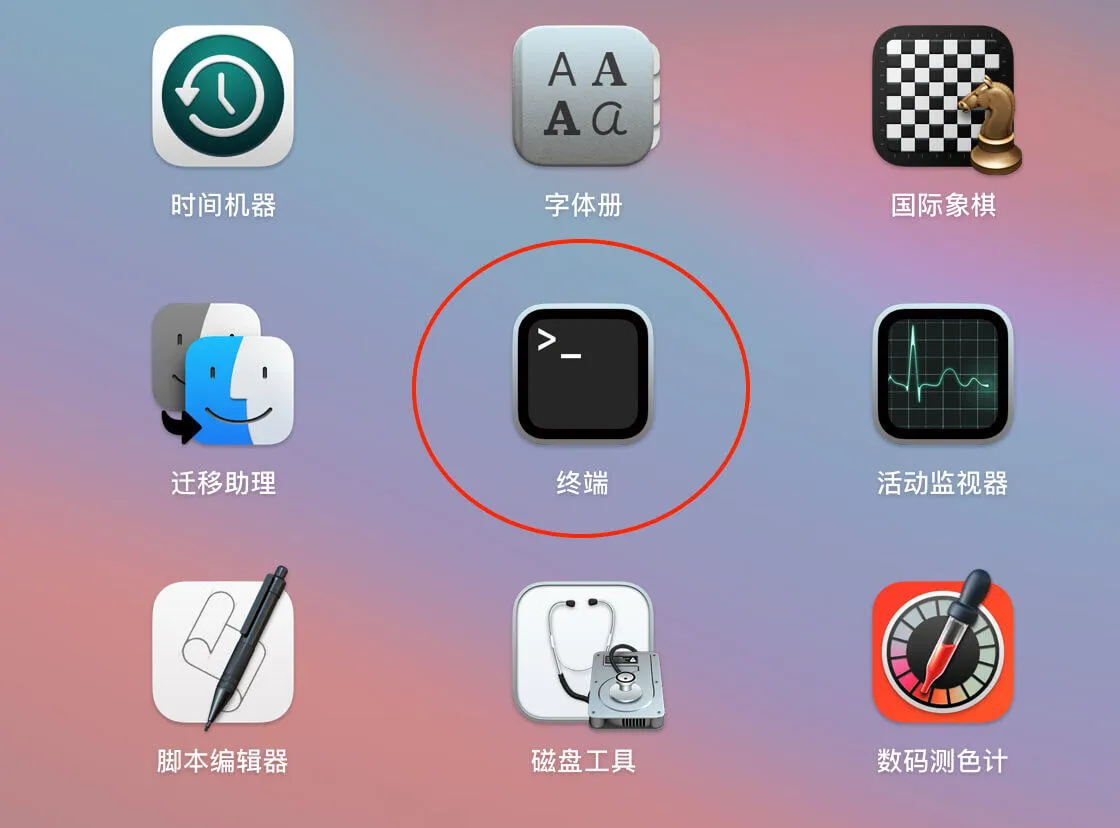
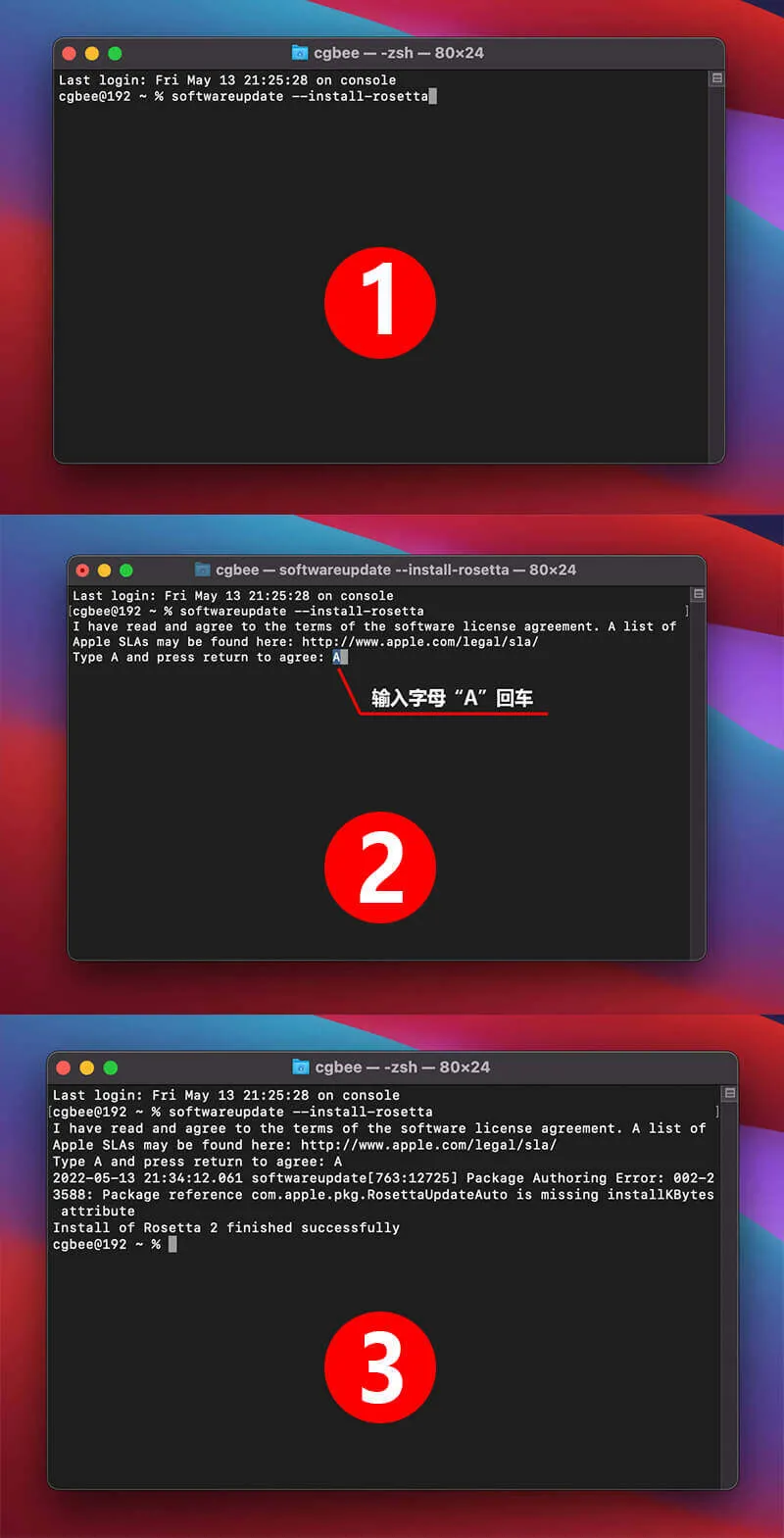
If Rosetta 2 is not yet installed on your M1 computer, you can also install it manually: Open Finder – Applications – Utilities – Terminal. (Or find the Terminal icon in Launchpad and open it.) In the window that pops up, enter: softwareupdate –install-rosetta. After seeing the software license agreement prompt, press “A” and the installation is complete.
How to Run a Specific App Using Rosetta 2
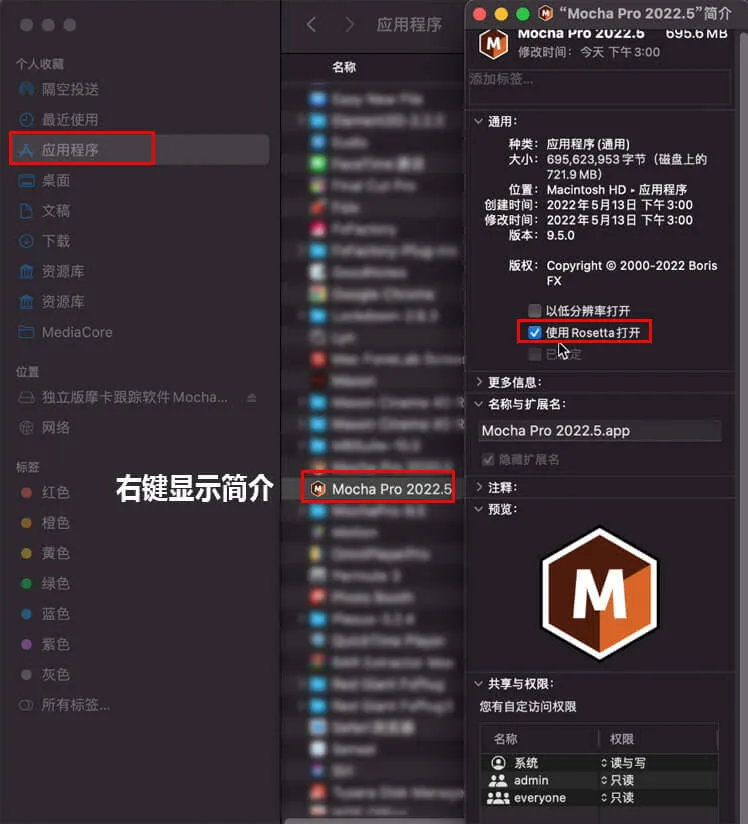
In the Applications directory, find the program you need to run with Rosetta — right-click — Get Info — tick “Rosetta”, then double-click to open the app. (For example, open the Chinese-localized Mocha Pro 2022 program in Rosetta 2 mode