
Overview
LensNode is a lens-simulation plugin from Node Mill, a company that builds lens and glass simulation tools for post-production and has partnered with Video Village for sales and support. V1.0.2 lets you shape lens character in DaVinci Resolve: build vintage and cinema looks from profiles captured from real lenses, then dial each characteristic up or down to taste. You can also combine characteristics from different lenses to create “impossible” lenses.
The plugin is aimed at colourists and filmmakers who want a fast, accurate way to add optical character to a shot without hunting for physical glass. LensNode is GPU accelerated, HDR and ACES ready, and uses linear internal processing so it fits into existing grading and VFX pipelines. The version covered on this page is V1.0.2 for Mac (free), with a separate paid Windows build.
Key Features
Eight lens characteristics
Each characteristic is profiled from real glass and can be turned up, down or completely disabled — and extended beyond its standard settings:
- Bokeh Blur — uses each lens’s unique bokeh shape for edge blur, rotating it before convolution; the shape can additionally be swirled or stretched.
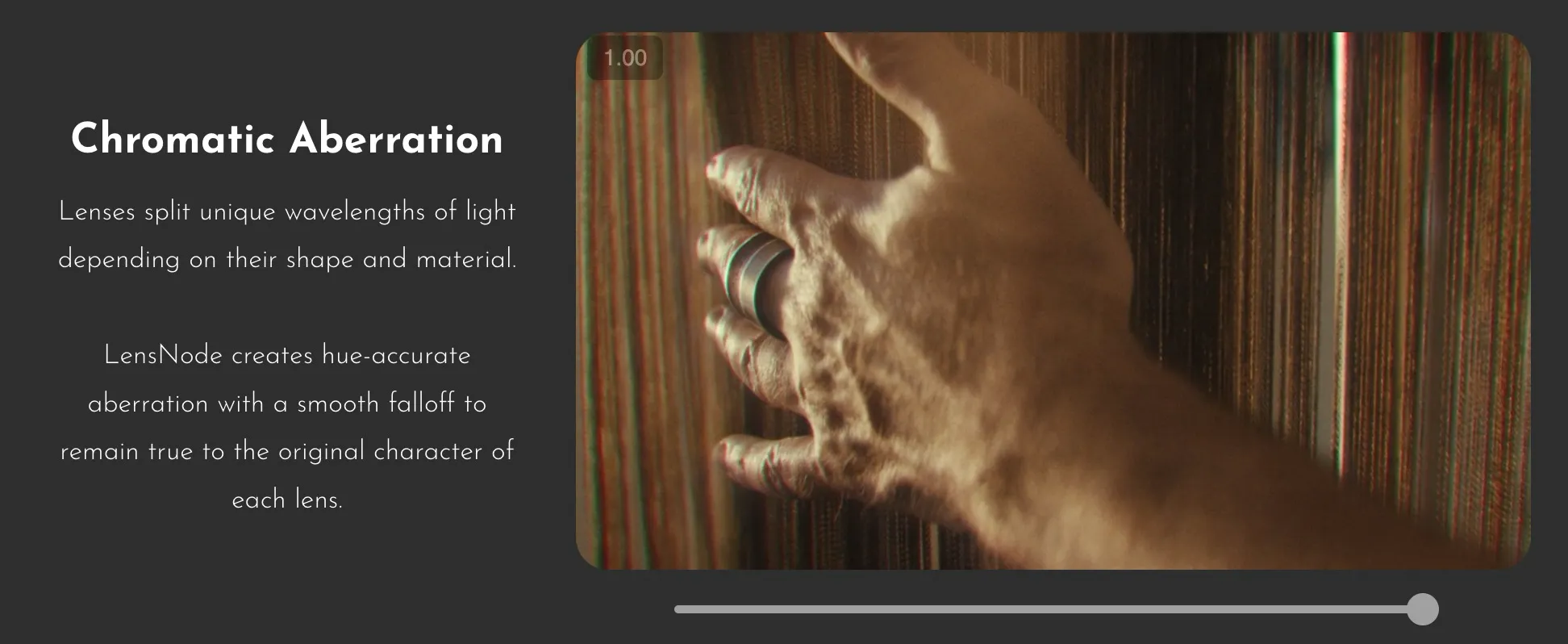
- Chromatic Aberration — accurate colour-channel separation that shifts hue from edge to centre with a smooth falloff, staying true to the original lens.
- Bloom — high-performance exponential-falloff bloom, captured and profiled at 14-bit for realistic softness and contrast.
- Coma — directional blurring, smudging and smearing that defines the look of many vintage and cinema lenses.
- Fringing — colour bleed in high-contrast areas, varying in hue, saturation and lightness across the frame.
- Distortion — industry-standard lens distortion from captured data, diallable and animatable, automatically scaled to fill the frame.
- Vignette & Color Cast — vignettes matched to the real lens wide open, plus a subtle frame-wide hue shift.
- Overdrive — one slider to exaggerate a profile’s effects for quick, creative looks.
111+ real-lens profiles
Presets are built from detailed data captures of real-world lenses, with an expanding library. Mix and match any of the 8 characteristics across 111+ profiles to build custom looks. Extras include Bokeh Swirl, Bokeh Boost and Lens Whack, which shifts the centre point of all effects across the frame and can be animated.
Professional pipeline features
Linear internal processing with ACES, support for SDR and HDR (preserving colour space and out-of-range values for high-bit-depth renders), multi-node grading (split effects across nodes), user-definable defaults for every parameter, GPU acceleration for fast playback on high-resolution footage, and Resolve Live support for real-time on-set preview of log camera feeds. All major camera and intermediate input spaces are accepted, including generic Rec.709 for approximate emulation.
System Requirements
This page covers V1.0.2 for Mac:
- Version: 1.0.2, Mac only — supports both Apple M-series and Intel chips; free version
- Mac Intel GPU: Metal 3 graphics required — AMD Vega, AMD 5000 series, AMD 6000 series, Intel Iris Pro Graphics, Intel UHD Graphics 630
- DaVinci Resolve: 18.6 or higher
- macOS: 14 or higher
- Windows: a paid version is available separately from the official store
- Processing: GPU accelerated, HDR and ACES ready
- Tutorials: installation steps + 2 official video tutorials (Chinese subtitles)
Version Information
- V1.0.2 (Mac) — the release documented here, free for macOS with M/Intel support and DaVinci Resolve 18.6+.
- Windows build — sold separately; the plugin family is distributed through Video Village and supports DaVinci Resolve, Baselight, After Effects, Premiere Pro, Final Cut Pro and Nuke in current releases.
Tutorials
The download package includes written installation steps and 2 official tutorial videos with Chinese subtitles, covering setup and the main lens-character controls.



