
AE Export GIF Animated Image Script Preset GIF Magick
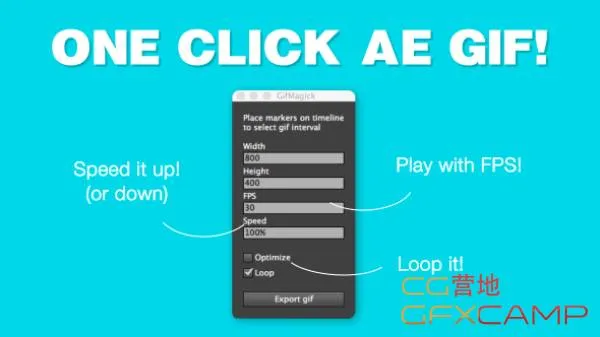
Can export GIF animations directly in AE, and lets you set the GIF’s width/height resolution, FPS frame rate, speed, optimization, loop playback, etc.
Gif Magick is a Simple Script for Adobe After Effects, which allows you to make a Gif in a one click.
How to use GIF Magick (see the video tutorial and PDF document for details):
- Before installing, you need to install ImageMagick first, then copy the corresponding version’s ImageMagick folder and GifMagick.jsx to the following location
- Win:Program Files\After Effects CC 2015\Support Files\Scripts
- Mac:应用程序\After Effects CC 2015\Scripts
PS: the Win version can be copied directly after extraction; the Mac version needs to be installed. If after installation you can’t find the ImageMagick folder in After Effects CC 2015\Scripts, do a full-disk search and copy it over.
-
Open AE; under Preferences, Edit—Preferences—General panel, check Allow Scripts to Write Files and Access Network to allow scripts to read/write files and access the network
-
Under Edit –> Templates –> OutputModules, create a new output module, name it Gif, choose PNG Sequence, RGB + Alpha channel
-
Create a new project; you need to set composition markers, i.e. where the GIF starts and ends; the shortcuts are shift 1 and shift 2 respectively
-
In File-Scripts-GifMagick you can run the script and configure output settings, etc.



