C4D R18 Promo Film VERSUS + Cinema 4D R18 New Features Introduction Preview
C4D R18 Promo Film VERSUS
Cinema 4D R18 Highlights New Features Introduction
Voronoi Fracture (non-destructive fracturing)
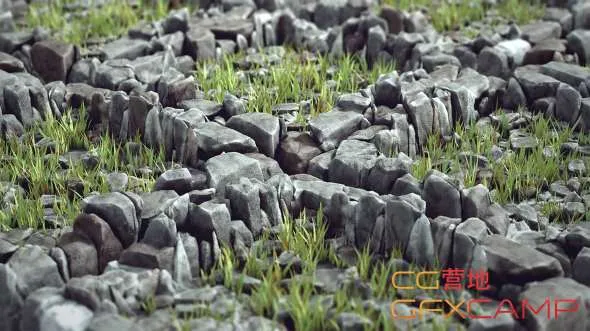
- The brand-new Voronoi Fracture object lets you demolish walls to your heart’s content. You can control the distribution of the fragments with almost any object visible to the naked eye, and orderly break any object into procedural fragments. Use splines, polygon objects or particles to create artistic procedural geometry. Elements can be replaced at any time without having to collapse the Voronoi Fracture object. As a native MoGraph object, you can combine it freely with dynamics, all deformers and falloffs.
Brand-New Cutting Tools (can slice into sheets or into blocks)
- The brand-new interactive cutting tools in Cinema 4D Release 18 make cutting outstanding. The new Linear Cut tool lets you draw a cut line across one or even multiple objects and adjust it in real time with an interactive preview, then remove or split your object along the newly locked edges. With the new Plane Cut tool you can cut new edges using local coordinates, world coordinates or the camera view coordinates. You can also draw a line and adjust its position and rotation to define the plane, either by entering numbers or using viewport manipulators. The Loop/Path Cut tool is used to create symmetrical loops or paths based on a percentage or absolute distance of the surrounding borders, while preserving the curvature of the newly formed edges. All three new tools can be executed separately on their own, and you can invoke the mode you want via shortcuts or commands.
Object Tracking
- Use object tracking to bring your Cinema 4D creations into real-world shot footage. MAXON strives to make visual effects workflows and tools accessible to everyone. Reconstructing the motion of the camera and any number of objects turns a video file into a three-dimensional space. Add 2D user tracking tracks to key features of an object and record them into Object Tracking — with the help of these tracking tracks or reference geometry the object can then be reconstructed. Next you can effortlessly blend any number of 3D objects seamlessly into real-world footage.
Parent Constraint
- In 3D animation, passing an object from one parent to another is a very complex task. Release 18 includes a brand-new and highly reliable parent constraint workflow that makes the constrained result effortless to achieve.
Shaders and Surface Effects
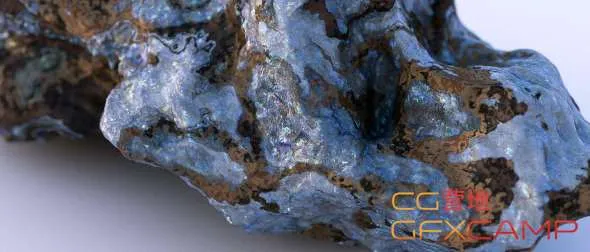
- The brand-new shaders and shading options in Cinema 4D Release 18 bring more advanced rendering capabilities. The new Thin Film shader helps you render the iridescent surfaces formed by foam, oil slicks, fingerprints and similar greasy residue. Inverted Ambient Absorption can be used to create effects such as edge wear or faster rendering of subsurface scattering. The Shadow Catcher shader captures the shadows and ambient absorption of 3D objects in a simple way for compositing onto real shot footage.
Viewport Enhancements
- The enhanced OpenGL viewport in Cinema 4D Release 18 lets you preview your scenes and models more efficiently. Screen Space Ambient Occlusion (SSAO) gives you a better experience with object structure and placement relationships, while GPU subdivision lets you preview detailed displacement results directly in real time. Reflection preview lets you better observe the results of multi-layered reflections on your models; in particular, using a full-reflection workflow will bring a more pleasant preview experience.
Integrated Substance Engine
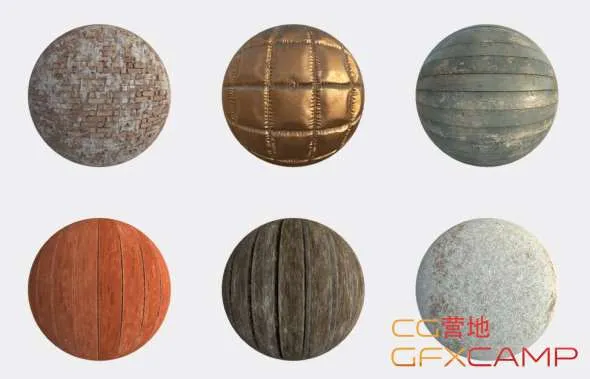
- Substances from Allegorithmic are parametric materials that can be integrated into most 3D software and game engines. Once the compiled Substances are downloaded, they can be applied to the surfaces of Cinema 4D objects. This fully embedded integration enables an excellent workflow and free additional functionality to cache Substances to disk for smoother performance
Optimized Parameters
- The shared user participation data you provide has helped us improve Cinema 4D’s user settings to make them easier to use. The standard smoothing shading angle has been lowered, the figure mannequin object has a more appropriate height, and the option to only select visible objects in most selection tools is now unticked by default. The default render output resolution is now 720p. These changes we made to your daily workflow based on user feedback are just a small part of them.