
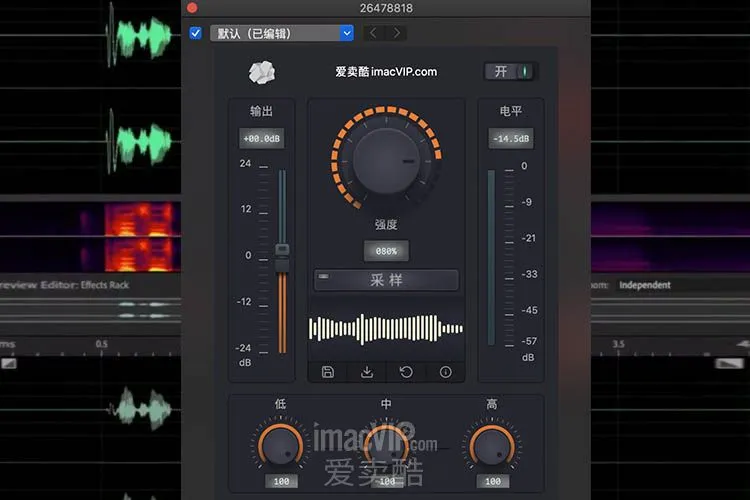
Powerful new algorithm With AudioDenoise 2 you can now reduce background noise in even more complex situations. Using an air-conditioning fan mixed with mechanical hum? Noise that changes gradually over time? AudioDenoise 2 makes it easy to reduce these and many other noises.
Sample-based noise reduction AudioDenoise 2 is sample-based, which means you can pick the exact noise you want to focus on. It is very simple — just move the playhead to the problem area and click the “Sample” button. You can keep sampling until you like what you hear, all during real-time playback. The result is natural-sounding audio rather than something that sounds like it came out of a tin can.
Simple — just drag and drop Just drag it onto your audio, click the “Sample” button and the background hiss is removed immediately. Most of the time you only need to adjust the “Intensity” knob. That’s it. AudioDenoise 2 is designed for video editors, not sound technicians.



