
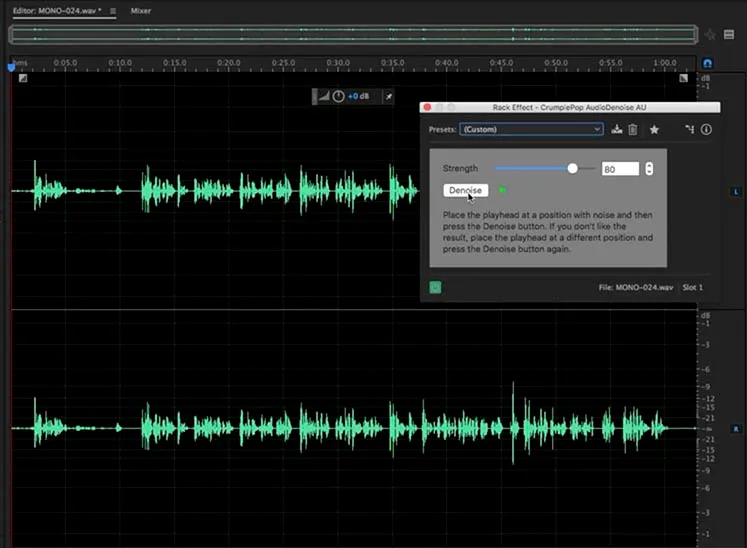
Automatically remove hiss and background noise from audio
- Automatically clean up audio
- Remove microphone hiss, fan noise and room noise
- Simple - just drag and drop
System requirements: Mac OS X 10.13 or later (Windows not supported) Software requirements: FCPX 10.3 / Premiere Pro CC 2015 / Audition CC 2015 / Davinci Resolve 13 / Logic Pro 10.2 / Garage Band 10.1 (or later) Plugin language: English File size: 40.3MB (dmg file) Installation: Chinese PDF installation guide (tested) Usage help: Screenshots showing where to use it + video tutorial
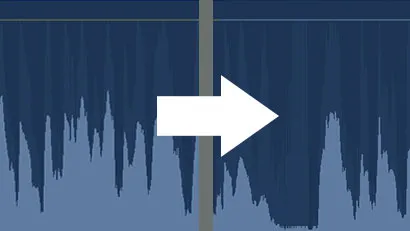
Powerful noise reduction algorithm
If your video has noisy audio, it makes your project look bad. Hiss in the background is distracting and instantly makes your video look amateurish. AudioDenoise actually removes the noise from your audio, leaving you with clean, polished sound. It seems like magic, but the secret is the powerful noise reduction algorithm at the core of AudioDenoise, designed specifically for video editors.
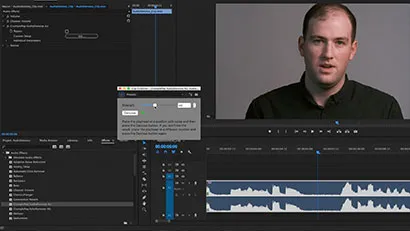
Automatic audio cleanup
AudioDenoise works automatically - there is no need to carefully select a noise region first. AudioDenoise analyzes the audio in your video, identifies unwanted noise and removes it.
We know that as a video editor, the last thing you want to do is spend hours tweaking audio. AudioDenoise is a very useful plugin for a lot of video projects, and we think you will be surprised at how often you use it.
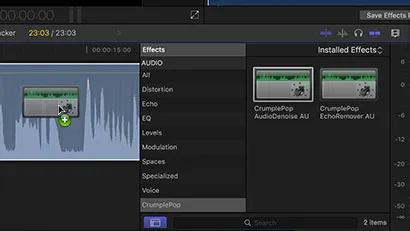
Simple - just drag and drop
AudioDenoise is a very simple plugin. You just drag it onto your audio and it instantly removes the background hiss. There is only one control - an “Intensity” slider for fine-tuning. That’s it. AudioDenoise is designed for video editors, not sound technicians.
Remove electrical noise and see the result
Remove computer noise and see the result
Remove wind noise and see the result
Remove road noise and see the result



