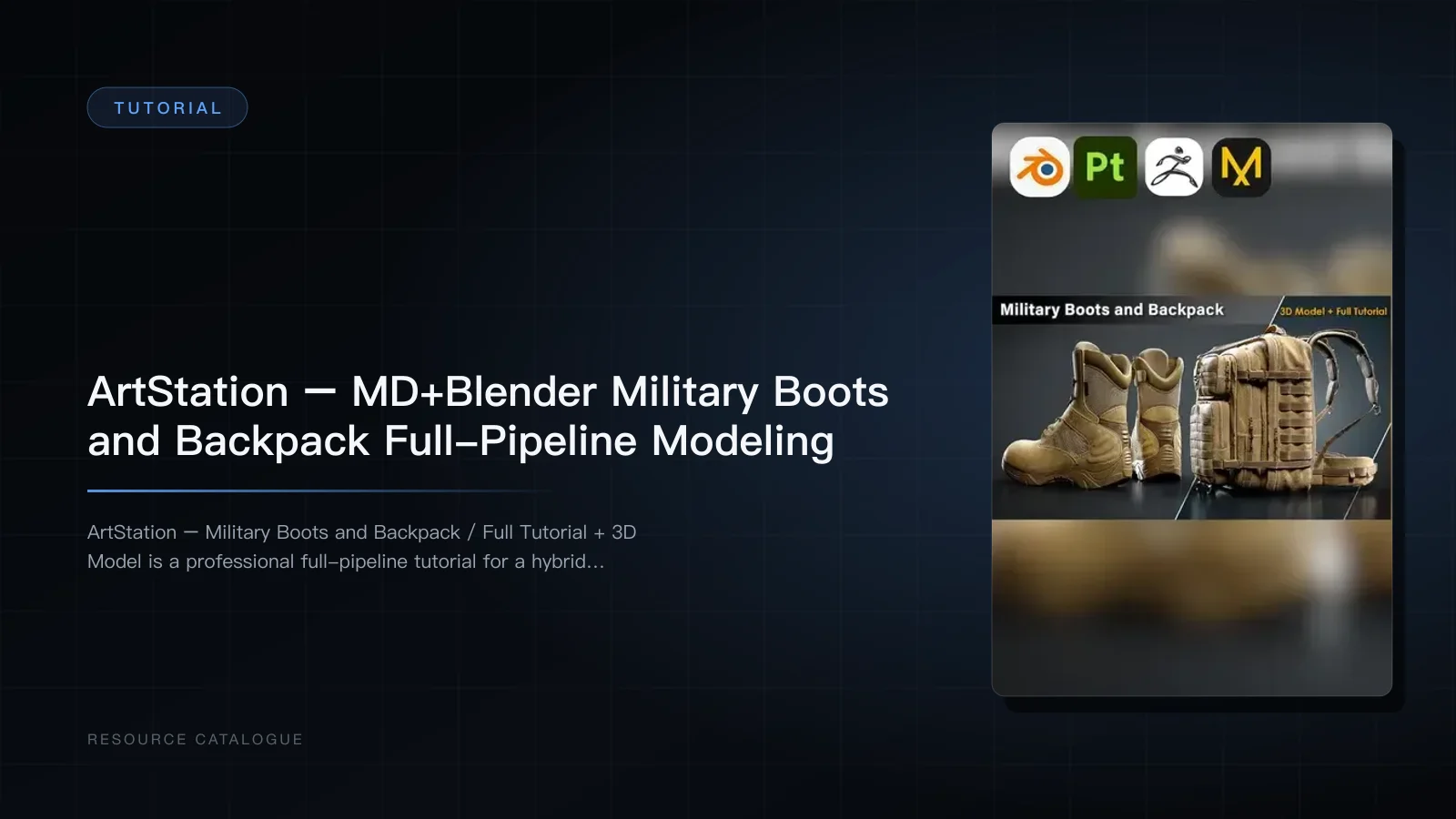
ArtStation – Military Boots and Backpack tutorial in detail: MD+Blender full-pipeline modeling, texturing and rendering in practice
ArtStation – Military Boots and Backpack / Full Tutorial + 3D Model is a professional full-pipeline tutorial for a hybrid hard-surface and cloth prop published on ArtStation Marketplace. The resource includes complete video lessons and finished 3D assets, using military tactical boots and a tactical backpack as the core case study to systematically demonstrate a complete AAA game asset production pipeline, from Marvelous Designer cloth simulation, Blender hard-surface modeling, ZBrush detail sculpting and Rizom UV unwrapping to Substance Painter PBR texturing and Marmoset Toolbag rendering. The tutorial is widely recommended in communities and resource sites such as VK and GFXCamp.
I. Resource overview
| Item | Details |
| Full resource name | Military Boots and Backpack / Full Tutorial + 3D Model |
| Publishing platform | ArtStation Marketplace |
| Resource type | Video tutorial + 3D model asset bundle |
| Total duration | 12+ hours (about 12 hours of complete demonstration) |
| Core content | Full pipeline of modeling, texturing, lighting and rendering + finished 3D models |
| Difficulty level | Intermediate (basic proficiency in each software required) |
II. Core content structure
The tutorial follows a standard game asset production workflow and is divided into four core modules:
Module 1: Modeling — a multi-software collaborative workflow
The tutorial adopts a “hard and soft combined” multi-tool collaboration strategy, fully leveraging each software’s specialist strengths:
- Marvelous Designer (MD): cloth simulation of the backpack’s main body, quickly generating physically plausible wrinkles, drape and stitched structures
- Blender: hard-surface accessory modeling, including the rubber tread of the boot sole, metal eyelets for the laces, the backpack’s buckle system, MOLLE webbing, zipper teeth and other tactical components
- ZBrush: high-poly detail sculpting, adding micro-detail such as leather grain, stitch impressions, wear marks and fabric weave textures
- Retopology: output a clean quad topology, game-ready base mesh that ensures compatibility with later rigging and deformation
Module 2: UV unwrapping
- Use Rizom UV for efficient UV splitting and flattening
- Adopt a UDIMs Workflow to allocate texture space, ensuring every part of complex tactical gear gets sufficient texture resolution
- Optimize overlapping of symmetrical structures to maximize UV space usage
- Use differentiated UV density strategies for different parts such as the boot shaft, sole, backpack body and shoulder straps
Module 3: Texturing — full PBR pipeline
Professional-grade PBR materials are created in Substance Painter:
- Material layering: precise representation of different physical materials such as leather, nylon Cordura, rubber sole, metal buckles and Velcro
- Narrative aging: realistic battlefield wear such as worn edges, use stains, friction fading, dust accumulation and mud splatter
- Tactical details: military features such as camouflage patterns, unit insignia, size labels and production date stamps
- 4K texture output: complete PBR map sets (BaseColor, Normal, Roughness, Metallic, AO, Height)
Module 4: Lighting and rendering
- Use Marmoset Toolbag for real-time rendering and portfolio presentation
- Three-point lighting + ambient light setup to highlight leather sheen, metal reflections and fabric texture
- Output still-frame showcase images suitable for ArtStation publication and a 360° turntable animation
III. Included 3D assets
After purchasing the resource, in addition to the 12+ hours of video lessons you also get the following finished files:
| Asset content | Specification |
| Game-ready base model | FBX / OBJ format, clean quad topology, can be imported directly into a game engine |
| 4K PBR textures | Complete PBR map set, 16 bit color depth, compatible with industry-standard rendering pipelines |
| UDIM maps | Multi-quadrant UV texture layout, suitable for high-precision rendering and close-up presentation |
| Project files | Includes source files for Marvelous Designer, Blender, ZBrush, Substance Painter and more |
IV. Software and tools involved
| Software | Purpose |
| Marvelous Designer | Cloth simulation, backpack body shape generation, physical wrinkle calculation |
| Blender | Hard-surface accessory modeling, scene assembly, topology cleanup |
| ZBrush | High-poly detail sculpting, leather texture, stitch impressions, wear marks |
| Rizom UV | UV splitting, flattening, UDIM layout, Texel Density optimization |
| Substance Painter | PBR texturing, material layering, smart materials, aging details |
| Marmoset Toolbag | Real-time rendering, portfolio presentation, turntable animation output |
This “MD cloth + Blender hard surface + ZBrush sculpting + SP texturing” combination is the standard pipeline for producing complex clothing and equipment in today’s game industry, and learning this workflow is extremely valuable for job hunting.
V. Prerequisites
The tutorial is positioned as intermediate, and learners are advised to have the following foundations:
- Familiarity with the basics of Marvelous Designer cloth simulation (sewing, simulation, export)
- Understanding of the basics of Blender modeling, sculpting and materials
- Basic ZBrush subdivision sculpting skills (brushes, masking, Polypaint)
- Understanding of Substance Painter layers, smart materials and masks
- Ability to read English software interfaces independently (the tutorial is usually in English or a silent demonstration)
VI. Who it’s for
- Game asset modelers: need to produce character equipment for FPS, tactical shooter and military simulation games
- Hard-surface + cloth all-round learners: want to master the “hard and soft combined” workflow for complex props
- Military subject enthusiasts: 3D artists with a strong interest in modern tactical gear
- Portfolio builders: need high-quality clothing/equipment projects to strengthen a job-hunting portfolio
- Advanced MD users: already know MD basics and want to learn how to integrate cloth simulation into a complete game pipeline
VII. Comparison with similar resources
There are several similar military equipment tutorials on ArtStation Marketplace; the differentiating features of Military Boots and Backpack are:
| Comparison item | Military Boots and Backpack | Single hard-surface tutorial (e.g. helmet, firearm) | Pure cloth tutorial (e.g. T-shirt, skirt) |
| Material complexity | Mixed materials: cloth + leather + rubber + metal | Single metal/plastic material | Single cloth material |
| Toolchain | MD + sculpting + hard surface + texturing | Modeling + texturing | MD + texturing |
| Skill coverage | Trains cloth, hard-surface and sculpting skills at once | Hard-surface skills only | Cloth skills only |
| Portfolio value | Demonstrates comprehensive technical ability, strong for job hunting | Showcases a single skill | Showcases a single skill |
VIII. Pros and cons
Advantages
- Full pipeline coverage: 12+ hours of complete demonstration, from MD cloth simulation to Marmoset rendering, without missing any key step
- Multi-software collaboration: shows an industry-standard multi-tool pipeline rather than working in isolation in a single piece of software
- Game-ready output: clean quad topology + 4K PBR textures, ready for production
- UDIM workflow: learn multi-quadrant texturing commonly used in high-end projects
- Asset reuse: the finished models and textures can be used directly in personal or commercial projects (subject to the ArtStation license)
- Community recognition: listed as a quality learning resource in communities such as VK and GFXCamp
Limitations
- Multi-software barrier: requires proficiency in MD, Blender, ZBrush, SP, Rizom and other tools at the same time
- Hardware requirements: MD cloth simulation and ZBrush high-poly work are demanding on memory and CPU
- Subject limitation: purely realistic military style; sci-fi/fantasy styles require your own adjustments
- Long duration: 12+ hours requires sustained commitment, suitable for learners with a clear study plan
IX. Study suggestions
To maximize the learning outcome of this tutorial, we recommend studying along the following path:
<
- Preparation: first complete a simple Marvelous Designer T-shirt or pants exercise on your own to get familiar with the basics of cloth simulation
- Main course: follow the tutorial step by step through the complete boot and backpack pipeline, focusing on the transition techniques from MD to Blender
- Detail study: pause the video to carefully study the ZBrush sculpting approach and brush choices for leather texture
- Material analysis: in the Substance Painter stage, focus on layer logic and the order of handling aging details
- Extension practice: try making matching equipment (tactical belt, knee pads, gloves) to form a complete character equipment set
X. Conclusion
ArtStation – Military Boots and Backpack is an intermediate-to-advanced game asset tutorial with a complete pipeline, comprehensive technical coverage and extremely high practical value. It cleverly combines Marvelous Designer’s cloth strengths with the traditional hard-surface, sculpting and texturing pipeline, demonstrating the standardized production method for complex clothing and equipment in the modern game industry.
For learners hoping to enter AAA game art, especially in the character/equipment direction, this tutorial not only produces two portfolio-ready high-quality pieces — military boots and a backpack — but more importantly builds a complete mental framework of “cloth simulation → retopology → high-poly sculpting → PBR texturing → real-time rendering.” This cross-software collaboration ability is exactly what game companies today require of mid-level and above artists.