

AE/PR Script | Video Creation and Motion Graphics Management Tool Plugin - Motion Factory 3.3.7 Chinese Localized Version
The provided Motion Factory 3.3.7 has been localized into Chinese and supports Win/Mac. Motion Factory 3.3.7 is a free and powerful video creation and motion graphics toolkit for After Effects/Premiere Pro. It lets you edit and organize your video and animation templates faster, making editing and motion graphics workflows simple and efficient. It can be said that Motion Graphics is the best Premiere Pro and After Effects script plugin. It supports Adobe Premiere 2019 and later. If you need it, download it now!
Script introduction:
- Asset Manager
Motion Factory is a folder management toolkit with a powerful media browser that makes managing assets and using MOGRT much easier and faster. All your templates are organized in one place with direct access. - Built-in Settings Panel
Motion Factory is a free plugin that lets you instantly customize and change video and animation projects. It comes with an easy-to-use settings panel for every Motion Factory template. - File Types
Motion Factory can handle a wide range of video and graphics file types. This lets you import and use any media file type in the FREE Motion Factory plugin with one click.
Supported video formats: [“264”, “3g2”, “3gp”, “3gpp”, “aaf”, “aecap”, “aegraphic”, “aepx”, “ale”, “asf”, “asx”, “avc”, “avi”, “cine”, “edl”, “f4v”, “m1v”, “m2a”, “m2t”, “m2ts”, “m2v”, “m4v”, “mkv”, “mod”, “mov”, “mp4”, “mpe”, “mpeg”, “mpg”, “mpv”, “mts”, “mxf”, “prtl”, “qt”, “r3d”, “scc”, “srt”, “stl”, “ts”, “tsv”, “vob”, “wmv”, “aet”, “xml”, “dcr”, “flv”, “m2p”, “swf”, “psb”, “pns”, “wm”, “webm”],
Supported audio formats: [“aac”, “ac3”, “aif”, “aifc”, “aiff”, “bwf”, “m4a”, “mp2”, “mp3”, “mpa”, “wav”, “wma”, “raw”, “iff”, “cdr”, “ply”],
Image support: [“bmp”, “cin”, “dib”, “dpx”, “exr”, “gif”, “icb”, “jfif”, “jpe”, “jpeg”, “jpg”, “png”, “psd”, “rle”, “tga”, “tif”, “tiff”, “vda”, “vst”, “omf”, “arw”, “heic”, “img”, “hdr”, “rpf”, “sgi”, “bw”, “rgb”, “pic”, “jpf”, “jpx”, “jp2”, “j2k”, “j2c”, “pcx”, “pdd”, “pxr”, “jpc”, “pbm”, “pgm”, “ppm”, “pnm”, “sct”, “wbm”, “dcm”, “dic”, “jps”, “mpo”, “pict”],
Other supported formats: [“ai”, “amb”, “ari”, “asnd”, “bvh”, “chproj”, “crm”, “csv”, “dfxp”, “dng”, “eps”, “ico”, “json”, “m1a”, “mcc”, “mgjson”, “mxr”, “ptl”, “rf64”, “rmf”, “sxr”, “xmlfla”, “crw”, “nef”, “raf”, “orf”, “mrw”, “mos”, “pef”, “srf”, “x3f”, “cr2”, “erf”, “sr2”, “kdc”, “mfw”, “mef”, “nrw”, “rw2”, “rwl”, “iiq”, “3fr”, “fff”, “srw”, “gpr”, “dxo”, “arq”, “cr3”, “c4d”, “ei”, “tdi”, “pdf”, “ai3”, “ai4”, “ai5”, “ai6”, “ai7”, “ai8”, “epsf”, “epsp”, “jsx”, “ma”, “rgbe”, “xyze”, “rla”, “txt”, “rf64idea”, “ait”, “draw”, “line”, “sket”, “dwg”, “dxf”, “cgm”, “ps”, “emf”, “pct”, “rtf”, “doc”, “docx”, “svg”, “svgz”, “wmfpng”, “pfm”, “pam”, “prc”, “u3d”, “wrl”, “obj”, “wbmppsd”, “psdt”, “3ds”, “sdpx”, “fido”, “dae”, “dc3”, “fl3”, “kmz”, “igs”, “iges”, “pdp”, “mogrt”, “aep”, “prproj”, “ffx”]
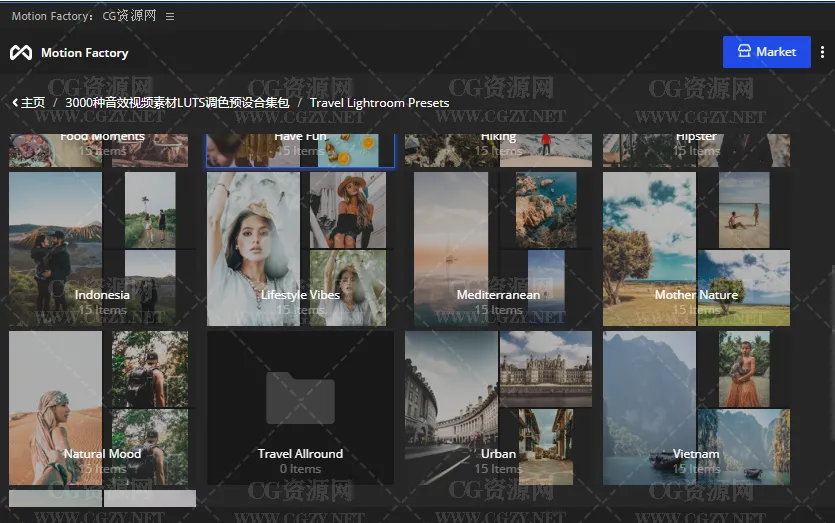
Installation:
- Copy the com.pixflow.motionfactory folder to the following location:
Win : C:\Program Files (x86)\Common Files\Adobe\CEP\extensions\
Mac : System drive/Library (called Resource Library in Chinese)/Application Support/Adobe/CEP/extensions
-
On Win, run Add Keys.reg once; on Mac, run install-as-admin once
-
Open the AE software settings and tick *Allow Scripts to Write Files and Access Network (skip this step in PR)
Win: Edit – Preferences – General
Mac: After Effects CC - Preferences – General
-
Open the Motion Factory script from the Window menu at the top of AE/PR under Extensions
-
Login is required. Click Log In, enter the account and password below and click Continue to log in (you can also apply for a free account)
Account: cgzy@cgzy.net
Password: cgzy.net
- Click Import in the bottom right corner of the script window, select the folder inside the assets installation package, and click Open.
If the extension cannot be opened, install the English version first and then replace it with the Chinese localization package.
Preset packs:
More Motion Factory preset packs: Click here



