Overview
Adobe InDesign 2026 is a professional desktop publishing application (Desktop Publishing Software, DTP for short) developed by Adobe. It is mainly used to create and design all kinds of print and digital publications, such as books, magazines, newspapers, flyers, posters, e-books and PDF files. InDesign is known for its powerful typesetting features, precise layout control and seamless integration with other Adobe software (such as Photoshop and Illustrator).
Features and uses:
- Creative workflow: Closely integrated with the Adobe Creative Cloud ecosystem, making it easy for designers to switch between different tools.
- Typesetting and text processing: Provides advanced text typesetting tools with support for multi-column layouts, font style adjustments and paragraph formatting, ideal for long documents.
- Graphics and image integration: Images and vector graphics can be imported easily and adjusted precisely.
- Layout design: Grids, guides and master pages help users design consistent, professional layouts.
- Cross-media output: Supports export to print formats (such as high-resolution PDF) or digital formats (such as interactive PDF and ePub).
Windows installation:
-
Disable antivirus first so the keygen is not deleted by mistake
-
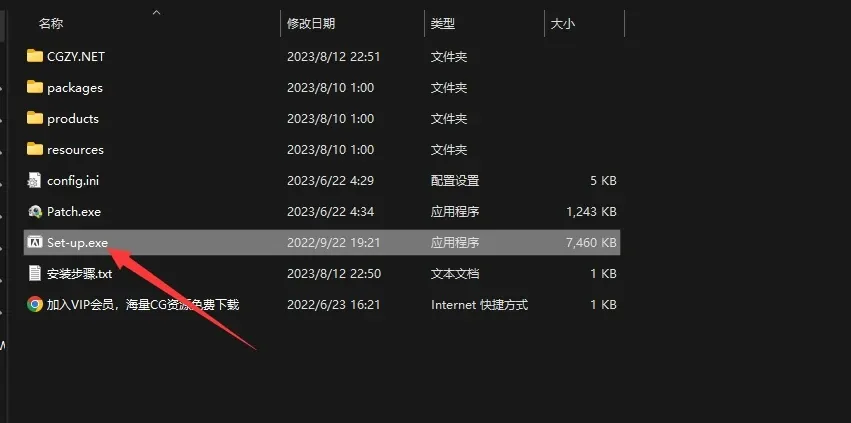
Click Set-up.exe to start the installation
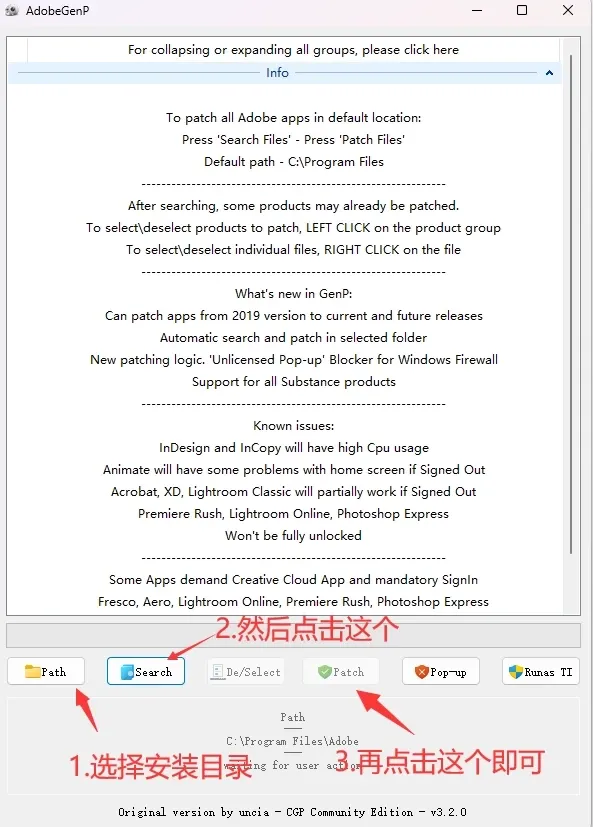
When the installation finishes, right-click AdobeGenP.exe and run it as administrator, click Path in the bottom-left corner and select the software’s installation folder, then click Search — it will automatically find all installed Adobe applications in that folder. Tick the applications you want to patch and click Patch.